Installation guide
 Owner’s manual
 Error Codes







How to unlock oven door on Kenmore 79031043800 gas range?
To unlock the oven door on your Kenmore Elite gas range model 79031043800, press and hold the Oven Lockout pad for 3 seconds; the display will flash “DOOR LOCKED” while it unlocks, then you will hear a click when the door releases. See the steps in the owner's manual.
Quick unlock steps (control lock)
- Press and hold the Oven Lockout pad for 3 seconds.
- Listen for a beep.
- Watch for “DOOR LOCKED” to flash while the latch motor runs.
- Wait until “DOOR LOCKED” stops showing (or stops flashing) and the latch clicks.
- Open the door normally.
If the door is locked after Self-Clean
During or after Self-Clean, the door stays locked until the oven cools.
- Press Cancel/Stop to end the cycle if needed.
- Wait about 1 hour for the oven to cool.
- Confirm the “DOOR LOCKED” indicator is no longer displayed.
- Open the door.
- Do not force the door open; forcing it can damage the lock mechanism.
What you see on the display
| Situation | What it usually means | What to do |
|---|---|---|
| “Loc” and “DOOR LOCKED” | Oven Lockout feature is on | Hold Oven Lockout for 3 seconds |
| “CLEAN” and “DOOR LOCKED” | Self-Clean is running or cooling down | Wait for cool-down (about 1 hour) |
| “HOT” and “DOOR LOCKED” | Oven is still too hot to unlock | Keep waiting until “DOOR LOCKED” clears |
Why it matters
The lock protects you from high heat and prevents the oven from turning on while locked. Using the correct unlock method helps avoid damage to the automatic door latch and keeps the range operating normally.
Last updated: February 2026
Where can I find my Kenmore 79031043800 oven model number?
On the Kenmore Elite gas range model 79031043800, the model and serial number are printed on the serial plate on the oven front frame. You can typically see it when you open the oven door, or by pulling out the storage/broil drawer and checking the side frame. See the 79031043800 owner's manual for the exact label location notes for your version.
Where to look on the range
Check these common serial plate locations first:
- Open the oven door and look along the front frame (the frame around the oven opening)
- Look behind the oven door on the oven front frame (common on many versions)
- Pull out the bottom drawer (storage or broil drawer) and check the drawer side frame
- Use a flashlight and look for a silver or white rating plate with printed text
What the label looks like and what to write down
The serial plate usually includes more than just the model number. Record these items for parts lookup and service history:
- Model number (for example, 79031043800)
- Serial number
- Lot number or letter (if shown)
- Fuel type and gas pressure information (often listed on the plate)
Quick checklist if you still do not see it
- Make sure the oven door is fully open so you can see the front frame edges
- Remove the drawer completely if it stops partway (many drawers lift slightly to release)
- Wipe grease or dust off the frame; labels can be hard to read when dirty
- Take a photo and zoom in to read small print
Common locations at a glance
| Area to check | What you do | What you are looking for |
|---|---|---|
| Oven front frame | Open oven door | Serial plate with model and serial |
| Drawer side frame | Pull out bottom drawer | Serial plate on side rail/frame |
Why it matters
Using the exact model number ensures you get the right Kenmore Elite range parts (like an oven igniter, temperature sensor, or burner components) that match your gas range configuration.
Last updated: February 2026
How to reset Kenmore gas oven?
To reset a Kenmore gas oven like model 79031043800, we restore power to the control (a basic reset) or clear stored settings that can force the control back to factory defaults. If the oven is locked, turning off the lockout also restores normal operation; see the owner's manual.
Quick reset options (start here)
- Power reset (most common): turn the range off at the breaker (or unplug it) for 1 to 5 minutes, then restore power.
- Cancel a running cycle: press Cancel/Off to stop Bake, Broil, or timed cooking, then set the function again.
- Unlock the oven (if “Loc” shows): press and hold the Oven Lockout pad for 3 seconds until the door unlocks.
- Clear stored recipes and reset adjustments: use the control’s “erase stored recipes” procedure (this also resets other control adjustments).
If the display shows “Loc” or the door will not open
The Oven Lockout feature prevents the oven from turning on and locks the door, but it does not disable the clock, timer, or oven light.
What to do
- Press and hold Oven Lockout for 3 seconds.
- Wait for the “DOOR LOCKED” indicator to stop flashing and the door to fully unlock.
- Try Bake again.
Factory-style reset (clears stored recipes and control adjustments)
On this style of Kenmore Elite control, clearing stored recipes also resets several “consumer defined” adjustments back to factory settings.
What typically resets:
- 12/24-hour time display
- Silent control operation setting
- Fahrenheit/Celsius display
- Any oven temperature adjustments
| Reset method | What it affects | When to use it |
|---|---|---|
| Power reset | Reboots the control | Frozen display, odd behavior after outage |
| Cancel/Off | Stops the current function | Wrong mode or timed cycle running |
| Oven Lockout off | Restores oven operation | “Loc”, door locked, oven will not start |
| Clear stored recipes | Returns many settings to factory defaults | Persistent control setting issues |
Why it matters
A “reset” fixes many no-heat and control problems caused by a glitch, a power interruption, or an active lockout. If the oven still will not ignite after resetting, common causes include a weak igniter or a temperature sensing issue; parts often involved include the frigidaire range oven burner igniter 5303935066 and the frigidaire range oven temperature sensor 316217002.
Last updated: February 2026
Why is my Kenmore 79031043800 oven not working?
If your Kenmore Elite 79031043800 oven is not working, the most common causes are a loss of power to the range, a failed hot-surface igniter that will not glow and open the gas valve, or a control fault that stops operation. Use the checks below to pinpoint whether the issue is ignition, gas flow, or controls; then match the fix to the right part.
Quick checks first (no tools)
- Confirm the range has power; this model uses electric ignition and the oven will not operate correctly without electricity.
- Make sure the oven is not set during a power failure; if power was lost, turn the oven off, then restart.
- Set BAKE 300°F and watch through the broiler area or oven bottom access (as applicable): the igniter should glow and the burner should light within 30 to 60 seconds.
- If the control is beeping and showing an F-code, press STOP/CLEAR, then reprogram the oven.
- If the oven light is out, replace the bulb (a burned-out bulb does not stop heating, but it helps you see ignition).
What your symptoms usually mean
| What you see | Most likely cause | What to check next |
|---|---|---|
| No glow from igniter; no flame | Failed igniter or no power to igniter | Check power, then test/replace igniter |
| Igniter glows; still no flame | Gas valve not opening or weak igniter | Inspect igniter strength, then consider gas valve |
| Oven starts then stops; beeps with F-code | Electronic control fault condition | Clear code, retry; if it returns, service is needed |
Parts that commonly fix “oven not working” on this model
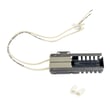
- Frigidaire range oven burner igniter 5303935066 (no glow, delayed ignition, no bake)
- Range oven gas valve 316404901 (igniter glows but burner never lights)
- Frigidaire range oven temperature sensor 316217002 (temperature regulation problems, erratic baking)
Why it matters
On a gas range like the Kenmore Elite 79031043800, the oven burner lights only after the igniter heats up enough for the gas valve to open. If the igniter is weak or dead, the valve stays closed and the oven will not heat, even though the surface burners may still work.
Reference for normal ignition timing
For the correct ignition sequence and timing (including the normal 30 to 60 second delay before flame appears), follow the procedure in the installation guide.
Last updated: February 2026