 Owner’s manual


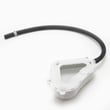
Does my Kenmore Elite washing machine have a filter?
Yes. Your Kenmore Elite washer model 79631512210 uses filtering in the drain system to help catch lint and small debris before it reaches the drain pump; many owners access it through a small service area near the bottom front of the washer. For model-specific access steps, use the 79631512210 owner's manual.
On many Kenmore 796-built washers, the most common filter customers mean is the drain pump clean-out (coin trap) area.
- Look for a small lower access panel or flap at the front bottom of the cabinet
- Place a shallow pan and towels down first (water will spill)
- Drain any remaining water slowly before fully removing the clean-out cap
- Remove coins, lint, hair pins, and small socks if present
- Reinstall the cap snugly to prevent leaks
Some versions route debris protection differently, so the “filter” may not look like a removable screen.
| What you see | What it usually means | What to do next |
|---|---|---|
| No front clean-out door | Filter is not user-facing | Follow the manual’s drain/pump access procedure |
| Slow drain, standing water | Drain path restriction likely | Check hoses, then inspect the pump area |
| Humming during drain | Pump may be jammed | Clear debris; if still humming, test/replace pump |
If cleaning the trap area does not restore normal draining, the issue is often in the pump or water-level sensing.
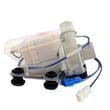
- Lg washer drain pump 5859EA1004P (drains water; can jam with debris)
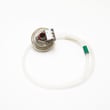
- Lg washer water-level pressure switch 6501EA1001R (helps the control “know” water level)
- Check the drain hose for kinks, clogs, or an overly deep standpipe insertion
A clogged drain filter or restricted drain path can cause long cycle times, poor spin performance, odors, and drain-related error codes. Keeping the drain system clear helps protect the pump and improves wash results.
Last updated: February 2026
How to force a Kenmore Elite washer to drain?
To force-drain a Kenmore Elite washer model 79631512210, we use the quickest safe method: cancel the cycle and run a drain/spin, then manually drain through the pump filter access if the tub still holds water. Follow the steps in the 79631512210 owner's manual for your control panel sequence.
- Press Pause/Cancel (or Power) to stop the cycle.
- Select Drain/Spin (or Spin Only) and press Start.
- If the washer will not start draining, unplug the washer for 1 minute, plug back in, then try Drain/Spin again.
- If the tub still will not drain, move to manual draining at the pump filter (next section).
- Unplug the washer.
- Place towels and a shallow pan under the lower front access area.
- Slowly open the pump filter cap to let water flow out in a controlled way.
- Remove lint, coins, or debris from the filter and reinstall it snugly.
If the filter area is clear but the washer still will not drain, the drain pump can be the cause; for this model, a common replacement is the lg washer drain pump 5859EA1004P.
- Drain hose: kinked, crushed, or pushed too far down the standpipe
- Standpipe/sink drain: clogged or slow-draining
- Pump filter: blocked with lint, socks, or small items
- Load issue: heavy, unbalanced load can stall the drain/spin sequence
- Error code: note any code before unplugging; it helps pinpoint the failure
| What you see | Most likely cause | Best next step |
|---|---|---|
| Hums but no water leaves | Pump filter blockage | Clean pump filter and retry |
| Drains slowly | Partial clog in hose/filter | Clear hose path and filter |
| No pump sound at all | Pump or control issue | Check for error code, then inspect pump wiring/pump |
| Stops and shows a drain-related code | Drain restriction or pump problem | Clear restriction; test pump |
Forcing a drain the right way prevents overflow, protects the electronic control board, and reduces the chance of a repeat no-drain condition caused by a clogged pump filter or restricted drain hose.
Last updated: February 2026
How to reset a Kenmore Elite washer machine?
To reset your Kenmore Elite washer model 79631512210, we recommend doing a simple power reset first: turn the washer off, unplug it for 1 minute, then plug it back in and try a normal cycle. This clears many temporary control glitches.
- Power reset: Unplug for 60 seconds, plug back in.
- Breaker reset: If the plug is hard to reach, turn the washer’s breaker off for 1 minute, then back on.
- Control panel reset attempt: Press Pause/Cancel (or Start/Pause) and hold for about 5 to 10 seconds, then try selecting a cycle.
- Cycle reset: Turn the cycle knob to Off, wait 10 seconds, then select Rinse/Spin and start.
A “reset” that does not stick usually means the control is seeing a problem it will keep protecting against (lid lock, draining, water level sensing, or motor feedback).
- If the washer will not start or stops immediately, check the lid lock; a failing lock can prevent operation.
- If it will not drain or it pauses mid-cycle, check for a drain restriction and listen for the pump.
- If it overfills, underfills, or shows water level issues, inspect the pressure hose for kinks or leaks.
| Symptom you see | Common cause | Example part for this model |
|---|---|---|
| Won’t start, lid won’t lock | Lid lock not engaging | Washer lid lock EBF61674802 |
| Won’t drain, standing water | Drain pump issue or blockage | Lg washer drain pump 5859EA1004P |
| Fill level seems wrong | Pressure switch or hose problem | Lg washer water-level pressure switch 6501EA1001R |
Resetting clears a temporary electronic fault, but repeated “needs a reset” behavior usually points to a real condition the washer is detecting. Fixing the underlying issue prevents repeat shutdowns and protects the motor, control board, and drive system.
For model-specific button sequences and diagnostics, follow the steps in the 79631512210 owner’s manual.
Last updated: February 2026
Is the Kenmore Elite a HE washer?
Yes. The Kenmore Elite washer model 79631512210 is a high-efficiency (HE) washer; it’s designed to clean with less water and energy than a traditional top-load washer while still handling everyday and bulky loads effectively. For cycle and detergent details, use the 79631512210 owner's manual.
- Use HE detergent only; regular detergent can cause oversudsing and poor rinsing.
- Measure detergent carefully; more soap does not mean cleaner clothes.
- Expect lower water levels than older washers; that is normal for HE operation.
- Choose the right cycle for the load (bulky, normal, delicate) to prevent imbalance.
- Load loosely; tightly packed loads reduce wash action and can trigger out-of-balance behavior.
| Item | What to do | What you’ll notice |
|---|---|---|
| Detergent | Use HE detergent, correct dose | Fewer suds, better rinsing |
| Loading | Fill loosely, do not compress | Better turnover and cleaning |
| Water level | Do not add extra water | Lower fill is normal |
| Spin | Redistribute if it bangs or stops | Smoother, faster spin |
Using HE practices helps prevent residue, odors, and draining or spinning issues. It also reduces wear on key drive and balance components such as the washplate and suspension.
If you’re seeing common HE-related complaints, these checks help:
- Not filling enough: confirm correct cycle and water temperature selection.
- Won’t drain or leaves water: check for a drain restriction; a failing pump can also cause this (see lg washer drain pump 5859EA1004P).
- Shaking or UE-type imbalance: reduce load size and redistribute; inspect suspension if the tub bounces excessively.
Last updated: February 2026
What is the average lifespan of a Kenmore washer?
A Kenmore washer typically lasts 10 to 15 years with normal household use and routine care. For your Kenmore Elite washer model 79631512210, good loading habits, correct detergent use, and quick attention to leaks or draining issues are the biggest factors in reaching the high end of that range.
Most washers land in the same general window, but real-world lifespan depends on how hard the machine works and how well it is maintained.
- Load size and balance (frequent overloading shortens tub, suspension, and drive life)
- Detergent choice and amount (too much can cause residue and odors)
- Water quality (hard water can increase buildup)
- Drain and fill health (slow draining or filling strains components)
- Vibration and leveling (excess shaking accelerates wear)
If these issues become frequent or costly, replacement often makes more sense than repeated repairs.
| Symptom | Common cause area | What to check first |
|---|---|---|
| Won’t drain or leaves water | Drain system | Pump, clogs, drain hose routing |
| Won’t fill or fills slowly | Water inlet | Screens, valve operation |
| Loud banging or walking | Suspension/leveling | Level feet, load balance |
| Won’t start or won’t lock | Lid/lock system | Lid lock engagement |
These steps help reduce stress on the motor, suspension, and control system.
- Keep loads below the top rim and distribute items evenly
- Use HE detergent and measure carefully
- Run a monthly cleaning cycle (or hot wash) to reduce residue
- Check hoses and connections for seepage; fix small leaks early
- If draining is slow, inspect the pump area and consider replacing the lg washer drain pump 5859EA1004P
A washer that is maintained and kept level runs with less vibration, drains more reliably, and puts less strain on high-wear parts like the drain pump, lid lock, and suspension. That is how most households get closer to 15 years instead of replacing at 10.
For model-specific use and care details, follow the 79631512210 owner's manual.
Last updated: February 2026
What model is my Kenmore Elite washer?
Your Kenmore Elite washer’s model number is printed on the appliance’s rating label. On model 79631512210, the label is typically on the back of the control panel, on the cabinet near the bottom, or around the lid opening area. Use the exact model number to match the correct parts and manual.
Check these common label locations (use a flashlight and look for a sticker or metal tag):
- Back of the control panel
- Left or right side of the main cabinet near the bottom
- Around the top opening under the lid (near the rim)
- Rear panel of the washer cabinet
- Inside the cabinet edge where the lid closes (near the hinge area)
For this Kenmore Elite washer, the model number format is a long numeric string. You should see something like:
| What to find | Example | Why it matters |
|---|---|---|
| Model number | 79631512210 | Ensures diagrams and parts match your exact washer |
| Serial number | (varies) | Helps identify production run for service and compatibility |
Once you find the label, copy the model number exactly (all digits, in order). Then:
- Match the full model number, not just “796”
- Use the model number when selecting parts like a lid lock, drain pump, or control board
- If your washer has a symptom (won’t drain, won’t start, won’t spin), confirm the model first before troubleshooting
- Keep a photo of the label on your phone for future repairs
Kenmore Elite washers share similar styling across many models, but internal components can differ. Using the exact model number (like 79631512210) is the fastest way to get the right Kenmore washer parts and the correct procedures from the documentation.
For diagrams and identification details, use the 79631512210 owner’s manual.
Last updated: February 2026
Where is the drain pump filter on a Kenmore Elite washer?
On the Kenmore Elite washer model 79631512210, the drain pump filter is typically located at the lower front of the washer, behind a small access panel near the floor. You open that panel to reach the filter cleanout and the small drain hose used to empty residual water (see the 79631512210 owner's manual).
- Unplug the washer to prevent the unit from starting.
- Place a shallow pan and towels under the lower front access area.
- Open the lower front access panel.
- Pull out the small drain hose, remove its cap, and drain water into the pan.
- Unscrew the pump filter (turn counterclockwise), then remove lint, coins, and debris.
- Reinstall the filter snugly, recap the hose, and close the access panel.
| What you see | What it means | What to do |
|---|---|---|
| Water drains from the small hose | Normal residual water in the tub/pump | Drain fully before removing the filter |
| Lint, hair, small items | Common cause of slow drain | Clean filter and check pockets going forward |
| Filter hard to turn | Debris or overtightened filter | Drain first, then turn steadily (do not force) |
These checks solve most “won’t drain” and “drains slowly” complaints:
- Confirm the drain hose is not kinked or shoved too far down the standpipe.
- Check the standpipe or laundry sink for a clog.
- Run a Drain/Spin cycle and listen for the pump running.
- If the pump hums but does not move water, the pump may be jammed or failing.
- If the tub overfills or water level seems wrong, the pressure system can affect draining behavior.
| Symptom | Common suspect part | Example part for 79631512210 |
|---|---|---|
| No drain or slow drain | Drain pump | Lg washer drain pump 5859EA1004P |
| Odd fill levels, draining acts “confused” | Water-level pressure switch | Lg washer water-level pressure switch 6501EA1001R |
A clean drain pump filter protects the drain pump, helps prevent ND-style drain errors, reduces odors, and improves spin performance because the washer can empty properly before high-speed spin.
Last updated: February 2026


