 Installation guide
 Owner’s manual
 Error Codes








Where is the model number on my Kenmore electric stove?
On Kenmore electric range model 79096011407, the model and serial number are printed on an identification (serial) plate located on the right side of the oven front frame inside the storage or warmer drawer compartment. Pull the drawer out to see the plate.
- Make sure the oven is off and cool.
- Open the storage drawer (or warmer drawer, if equipped).
- Look on the right side of the oven front frame inside that drawer compartment.
- Write down both the model and serial number for parts lookup and service.
- Check the storage/warmer drawer compartment first (most common for this model)
- Look on the right side of the oven front frame, not the back panel
- Use a flashlight; the plate can be low and partially shadowed
- Record the full model number (including all digits)
| What you need | Where it’s used | Why it helps |
|---|---|---|
| Model number | Parts diagrams and part matching | Ensures the part fits your exact range |
| Serial number | Service history and production details | Helps identify the correct version of the appliance |
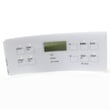
Kenmore ranges often share similar styling across multiple model series, so the model number is the fastest way to match the correct bake element, oven temperature sensor, control overlay, or other range parts without ordering the wrong item. For the exact label location illustration, use the 79096011407 owner’s manual.
Last updated: January 2026
What is the width of a Kenmore range?
Most Kenmore ranges are 30 inches wide, and the Kenmore electric range model 79096011407 is designed for a 30-inch opening; the installation dimensions show an overall width right around 30 inches (about 29-7/8 inches). For exact fit details, use the 79096011407 installation guide.
The installation guide for model 79096011407 shows these key width-related measurements:
- 30 inches: typical cabinet opening width for a standard freestanding range
- About 29-7/8 inches: the range body width shown in the overall dimensions
- 30 inches minimum: typical clearance guidance for surrounding cabinetry (varies by location)
If you are replacing an older range, measure your cutout and compare it to the guide before ordering delivery or installation.
- Measure the cabinet opening width at the front and back
- Confirm the range can slide in without hitting countertop edges or side panels
- Check door swing clearance with the oven door open
- Verify the electrical outlet location and cord clearance behind the unit
- Confirm the anti-tip bracket location and engagement
| Range type | Most common width | Notes |
|---|---|---|
| Freestanding electric range | 30 in. | Most common in U.S. kitchens |
| Slide-in electric range | 30 in. | Often tighter side clearances |
| Compact apartment range | 20 to 24 in. | Less common; measure carefully |
Width is the first “go or no-go” measurement for installation. A range that is even 1/4 inch too wide can bind against cabinets, prevent proper leveling, or keep the anti-tip bracket from lining up correctly.
Last updated: January 2026
How to reset Kenmore oven model 79096011407?
To reset a Kenmore electric range model 79096011407, we typically power-cycle the range to reboot the electronic oven control. Turn the range off, cut power at the breaker for about 1 minute, restore power, then reset the clock and any oven settings per the 79096011407 owner's manual.
- Turn all surface element knobs to OFF.
- Switch the range circuit breaker OFF (or unplug the cord if accessible).
- Wait 60 seconds (up to 5 minutes if the control is still unresponsive).
- Restore power.
- Set the clock and re-enter any cooking functions.
- Test Bake and Broil for normal operation.
This model has an oven lockout feature that can make the keypad seem “stuck.” To toggle lockout:
- Press and hold the oven lockout pad for 3 seconds.
- Wait about 15 seconds for the door lock motor to finish.
- Press and hold the same pad for 3 seconds again to cancel lockout.
If the display shows “Loc” or the door lock indicator flashes, this is the fix to try first. See the 79096011407 owner's manual for the exact button label and indicator behavior.
| Symptom | Reset type to try first | Likely next step if it returns |
|---|---|---|
| Blank or frozen display | Power-cycle | Check house breaker, terminal block wiring |
| Oven won’t heat after outage | Power-cycle, then set clock | Check bake element, sensor |
| Keypad won’t respond, “Loc” | Cancel lockout | Inspect door lock mechanism |
| Error code appears | Power-cycle | Use the error code chart |
A proper reset clears temporary control glitches after a power interruption. The manual also warns not to operate the range during a power failure; once power resumes, resetting the clock and oven function helps prevent unexpected operation.
Last updated: January 2026






