 Error Codes




How to find GE wall oven model number?
For your GE electric wall oven model JKP38G0J3, the model number is typically printed on a rating label around the oven door opening. Open the oven door and check the front frame (the area the door seals against) for a tag with the model and serial numbers.
Where to look on a GE wall oven
Check these common label locations first:
- Door frame/front frame: along the left or right side of the oven opening
- Bottom edge of the oven opening: near the hinge area
- Inside the control area: if your unit has a front control panel, the tag can be just inside the frame under that panel
- Second oven (if double wall oven): check the upper and lower oven frames
Tips to read the tag correctly
The label can be hard to spot, especially on older built-in ovens.
- Use a flashlight and look for a silver or white sticker/plate
- Wipe grease and dust off the frame with a damp cloth
- Write down the full model number exactly as shown (letters and numbers)
- Record the serial number too; it helps match the correct revision of parts
Why it matters
GE wall ovens often have multiple versions that look identical. Using the exact model number helps us match the correct parts list for items like the bulb 40A15, bake unit wh WB44X200, or broil unit f WB44X173 so the replacement fits and wires up correctly.
Quick reference: what you are looking for
| Item on label | What it does | Example format |
|---|---|---|
| Model number | Identifies the exact oven version | JKP38G0J3 |
| Serial number | Identifies production run/date | Mix of letters and numbers |
Last updated: February 2026
How to replace the control panel on a GE oven?
To replace the control panel on your GE JKP38G0J3 electric wall oven, we shut off power at the breaker, remove the mounting screws, tilt the panel out, label and transfer the wire connectors one at a time, then reinstall and restore power. This prevents wiring mistakes and shock risk.
Safety first (do this before touching the panel)
- Turn OFF the oven circuit at the breaker (double-pole 240V circuit).
- Confirm the display is dark and the oven will not heat.
- Use cut-resistant gloves; sheet metal edges behind the panel are sharp.
- Take a clear photo of the wiring before disconnecting anything.
- If any wires look burnt or brittle, stop and repair the wiring before installing the new panel (see how to repair broken or damaged wires video).
Basic replacement steps (typical GE wall oven process)
- Remove the screws securing the control panel (often along the top trim or behind the door, depending on configuration).
- Pull the bottom of the panel outward, then lift up to release the panel.
- Support the panel so it does not hang by the wires.
- Move connectors one at a time from the old panel to the new panel, matching positions.
- Reinstall the panel, tighten screws evenly, then restore power and test Bake and Broil.
What to check if the new panel still does not work
- Verify the breaker is fully reset (OFF then ON).
- Check for a loose connector at the control or keypad ribbon.
- Inspect for heat-damaged terminals; replace any overheated socket or connector.
- If the oven light circuit was disturbed, confirm the light socket is seated (see receptacle WB08T10026).
Quick troubleshooting guide
| Symptom after install | Most common cause | What we do next |
|---|---|---|
| Blank display | No power, loose connector | Recheck breaker and all plugs |
| Beeps or erratic keys | Mis-seated ribbon/connector | Reseat connector, verify alignment |
| Oven heats but controls act odd | Wrong connector placement | Compare to your pre-disassembly photo |
| Light not working | Socket or bulb issue | Check bulb 40A15 and socket wiring |
Why it matters
The control panel carries low-voltage control signals and sometimes line-voltage feeds; moving connectors one at a time and securing the panel correctly helps prevent miswiring, nuisance faults, and intermittent operation.
Last updated: February 2026
What are the different parts of an oven?
An oven is made up of heating, lighting, sealing, and safety components that work together to bake and broil evenly. On the GE JKP38G0J3 electric wall oven, the most common serviceable parts include the bake element, broil element, oven light parts, door gasket, and door hardware.
Main oven parts you will see (and what they do)
- Bake element: provides the primary heat for baking and roasting (bottom of the oven cavity).
- Broil element: provides high, direct heat for broiling (top of the oven cavity).
- Oven light system: lets you see food while cooking; includes the bulb, socket, and lens/cover.
- Door gasket: seals heat inside the cavity for stable temperatures.
- Door and trim pieces: help the door close correctly and protect surrounding cabinetry.
- Cooling/air movement parts: help manage heat around controls and the cabinet opening.
Common GE JKP38G0J3 parts customers replace
If you are identifying parts by function, these are frequent replacements for this model:
- Bulb 40A15 (part number WX12X1510): oven light bulb.
- Receptacle WB08T10026 (part number WB08X5095): light socket the bulb screws into.
- Cover WB36X192 (part number WB36X0389): light lens/cover that protects the bulb.
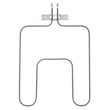
- Bake unit wh WB44X200 (part number WB44X0200): bake element.
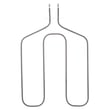
- Broil unit f WB44X173 (part number WB44X0185): broil element.
- Door gasket WB2X3138 (part number WB02X3138): door seal.
Quick “part to symptom” guide
| Symptom | Most likely area | Example part for this model |
|---|---|---|
| Oven will not bake evenly or won’t heat in bake | Bake heating circuit | Bake element |
| Broil does not heat | Broil heating circuit | Broil element |
| Oven light does not work | Light bulb or socket | Bulb, receptacle |
| Heat leaks, long preheat times | Door sealing | Door gasket |
Why it matters
Knowing the major oven components helps you troubleshoot faster and order the right replacement part the first time. For example, a “no light” issue is usually the bulb or receptacle, while weak baking performance points to the bake element or a temperature control issue.
Last updated: February 2026





