 Installation guide
 Owner’s manual
 Error Codes





Does Whirlpool make wall ovens?
Yes. Whirlpool makes wall ovens, including electric built-in wall ovens like model WOS92EC0AS04. Whirlpool wall ovens are designed to be installed in a cabinet cutout and are available in multiple sizes and finishes depending on the series and configuration.
How to confirm what you have at home
Use these quick checks to match your appliance to the correct Whirlpool wall oven family and parts list:
- Verify the model number on the rating plate matches WOS92EC0AS04 exactly
- Confirm it is a built-in wall oven (not a slide-in or freestanding range)
- Check whether it is single or double oven (controls and door layout are the easiest clues)
- Compare your control panel layout to the diagrams in the owner's manual
- Use the installation cutout requirements in the installation guide to confirm it is a wall-oven cabinet install
Why it matters for parts and troubleshooting
Whirlpool makes many wall oven variations, and parts can differ by model and revision. Matching the exact model number helps ensure the right fit, wiring connections, and mounting points for items like a door latch, oven light bulb, or bake element.
Common Whirlpool wall oven parts you may replace
If you are repairing a Whirlpool wall oven like WOS92EC0AS04, these are common service items (availability varies by model):
| Part type | What it affects | Example from this model’s parts list |
|---|---|---|
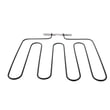
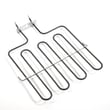
| Bake element | Heating in Bake mode | Range bake element W11545804 |
| Door latch | Self-clean lock and door locking | Door latch W10883049 |
| Oven light bulb | Interior light operation | Wall oven light bulb WPW10412711 |
Quick safety note before any repair
Wall ovens use 240 volts. Before inspecting wiring, controls, or heating circuits:
- Turn off the double breaker to the oven
- Confirm power is off before touching any wires
- Let the oven cool completely
- Support the oven properly if it must be pulled from the cabinet
Last updated: February 2026
Why did my Whirlpool wall oven stop working?
If your Whirlpool wall oven model WOS92EC0AS04 stopped working, the most common causes are a power supply problem (tripped breaker or loose wiring), a failed heating component, or a control issue such as a bad control board or door latch. Use the owner's manual to confirm the correct reset and diagnostic steps for your exact oven.
Quick checks first (no parts needed)
- Confirm the oven has power: check the home breaker (many wall ovens use a 2-pole breaker).
- Make sure the control panel is responsive; try a basic reset by turning the breaker off for 1 minute, then back on.
- Check for a locked door after self-clean; a stuck latch can prevent operation.
- Verify the oven is not in a delayed start or Sabbath mode (if equipped).
- If the oven light works but it will not heat, focus on heating circuits and controls.
Most likely failed parts on this model
These are common failure points when a wall oven will not heat, will not start, or stops mid-cycle:
| Symptom | Most likely cause | What to do next |
|---|---|---|
| No heat in bake | Failed bake element | Inspect for blisters or breaks; test continuity; replace range bake element W11545804 if open |
| Door won’t unlock or oven won’t start | Latch not sensing correctly | Check latch movement; replace door latch W10883049 if it binds or fails electrically |
| Display works but functions are erratic | Control board issue | Check wiring connections; consider replacing control W10841692 |
| Oven light out only | Burned-out bulb | Replace wall oven light bulb WPW10412711 |
Why it matters
A wall oven that “stops working” can mean anything from a simple power interruption to a failed heating element or control. Starting with power and door-latch checks helps you avoid replacing parts unnecessarily and gets you to the right repair faster.
Safety notes before troubleshooting
- Turn off power at the breaker before removing panels or testing wiring.
- If you smell burning insulation or see damaged wiring, stop and repair the wiring before replacing electronic parts.
Last updated: February 2026
Where is the fuse on a whirlpool oven?
On a Whirlpool electric wall oven like model WOS92EC0AS04, the “fuse” is usually a thermal fuse or high-limit safety device mounted behind an access panel; it’s most often on the back of the oven cabinet or in the upper control area. Use the WOS92EC0AS04 owner's manual for the exact access points.
Where to look on WOS92EC0AS04
These are the most common places we check on built-in electric ovens:
- Rear of the oven: behind the rear cover panel
- Upper front control area: behind the control panel or top access cover
- Near the cooling fan or airflow ducting: mounted to a metal surface
| Location | What you remove | What it looks like |
|---|---|---|
| Rear panel | Rear cover | Small safety device with 2 wires in-line |
| Control area | Control panel trim/cover | Thermal cutout near harness/connectors |
| Fan ducting | Upper/rear access | Device screwed to metal for heat sensing |
Safe steps to access and test it
Wall ovens use 240 volts; we treat this as a power-off, meter-verified repair.
- Turn off the double-pole breaker and confirm the display is off
- Let the oven cool completely
- Pull the oven forward only as far as wiring allows (get help; it’s heavy)
- Remove the access panel and locate the thermal device in the wiring path
- Check continuity with a multimeter; an open reading typically indicates a failed/tripped device
For meter basics, follow how to use a multimeter to test electrical parts video.
Why it matters
A thermal fuse or high-limit device opens to prevent overheating. If it’s blown, also check airflow and heat sources so the replacement does not fail again.
Last updated: February 2026
What is the error code e0 on a Whirlpool range?
On Whirlpool cooking products, E0 is most commonly seen as part of the combined code F0 E0, which indicates an electronic control system fault (the control is detecting a problem in the control circuitry, user interface, or related wiring). On your Whirlpool WOS92EC0AS04 electric wall oven, start with a safe power reset and then inspect control connections.
What to do first (safe reset)
- Turn the oven off.
- Switch the oven circuit breaker(s) off for 1 minute.
- Turn the breaker(s) back on.
- Set the clock.
- Run Bake for 10 minutes and watch for the code returning.
What usually causes an E0 or F0 E0 control fault
- Loose or oxidized connector at the control board
- Damaged or overheated wiring in the harness
- Moisture or heat damage behind the control panel
- Failed electronic control board
- Failed user interface/control panel
Quick checks (power off at the breaker)
- Reseat the wiring connectors on the control and look for bent pins
- Inspect the harness for rubbed-through insulation or melted spots
- Check for signs of overheating at terminals (discoloration, brittle plastic)
- If the display or keys act erratically, focus on the control panel and control board
Parts that are commonly involved
| What you observe | What to check next | Example part on this model |
|---|---|---|
| Code returns right after reset | Main control electronics and connections | Control W10841692 |
| Display glitches or keys misbehave | User interface/control panel | Control panel assembly W10812331 |
| Intermittent faults, especially after moving the unit | Harness and connectors | Wire harness W11157775 |
Why it matters
Control faults can interrupt heating, cause the oven to shut down mid-cycle, or create intermittent operation. Catching a loose connection early helps prevent repeated overheating at terminals and reduces the chance of control damage.
Where to confirm diagnostics for your oven
Use the wiring diagram and any diagnostic notes in the WOS92EC0AS04 owner's manual to match the displayed code behavior to the correct connector checks and test points.
Last updated: February 2026







