 Owner’s manual



What is the average lifespan of WA48J7770AP?
A Samsung top-load washer like model WA48J7770AP typically lasts 10 to 14 years with normal household use. Lifespan depends most on load size, leveling, water quality, and keeping the tub and drain system clean; our owner's manual covers the maintenance routine.
What affects lifespan most
- Overloading (stresses the drive system, clutch, and suspension)
- Out-of-level installation (increases vibration and wear)
- Drain restrictions (coins, lint, small socks; hard on the drain pump)
- Detergent overuse (excess suds, residue, odors)
- Water quality (sediment can shorten inlet valve life)
Maintenance that adds years
- Run the washer’s cleaning cycle as recommended in the owner's manual.
- Keep loads balanced; mix items and avoid washing single heavy pieces.
- Verify the washer sits solidly; adjust legs if it rocks.
- Check pockets to prevent debris from reaching the drain pump.
- Inspect fill hoses periodically and keep screens clear.
Common wear items to watch (and why)
| Symptom | Likely area | Example part for this model |
|---|---|---|
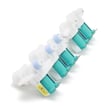
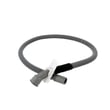
| Won’t drain, drains slowly | Drain pump or drain hose | Washer drain pump DC97-16778A or washer drain hose DC97-18682A |
| Won’t fill or fills slowly | Water inlet valve | Samsung washer water inlet valve DC97-15459G |
| Excess vibration or walking | Leveling and balance | Washer leveling leg DC61-01722B |
Why it matters
Knowing the 10 to 14 year average helps you decide whether to invest in a repair (like a drain pump or inlet valve) versus planning for replacement, especially if multiple symptoms show up at once.
Last updated: March 2026
What is the capacity of Samsung WA48J7770AP?
The Samsung WA48J7770AP washer has a 4.8 cu. ft. capacity, which is considered a large-capacity top-load washer for handling bulky loads like bedding and towels. For the exact load guidance by cycle, use the WA48J7770AP owner's manual.
What 4.8 cu. ft. means for real-world loads
A 4.8 cu. ft. tub is designed for larger, fewer loads, but performance still depends on cycle selection and how loosely you load items.
- Wash items loosely, not packed down
- Mix large and small items to balance the load
- Use Bedding for comforters and bulky items
- Use Super Speed for lightly soiled, everyday loads
- Avoid overloading; it can reduce cleaning and increase vibration
Quick capacity guide (typical examples)
| Load type | What usually fits well | Best practice |
|---|---|---|
| Everyday mixed laundry | Several outfits plus towels | Keep items below the top of the basket and loosely placed |
| Towels | A large towel load | Split into two loads if the washer struggles to balance |
| Bedding | Many queen comforters (varies by fill) | Use Bedding cycle; stop if the tub is tightly packed |
Why it matters
Capacity affects cleaning, rinsing, and spin performance. When a large-capacity washer like the WA48J7770AP is overloaded, it can lead to poor turnover, out-of-balance spinning, and longer cycle times.
Helpful related troubleshooting
If you see balance-related codes or shaking during spin, use our Samsung top load washer error codes guide to match the code to the most likely cause and next steps.
Last updated: February 2026
What is the most common problem with the Samsung washing machine?
On the Samsung WA48J7770AP washer, one of the most common issues we see is a water supply or water level sensing problem. It often shows up as the washer not filling correctly, stopping mid-cycle, or displaying a water-related information code; checking hoses, screens, and the water level sensor circuit usually resolves it.
What to check first (fast, no parts)
- Confirm both hot and cold supply valves are fully open.
- Inspect inlet hoses for kinks, crushing, or leaks; do not reuse old hoses during installation.
- Remove and rinse the inlet hose screens (sediment can restrict flow).
- Make sure the lid is fully closed and the load is not overpacked.
- If the washer is trying to drain unexpectedly, verify the drain hose is positioned correctly.
Common symptoms and the most likely cause
| Symptom | Most likely cause | What to do |
|---|---|---|
| Won’t fill or fills very slowly | Restricted water supply (valve, hose, screen) | Check valves, hoses, and inlet screens |
| Displays a water-related information code | Water level sensor circuit or supply issue | Follow the troubleshooting steps in the WA48J7770AP user manual |
| Stops and drains for several minutes | Control reacting to a detected fault | Let it finish draining, then correct the underlying issue and restart |
| Poor spin after fill issues | Drain hose setup or drainage restriction | Reposition drain hose; clean the filter as directed |
When a part is the fix
If water pressure and hoses check out but filling is still inconsistent, the inlet valve can be the failure point. For this model, a common replacement is the Samsung washer water inlet valve DC97-15459G.
Why it matters
Fill and water level problems affect wash performance, can trigger repeated cycle interruptions, and can lead to over-sudsing or poor rinsing. Fixing the water supply path first prevents unnecessary part replacement.
Last updated: February 2026





