Owner’s manual
 Error Codes



Where to find the model number on a GE side by side refrigerator?
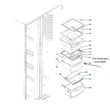
On the GE side-by-side refrigerator model PSHS6RGXCDSS, we find the model and serial number on a label inside the fresh food (refrigerator) compartment, located at the top on the right side. Confirm the exact label location in the PSHS6RGXCDSS owner’s manual.
Where to look first (fastest check)
- Open the refrigerator (fresh food) door, not the freezer door
- Look along the upper right interior wall
- Check near the ceiling of the compartment
- Look for a white or silver rating label with “Model” and “Serial”
- Use a flashlight; the label can be easy to miss behind stored items
If you still do not see it
On PSHS6RGXCDSS, the label is intended to be in the refrigerator compartment, but if it is covered or worn, these checks usually help:
- Remove the top shelf items and scan the upper corners again
- Wipe the area lightly; glare and condensation can hide the print
- Check for a second label nearby with electrical ratings
What the label typically includes
| Item on label | Why you need it |
|---|---|
| Model number (PSHS6RGXCDSS) | Ensures diagrams and parts match your exact refrigerator |
| Serial number | Helps identify production run details for service and compatibility |
| Electrical ratings | Useful for troubleshooting power and control issues |
Why it matters
We use the full model number to match the correct GE parts and documentation. Even one character difference can change the correct fit for items like a water filter, icemaker kit, or temperature sensor.
Last updated: January 2026
What is the most common problem with a GE refrigerator?
For the GE PSHS6RGXCDSS side-by-side refrigerator, the most common issues we see customers troubleshoot are cooling problems (warm fridge or freezer) and ice maker or dispenser problems. Many “not cooling” complaints trace back to airflow restrictions, dirty condenser coils, or a failed fan or defrost component.
Most common symptoms (and what they usually point to)
- Refrigerator warm, freezer OK: blocked vents, evaporator fan issue, or airflow damper problems
- Freezer warm, refrigerator warm: dirty condenser coils, condenser fan issue, or sealed-system/compressor concerns
- Frost buildup on freezer back wall: defrost system failure
- Ice maker not making ice or slow ice: water supply issue, clogged filter, or inlet valve problem
- Ice clumping or dispenser issues: ice chute door not sealing, bin/auger components worn
For model-specific operating features and troubleshooting tips, use the PSHS6RGXCDSS owner’s manual.
Quick checks we recommend first (no parts needed)
- Confirm temperature settings are at 37°F (fresh food) and 0°F (freezer), then wait 24 hours after changes.
- Make sure food packages are not blocking the air tower or freezer air tunnel vents.
- Clean condenser coils and verify the unit has good airflow around it.
- If you have a dispenser, flush water for several minutes after filter changes to clear air from the line.
Common part-related fixes for this model
If basic checks do not help, these are frequent repair paths on PSHS6RGXCDSS:
| Symptom | Likely system | Example compatible part for this model |
|---|---|---|
| Frost buildup, warm temps | Defrost system | Refrigerator defrost heater WR51X10055 |
| Warm temps, poor airflow | Evaporator fan | Refrigerator evaporator motor WR60X10307 |
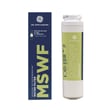
| Slow water, weak ice production | Filtration | Refrigerator water filter MSWF |
Why it matters
Cooling and ice maker problems often get worse over time. Catching a dirty coil, airflow blockage, or a failing defrost heater early helps protect food, reduce compressor run time, and prevent repeat icing issues.
Last updated: January 2026
How long do GE side-by-side refrigerators last?
GE side-by-side refrigerators typically last 13 years with normal household use and basic maintenance. For your specific GE PSHS6RGXCDSS, lifespan is driven less by the model number and more by how well airflow, door sealing, and cooling components are maintained; see the PSHS6RGXCDSS owner’s manual for care and cleaning guidance.
Typical lifespan range (what to expect)
Most owners see a usable life in this range:
- 10 to 15 years is the normal window for a GE side-by-side
- 13 years is the typical midpoint expectation
- Heavy use, hot garages, or poor ventilation can shorten life
- Regular condenser cleaning and good door sealing can extend life
| Scenario | Expected outcome |
|---|---|
| Normal use, good ventilation | Around 13 years |
| High heat, dusty environment, infrequent cleaning | Closer to 10 years |
| Consistent maintenance, stable room temps | Up to 15 years |
What usually ends a refrigerator’s life first
On a side-by-side like the PSHS6RGXCDSS, these issues most often drive major repairs:
- Sealed-system problems (cooling loss)
- Compressor start or run issues
- Defrost system failures leading to frost buildup
- Fan motor wear causing warm temps or noise
- Temperature sensing/control problems
If you are troubleshooting temperature swings, a common component to check is the GE profile refrigerator temperature sensor WR55X10025.
Why it matters
Knowing the typical lifespan helps you decide whether to repair or replace. If your PSHS6RGXCDSS is near the 13-year mark and needs a major cooling repair, comparing repair cost vs. remaining expected life usually leads to a clearer decision.
Last updated: January 2026
How do you reset a GE side-by-side refrigerator?
To reset your GE PSHS6RGXCDSS side-by-side refrigerator, do a simple power reset: unplug the refrigerator (or turn the circuit breaker off) for about 30 seconds, then restore power. The control panel should reboot and cooling should restart.
Reset methods that apply to PSHS6RGXCDSS
Use the option that matches what you are trying to correct:
- Power reset (most common): unplug or switch the breaker off for 30 seconds.
- Cooling turned off in settings: turn the cooling system back ON at the controls.
- After changing temperature settings: allow 24 hours for temperatures to stabilize.
- After a power outage: confirm the display responds and fans/compressor restart.
For model-specific control steps (including “Cooling System Off” on some versions), see the PSHS6RGXCDSS owner’s manual.
What to check after you reset
A reset reboots the control; it does not correct airflow restrictions, dirty condenser coils, or a failed defrost system.
- Confirm interior lights and the display come back on.
- Set temperatures to normal setpoints (factory presets are commonly used as a starting point).
- Listen for the evaporator fan and compressor within a few minutes.
- Make sure doors close fully and gaskets seal.
- Keep vents clear of food packages.
Quick expectations table
| What you notice after reset | What it usually means | What to do next |
|---|---|---|
| Display returns and cooling starts | Normal reboot | Wait up to 24 hours for full stabilization |
| Display returns but cooling is weak | Airflow/defrost/dirty condenser possible | Check vents, frost buildup, and coil cleanliness |
| No lights or display | Power supply issue | Check outlet, breaker, and cord connection |
Why it matters
Resetting clears minor control glitches that can affect temperature regulation, the display, or dispenser behavior. If cooling still does not recover after basic checks, troubleshooting may involve components such as the GE profile refrigerator temperature sensor WR55X10025.
Last updated: January 2026
How do I find the right GE part number?
For your GE PSHS6RGXCDSS side-by-side refrigerator, the most reliable way to get the right part number is to start with the exact model number from the ID label, then match the part using the model’s diagrams and descriptions so you don’t order a look-alike that won’t fit.
Step 1: Confirm the model number (PSHS6RGXCDSS)
On PSHS6RGXCDSS, the model and serial label is inside the refrigerator compartment at the top on the right side (as noted in the manual).
- Write the model number exactly: PSHS6RGXCDSS
- Record the serial number too; it can help narrow production variations
- Use the model number to shop by diagram and section (ice maker, dispenser, cooling, lighting)
- Avoid relying on feature names alone (Profile, SmartWater, etc.)
Reference: PSHS6RGXCDSS owner’s manual
Step 2: Match the part by function and location (not just appearance)
Once you identify the system you’re working on, match the part by its description, where it installs, and how it connects.
- Compare the part name to the symptom (for example, “water filter” vs. “water inlet valve”)
- Confirm mounting style and electrical connectors
- Check for “replaces” notes to understand superseded versions
- If multiple similar parts appear, use the diagram callout to pick the exact match
Examples of compatible parts for PSHS6RGXCDSS
These are common items customers replace on this model:
- Water filtration: refrigerator water filter MSWF
- Ice production: electronic i WR30X10093 (this is the part ID used on our site; the listed part number is WR30X10061)
- Temperature sensing: GE profile refrigerator temperature sensor WR55X10025
Quick matching table
| What you are fixing | What to match | Example for PSHS6RGXCDSS |
|---|---|---|
| Water tastes bad or flow is slow | Filter type and fit | MSWF water filter |
| No ice or poor ice harvest | Ice maker kit compatibility | WR30X10061 (ID WR30X10093) |
| Temps swing or unit runs oddly | Sensor description and mounting | WR55X10025 temperature sensor |
Why it matters
Using the exact PSHS6RGXCDSS model number helps you avoid parts that look similar but mount differently, use different connectors, or were revised for another production run. That saves time and helps your refrigerator cool and dispense properly.
Last updated: January 2026