Owner’s manual
 Error Codes


Does the RS25J500DSR have adjustable shelves?
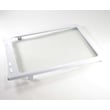
Yes. The Samsung RS25J500DSR side-by-side refrigerator uses removable shelves that you can reposition to fit taller items or reorganize storage; the user manual describes how to remove and reinstall the shelves safely. See the RS25J500DSR user manual for the exact removal steps.
On the RS25J500DSR, “adjustable” typically means you can change shelf height by removing the shelf and setting it back onto a different set of support rails.
- Pull the shelf forward as far as it will go
- Lift the front edge up to clear the supports
- Remove the shelf, then set it onto the desired shelf supports
- Reinstall carefully so it sits fully on both sides
- Avoid overloading one side of a shelf
Shelf configuration can vary slightly by production version, but these are common in Samsung side-by-side designs.
| Shelf type | How it adjusts | Best for |
|---|---|---|
| Glass shelf | Remove and reposition | Everyday items, wide containers |
| Wire shelf | Remove and reposition | Freezer items, airflow |
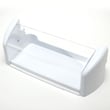
| Door bin | Lift up and remove | Condiments, gallon bins |
Adjustable shelving helps maintain proper airflow and temperature stability. When shelves and food packages are positioned correctly, the refrigerator cools more evenly and you are less likely to block vents.
Last updated: January 2026
How do you reset the filter on a Samsung RS25J500DSR?
To reset the water filter indicator on your Samsung RS25J500DSR, press and hold the Water button for 3 seconds until the filter light changes back (typically to blue/off). If the controls are locked, unlock them first, then perform the reset using the same Water button.
- Make sure the control panel is awake (press any button if the display is off).
- If the panel is locked, press and hold Fridge for 3 seconds to turn Control Lock off.
- Press and hold Water for 3 seconds to reset the filter indicator.
- Confirm the filter indicator changes back to normal.
For the full control-panel layout and the “Reset Filter (3 sec)” function, use the RS25J500DSR manual.
These are the most common reasons the reset does not “take” on this model:
- Control Lock is still on; the buttons will not respond until unlocked.
- You are not holding Water long enough; count a full 3 seconds.
- You are pressing Ice or Freezer instead of Water.
- The display is asleep; wake it first, then try again.
- The filter was not fully seated/locked after replacement (the indicator can behave oddly if the filter housing is not sealed).
After installing a new filter, we recommend flushing the system to clear air and carbon fines.
| Task | Typical amount/time | Why it helps |
|---|---|---|
| Flush water through dispenser | About 3 gallons (around 6 minutes) | Clears air and improves taste |
| Check filter housing for leaks | 1-2 minutes | Prevents hidden water damage |
| Reset filter indicator | 3 seconds | Keeps maintenance reminders accurate |
A detailed walkthrough is in how to change the water filter in a Samsung refrigerator.
Resetting the filter light on the RS25J500DSR keeps the reminder on schedule (commonly around 6 months/300 gallons). That helps maintain water flow, taste, and dispenser performance.
Last updated: January 2026
What features does the RS25J500DSR offer?
The Samsung RS25J500DSR side-by-side refrigerator includes a through-the-door ice and water dispenser, an ice maker, and a built-in water filter. It also has control-panel lock and quick-cooling features (Power Cool and Power Freeze) described in the RS25J500DSR user manual.
- External ice and water dispensing through the freezer door
- Ice maker with cubed or crushed selection
- Built-in water filter with a filter indicator and reset function
- Control Lock (locks the panel buttons and dispenser functions)
- Power Cool (quick fridge cool-down)
- Power Freeze (faster freezing and helpful for making ice more quickly)
| Feature | RS25J500DSR | What it does |
|---|---|---|
| Ice and water dispenser | Yes | Dispenses water and ice through the door |
| Ice type selection | Yes | Lets you choose cubed or crushed |
| Ice maker on/off | Yes | Turns ice making off or on from the control panel |
| Built-in water filter | Yes | Filters water used for dispensing and ice making |
| Filter indicator/reset | Yes | Reminds you to change the filter and reset the light |
| Control Lock | Yes | Locks the control panel and disables dispensing |
Some feature lists mention “Speed Ice,” but for RS25J500DSR the model-specific documentation describes Power Freeze as the function that speeds freezing and can help when you need ice faster. We do not see a separate “Speed Ice” feature called out for this model in the manual.
These features help reduce door openings (better temperature stability), make ice and water more convenient, and support water quality through filtration and filter-change reminders.
Last updated: January 2026
How much does the RS25J500DSR weigh?
The Samsung RS25J500DSR refrigerator weighs about 254 lb as the product (unit) weight; the shipping weight is about 266 lb. For moving and installation planning, use the product weight, and expect the packaged shipment to be heavier.
Manufacturers often publish two weights; they are used for different purposes.
- Product (unit) weight: the refrigerator itself (best for moving into place)
- Shipping weight: unit plus packaging (best for freight and delivery handling)
- Shipping weight is higher because of the carton, foam, and pallet materials
| Weight type | What it includes | Typical use |
|---|---|---|
| Product (unit) weight | Refrigerator only | Moving, floor loading, positioning |
| Shipping weight | Refrigerator + packaging | Delivery, freight, warehouse handling |
A 250+ lb side-by-side refrigerator is bulky; plan for control and stability.
- Use 2 people minimum (3 is better for stairs)
- Keep the refrigerator upright during transport
- Use an appliance dolly with straps
- Protect floors with cardboard or hardboard
- Measure doorways and turning clearance before you start
For model-specific handling steps (including door removal and leveling), follow the RS25J500DSR manual.
Using the correct weight helps you choose the right number of helpers and equipment, and it reduces the risk of injury, floor damage, and cabinet or door-hinge damage during installation.
Last updated: January 2026