 Installation guide
 Owner’s manual
 Error Codes


How to replace door gasket on a Whirlpool dishwasher?
On the Whirlpool DU1300XTVB2 dishwasher, replacing the door gasket is a pull-out, press-in job: remove the old seal from the tub channel, then press the new gasket in evenly with the shaped lip oriented toward the center of the tub so the door seals without leaks.
Before you start (safety and prep)
- Turn off power at the breaker; the dishwasher must be grounded and you want zero chance of shock.
- Avoid leaning on the open door; do not push down on it.
- Open the door fully and remove the lower rack for working room.
- Wipe the tub rim and gasket channel clean and dry.
- Have a towel ready to catch drips and protect the door panel.
For model-specific diagrams and gasket routing, use the DU1300XTVB2 owner's manual.
Step-by-step: replace the door gasket
- Start at a top corner and pull the old gasket straight out of the tub channel (work around both sides and the top).
- Clean the channel: remove detergent residue, food soil, and any hardened deposits.
- Position the new gasket at the top center of the tub opening.
- Press the gasket into the channel a few inches at a time, working from the top center down both sides.
- Confirm orientation: the shaped lip at the top of the gasket faces toward the center of the tub.
- Close the door gently and check for even contact all the way around.
Quick checks after installation
- Run a short cycle and watch for drips at the corners.
- If you see a leak, re-seat the gasket in that area; it should sit fully in the channel.
- Check the door for proper closing; the gasket should not bunch or twist.
| Symptom after replacement | Most common cause | What to do |
|---|---|---|
| Leak at top corners | Gasket not fully seated | Press gasket deeper into channel at corners |
| Leak along one side | Gasket twisted | Pull that section out and re-install straight |
| Door hard to latch | Gasket bunched | Re-seat and smooth the gasket evenly |
Why it matters
A properly installed door gasket keeps wash water inside the tub, protects your flooring and cabinets, and helps the dishwasher maintain correct wash pressure for better cleaning.
Last updated: February 2026
Can I replace dishwasher parts myself?
Yes, many Whirlpool DU1300XTVB2 dishwasher repairs are DIY-friendly if you’re comfortable with basic hand tools and you shut off power and water first. Simple jobs like replacing a door seal or drain hose are usually straightforward; electrical diagnosis and control repairs take more skill and careful testing.
What you can usually replace yourself
These repairs are commonly done at home with basic tools and careful step-by-step work:
- Dishwasher door seal (leaks at the door edge)
- Dishwasher drain hose (poor draining, leaks under sink)
- Dishwasher heating element (poor drying, water not heating)
- Dishwasher vent gasket (moisture or leaks near the vent area)
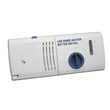
- Rinse-aid dispenser cap (rinse aid leaking or not dispensing)
For model-specific disassembly notes and safety warnings, follow the DU1300XTVB2 owner’s manual.
Repairs that often need extra skill (but are still possible)
These involve electrical checks, tight spaces, or water connections that must be leak-free:
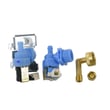
- Water inlet valve replacement and fill troubleshooting
- Drain pump replacement and drain path checks
- Electronic control board replacement
- Turbidity sensor replacement (wash performance issues)
If you’re testing live circuits or tracing wiring, use the wiring and grounding guidance in the DU1300XTVB2 installation guide.
Quick safety and prep checklist
Before you start any repair, we recommend:
- Turn off power at the breaker (not just the control panel)
- Shut off the dishwasher water supply valve
- Pull the unit out carefully; protect flooring and the drain hose
- Keep screws out of the pump area (cover the sump area with a towel when working with the door open)
- Confirm the dishwasher is level when reinstalling; shims must be secured so the unit does not shift
Common DIY parts for this model
| Symptom | Likely area | Example part for DU1300XTVB2 |
|---|---|---|
| Water on floor at door | Door sealing | Dishwasher door seal W10542314 |
| Not draining well | Drain system | Dishwasher drain pump WPW10348269 |
| Poor drying | Heating circuit | Dishwasher heating element W10518394 |
Why it matters
A correct DIY repair saves time and prevents repeat failures. For example, a misrouted drain hose can cause draining problems, and an unlevel dishwasher can lead to poor door sealing and vibration during operation.
Last updated: February 2026
How to reset error codes on Whirlpool dishwasher?
To reset many control-related error conditions on your Whirlpool DU1300XTVB2 dishwasher, we recommend canceling the cycle and running the built-in diagnostic reset sequence from the keypad. This clears the display and forces the control to re-check key functions before the next wash.
Quick reset steps (most common)
- Make sure the dishwasher is in Standby (no cycle running).
- Press Heated Dry then Normal.
- Repeat that same pair one more time (total: 4 button presses).
- The console lights should come on and the dishwasher should enter a short diagnostic/reset.
- When it finishes, reselect your cycle and start.
For your model’s exact button sequence and what each light pattern means, use the DU1300XTVB2 owner's manual.
If the “Clean” light is flashing
On this Whirlpool platform, a flashing Clean light typically indicates the dishwasher detected a malfunction and needs service-level troubleshooting.
Before scheduling service, we recommend these checks:
- Verify the door is fully closed and latched.
- Confirm the dishwasher has power (breaker on, outlet powered if applicable).
- Reset the household breaker (or replace a blown fuse) once.
- Check that the water shutoff valve is fully open.
- Make sure the overfill protection float moves freely (press down to release).
What to do if the dishwasher won’t run after a reset
If the reset completes but the dishwasher still will not start, focus on power and control protection items first.
| Symptom | What it usually points to | What to check first |
|---|---|---|
| No lights, no response | No power to unit | Breaker, junction box connections |
| Stops mid-cycle | Overload or heating pause | Wait a few minutes, then retry |
| Runs long time | Water heating or heavy soil | Hot water supply, cycle selection |
Why it matters
A reset clears temporary control logic issues and can restore normal operation after a power interruption or a stalled cycle. If the same error returns quickly, the dishwasher is signaling an underlying problem that needs diagnosis (for example, heating, fill, drain, or control).
Last updated: February 2026
What does F13 mean on a Whirlpool dishwasher?
On Whirlpool dishwashers like model DU1300XTVB2, an F13 display is treated as a control-detected fault; the practical next step is to reset power and then troubleshoot the specific symptom you see (no fill, not draining, stops mid-cycle). Use the troubleshooting steps in the DU1300XTVB2 owner’s manual.
What to do first (safe, fast checks)
- Turn off power at the breaker for 1 minute, then restore power and start a Normal cycle.
- Confirm the door closes fully and latches.
- Verify the water shutoff valve under the sink is fully open.
- Run hot water at the kitchen faucet for 30 to 60 seconds before starting the cycle.
- If the dishwasher stops or won’t start, check the house fuse or reset the circuit breaker.
Match the code to the symptom you have
Because “F” codes can vary by control style, we troubleshoot by what the dishwasher is doing:
| What you notice | What to check next | Parts commonly involved on DU1300XTVB2 |
|---|---|---|
| Won’t fill or fills slowly | Water supply, inlet screen, inlet valve | Dishwasher water inlet valve W10648041 |
| Won’t drain, water left in tub | Drain path, hose routing, drain pump | Dishwasher drain pump WPW10348269, dishwasher drain hose 8269144A |
| Runs but cleans poorly or acts erratic | Filters, chopper area, soil sensing | Dishwasher chopper assembly W10083957V, dishwasher turbidity sensor WPW10705575 |
Why it matters
An F13 fault usually means the control is seeing a condition that can lead to poor cleaning, standing water, or a cycle that won’t complete. Resetting power and then checking fill, drain, and sensing components fixes the most common causes.
Last updated: February 2026








