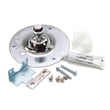
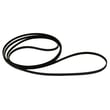
Installation guide
 Owner’s manual




How do I know if my Kenmore dryer thermal fuse is blown?
If your Kenmore dryer model 41788042700 won’t start, or it runs but won’t heat, a blown thermal fuse (or a tripped thermal limiter on some versions) is a common cause. The most reliable way to know is to unplug the dryer and test the fuse for continuity with a multimeter.
Quick symptoms to look for
- Dryer will not start at all (no motor run)
- Dryer tumbles but produces no heat (clothes stay damp)
- You find a blown house fuse or a tripped breaker (some dryers use two fuses for the circuit)
- Dryer feels unusually hot, or cycles take too long (often points to restricted venting)
- Problem returns soon after a reset or fuse replacement (usually airflow related)
How we recommend testing it (continuity check)
- Unplug the dryer (or switch off power at the breaker).
- Access the thermal fuse area using the disassembly steps in the 41788042700 owner’s manual.
- Remove at least one wire from the fuse terminal.
- Set a multimeter to continuity or lowest ohms.
- Touch probes to the fuse terminals.
What the meter reading means
| Meter result | What it means | Next step |
|---|---|---|
| Beep or near 0 ohms | Fuse is good | Keep troubleshooting heat/airflow/controls |
| No beep or OL/infinite | Fuse is blown | Replace the fuse and correct the overheating cause |
Why it matters (fix the cause, not just the fuse)
A thermal fuse usually opens because the dryer overheated. The most common reason is poor airflow from a clogged lint screen, crushed duct, or blocked outside vent. Your installation steps and venting requirements are outlined in the 41788042700 installation guide.
Related parts that often get checked during overheating or no-heat issues
These parts are commonly involved in overheating, no-heat, or temperature control problems on this model:
- Dryer thermal limiter 134120900 (overheat protection device)
- Kelvinator dryer high-limit thermostat 3204267 (limits heater temperature)
- Dryer thermistor 134587700 (senses temperature for control)
Last updated: February 2026
How do I tell what model my Kenmore dryer is?
Your Kenmore dryer’s model number is printed on the model and serial plate; on model 41788042700, it’s located on the left side of the door opening. Use that exact model number when ordering parts and checking operating instructions in the 41788042700 owner’s manual.
Where to look for the model number
Check these common locations on Kenmore dryers:
- Left side of the door opening (model and serial plate)
- Inside the door opening around the frame
- Back panel (on some versions)
- Under the top panel or inside the console area (less common)
What to write down (and why)
Record both numbers exactly as shown:
- Model number (example: 41788042700)
- Serial number (helps identify production details)
- Brand (Kenmore)
- Fuel type (gas or electric, if listed)
Why it matters
The model number is the key to getting the right diagrams, troubleshooting steps, and replacement parts. Even small model-number differences can change which belt, thermostat, or heating component fits.
Quick ID checklist
Use this table to avoid mix-ups when you search for parts.
| Item | What it looks like | What it’s used for |
|---|---|---|
| Model number | Longer number string (often 10 to 12 digits) | Matching parts and manuals |
| Serial number | Letters and numbers | Identifying the unit’s production info |
| Series prefix (if present) | Examples like 110, 417, 796 | Helps narrow the platform/family |
If the label is hard to read
Try these steps before you assume the label is gone:
- Wipe the plate gently with a damp cloth and mild soap
- Use a flashlight at an angle to make faint printing stand out
- Take a close-up photo and zoom in
- Compare the digits you can read to the format shown in the 41788042700 installation guide
Last updated: February 2026
How to hard reset a Kenmore dryer?
To hard reset your Kenmore dryer model 41788042700, disconnect power (unplug the cord or switch the breaker off) for about 1 to 5 minutes, then restore power and try a normal cycle. This clears many temporary control glitches and helps you confirm whether the issue is power, a control lock, or a real component failure.
Safe hard reset steps (recommended)
- Turn the dryer OFF.
- Unplug the dryer, or turn OFF the circuit breaker.
- Wait 1 to 5 minutes.
- Restore power.
- Close the door and press START to run a timed cycle.
- If the drum was running, wait for a complete stop before reaching inside (door-open safety).
For model-specific control and feature behavior, follow the reset and operation guidance in the 41788042700 owner's manual.
If the dryer still will not run after a reset
A hard reset helps; it does not fix an underlying no-start or no-heat condition. Check these common causes next:
- Door not fully closed or a door switch issue
- Restricted venting or heavy lint buildup
- Overheating protection opened (thermal limiter or thermostat)
- Heating system problem (electric heat element models)
- Drum not turning due to a worn belt or idler problem
Quick symptom-to-part check
| Symptom after reset | What to check first | Example part for this model |
|---|---|---|
| Runs but no heat | Overheat protection, airflow | Dryer thermal limiter 134120900 |
| Stops mid-cycle, smells hot | Vent restriction, high temp trip | High-limit thermostat 3204267 |
| Motor runs but drum does not | Belt and idler | Frigidaire dryer drum belt 134503600 |
Why it matters
Resetting power clears false error states and restores the control to a known starting point. If the problem returns immediately, that points to a repeatable issue like airflow restriction, overheating protection opening, or a drive system problem.
Last updated: February 2026
How to take off the front panel of a Kenmore dryer?
To remove the front panel on Kenmore dryer model 41788042700, we unplug power first, then remove the door screws and the front-panel mounting screws so the panel can lift off the lower tabs. If your model has a drum light or door switch harness, disconnect the wiring as you separate the panel.
Safety first
- Unplug the dryer (or switch off the breaker) before opening any panels.
- If it is a gas dryer, shut off the gas supply valve before servicing.
- Wear cut-resistant gloves; cabinet edges can be sharp.
- Support the front panel as you remove the last screws so it does not drop.
Step-by-step: removing the front panel
- Disconnect power and pull the dryer forward enough to work safely.
- Open the door and remove the screws that secure the door hinges to the front panel (the installation instructions describe removing the hinge-to-front-panel screws during door reversal). See the 41788042700 installation guide.
- Remove any additional screws in the door opening (some versions use screws along the inner lip to secure the front panel).
- Remove the screws along the top edge of the front panel (access may be from the top panel area, depending on how your console/top is built).
- Lift the front panel up and off the lower retaining tabs/clips.
- If present, disconnect wiring (door switch or drum light) before fully removing the panel.
What you can access once the front panel is off
| Area you’re servicing | Common symptom | Parts often involved on 41788042700 |
|---|---|---|
| Drum drive | Drum will not turn, squealing | Frigidaire dryer drum belt 134503600, idler, drum bearing |
| Drum support | Thumping, scraping, rumbling | Drum bearing, felt seals, drum glide |
| Heating/airflow | No heat, overheating, long dry times | Heating element, thermistor, high-limit thermostat, thermal limiter |
Why it matters
Removing the front panel is the main way to reach the belt path, drum supports, and wiring. Doing it in the right order prevents bent panels, stripped screw holes, and damaged door hinges.
Last updated: February 2026
What does PF stand for on a Kenmore dryer?
PF on a Kenmore dryer indicates a power failure; the dryer detected an interruption in electrical power during or between cycles. On Kenmore model 41788042700, PF usually clears by restoring steady power and restarting the cycle per the 41788042700 owner's manual.
What to do when PF appears
- Press Stop/Cancel (or Power) to clear the display.
- Re-select your cycle and press Start.
- If PF returns, reset power: turn the breaker OFF for 1 minute, then back ON.
- Confirm the dryer plug is fully seated and the outlet is not loose.
- If the dryer is on a 208V supply, expect longer drying times than on 240V (this is normal and not a PF fault).
Common causes of PF (and quick checks)
- Tripped breaker or weak breaker: reset and watch for repeat trips.
- Loose power cord or terminal block connection: inspect for heat discoloration or looseness.
- Improper strain relief letting the cord move: verify the cord is secured as shown in the 41788042700 installation guide.
- Household power dip (storm, overloaded circuit, generator transfer).
- Outlet/wiring mismatch (copper vs. aluminum wiring concerns): use correct wiring and receptacle materials.
PF vs. other dryer problems
| What you see | What it usually means | What to check first |
|---|---|---|
| PF | Power was interrupted | Breaker, outlet, cord connections |
| Dryer runs but no heat | Heating circuit issue | Venting, heater, thermostats |
| Dryer will not start | Door switch, power, control | Door closure, breaker, start sequence |
Why it matters
A PF message is often harmless, but repeated PF events can point to a loose connection or unstable supply that can overheat wiring. Correcting the power source and cord mounting helps protect the dryer and improves reliability.
Last updated: February 2026
What is the life expectancy of a Kenmore dryer?
A Kenmore dryer typically lasts 10 to 13 years with normal household use. With consistent care (especially lint and vent cleaning) many Kenmore dryers run 15 years or longer; following the maintenance guidance in the 41788042700 owner's manual helps you get the full service life.
What affects dryer lifespan the most
- Vent restriction and lint buildup (overheats components and slows drying)
- Overloading (stresses the drum, belt, and bearings)
- Heat stress from poor airflow (can shorten thermostat and thermal limiter life)
- Wear items such as belts, glides, and bearings (normal over time)
- Moisture and corrosion in laundry rooms (can affect electrical connections)
Maintenance schedule we recommend
The manual calls out routine lint cleaning and periodic exhaust cleaning; these habits are the biggest lifespan boosters.
| Task | How often | Why it matters |
|---|---|---|
| Clean lint screen | Every load | Maintains airflow and drying performance |
| Check outside vent hood for lint | Monthly | Prevents restriction and overheating |
| Clean exhaust duct and lint housing | About every 18 months (service recommended) | Reduces fire risk and improves efficiency |
| Level the dryer and listen for new noises | Seasonally | Catches belt, idler, or bearing wear early |
Parts that commonly wear out (and are normal to replace)
If your Kenmore 41788042700 is otherwise in good shape, replacing wear parts often extends its useful life.
- Frigidaire dryer drum belt 134503600 (drum stops turning or squeals)
- Dryer drum bearing 131825900 (rumbling or thumping)
- Dryer idler assembly 131863007 (squealing, belt slack)
- Dryer thermal limiter 134120900 (no heat after overheating event)
Why it matters
Most “dryer failures” that shorten lifespan are really airflow problems. Keeping the lint screen, exhaust duct, and outdoor vent clear helps the dryer heat correctly, dry faster, and avoid overheating that can damage heating and safety components.
Last updated: February 2026