 Installation guide
 Owner’s manual
 Error Codes











Can you replace the oven heating element in a Kenmore oven?
Yes. On the Kenmore electric range model 79096009600, you can replace a failed oven heating (bake) element yourself if you can safely shut off power and access the element mounting screws and wire terminals; the job is straightforward and usually takes under an hour.
Before you start (safety and prep)
- Turn off power at the breaker (240V); confirm the oven is off and cool.
- Pull the range forward carefully to avoid stressing the power cord.
- Remove oven racks for working room.
- Wear work gloves; sheet metal edges can be sharp.
- Keep the oven vent area clear; do not block it during testing.
How to replace the bake element
- Shut off power at the breaker.
- Open the oven door and remove the racks.
- Locate the bake element at the bottom of the oven (some versions are visible; others are under the oven floor panel).
- Remove the screws securing the element to the rear oven wall.
- Gently pull the element forward a few inches and hold the wires so they do not slip back through the insulation.
- Disconnect the wire terminals (note their positions).
- Connect the wires to the new element, position it, and reinstall the mounting screws.
- Restore power and test Bake.
Helpful references for your exact model: 79096009600 owner’s manual.
Which part typically fixes “oven won’t bake”
If the oven will not heat in Bake but Broil still works, the bake element is a common cause.
| Symptom | Most likely check first | Notes |
|---|---|---|
| No heat on Bake | Bake element | Look for blisters, cracks, or burn spots |
| Trips breaker when baking | Bake element wiring/short | Stop and inspect wiring and terminals |
| Uneven baking | Element weak or temperature issue | Verify preheat and rack position |
Model-matched part option: frigidaire range bake element 316075103.
Why it matters
A damaged bake element can cause no-heat, slow preheat, or uneven cooking. Replacing it restores proper baking performance and helps prevent overheating at terminals from a loose or burned connection.
Last updated: February 2026
How do I reset my Kenmore Elite electric oven?
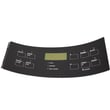
To reset a Kenmore electric range like model 79096009600, we restore the control after a power interruption by turning the oven off, then setting the clock and selecting the desired oven function again. This clears most “stuck” control behavior caused by a brief outage.
Quick reset steps (most common)
- Turn all oven and surface controls to OFF.
- If the display is unresponsive, switch the range OFF at the house breaker.
- Wait 1 minute, then turn the breaker ON.
- Reset the clock, then try Bake or Broil again.
- If “Loc” shows, cancel control lock (see below).
If the display shows “Loc” (control lockout)
This model’s control can lock the oven door and disable keypad functions.
- Press and hold the oven lockout pad for 3 seconds to toggle lockout.
- Wait about 15 seconds for the door lock motor to finish moving.
- When unlocked, the time of day returns to the display.
| What you see | What it means | What to do |
|---|---|---|
| Blank or frozen display | Control needs a power reset | Breaker reset, then set clock |
| “Loc” | Control lockout is active | Hold lockout pad 3 seconds |
| Oven starts heating after outage | Controls were left on during outage | Turn OFF, then reset clock and function |
Why it matters
A proper reset prevents the oven from resuming operation unexpectedly after a power failure and gets the electronic oven control back to normal operation. For model 79096009600, the correct sequence is: turn OFF, restore power, then reset the clock and oven function using the steps in the 79096009600 owner's manual.
Last updated: February 2026
How many watts does a Kenmore oven use?
For the Kenmore 79096009600 electric range, the oven’s exact wattage depends on which heating function is running (bake, broil, or convection). Most electric ovens of this type draw about 3,000 to 5,000 watts while actively heating; we use the wiring and rating details in the 79096009600 owner’s manual to match your home circuit and troubleshoot heating issues.
Typical wattage you can expect
Electric ranges do not pull one fixed wattage all the time; the control cycles the elements on and off to hold temperature.
- Bake element: commonly 2,500 to 3,500 watts
- Broil element: commonly 3,000 to 4,500 watts
- Convection fan (if equipped): typically under 200 watts (motor load)
- Preheat: highest draw because elements run longer at full power
- Maintaining temp: lower average draw because elements cycle
How to estimate watts from your electrical supply
If you know the supply voltage and the circuit amperage, you can estimate the maximum available power.
| Circuit | Voltage | Max theoretical watts (V × A) | What it means in practice |
|---|---|---|---|
| 30A | 240V | 7,200W | Common minimum for many ranges |
| 40A | 240V | 9,600W | Very common for freestanding electric ranges |
| 50A | 240V | 12,000W | Used when the range has higher total load |
Why it matters
Correct wattage and circuit sizing help prevent nuisance breaker trips, slow preheating, and overheating at the terminal connections. If you ever see heat damage at the power connection, inspect the terminal block 5304409888 and wiring immediately with power off.
Quick checks if the oven is not heating normally
- Confirm the range is on a proper 240V supply (not just 120V)
- Try bake and broil separately to see if one element is out
- Look for visible damage on the bake element (blisters, breaks)
- If bake is weak or dead, test/replace the frigidaire range bake element 316075103
- If broil is weak or dead, inspect the frigidaire range broil element 316203200
Last updated: February 2026
What does F90 mean on a Kenmore stove?
On the Kenmore electric range model 79096009600, the F90 error points to a problem with the oven door lock system, most often after a self-clean cycle when the control cannot unlock the door. Clearing the code may restore operation, but a sticking latch or failed lock circuit usually needs attention.
What to do first (safe reset and checks)
- Press STOP/CLEAR once to stop the beeping and clear the display.
- Wait 5 minutes, then try STOP/CLEAR again and attempt to open the door.
- Let the oven cool completely; a hot door lock can stay engaged longer than expected.
- If the door is locked, do not force it; forcing can bend the latch or damage the door.
- If the code returns immediately, switch power off at the breaker for 1 minute, then restore power.
Common causes of an F90 code
- Door lock motor or latch mechanism is sticking after self-clean.
- Wiring connection to the lock assembly is loose or heat-damaged.
- Electronic oven control is not sensing the lock position correctly.
Quick symptom guide
| What you see | What it usually means | What we recommend |
|---|---|---|
| F90 after self-clean, door stays locked | Lock did not return to “unlock” position | Cool down fully, reset, then inspect lock circuit |
| F90 appears during normal baking | Lock circuit is activating when it should not | Check wiring and lock switch feedback |
| Beeping with any “F” code | Control detected a fault condition | Use STOP/CLEAR, then troubleshoot the specific code |
Why it matters
The door lock circuit is a safety system. When it fails, the oven can stay locked or the control can disable heating to prevent unsafe operation. Addressing the latch and control feedback early helps avoid being locked out of the oven.
Helpful references
- Use the troubleshooting and “Before you make a service call” section in the 79096009600 owner's manual.
- For code patterns and related Kenmore 790-series guidance, use Kenmore 790 range 4-digit error codes.
Last updated: February 2026






