 Installation guide
 Owner’s manual
 Error Codes








How do you reset a wall oven?
To reset your Kenmore Elite wall oven model 79049063400, turn the oven’s power off at the home breaker (or remove the fuse) for about 1 minute, then restore power. After power returns, reset the clock and reselect your cooking function as needed (see the 79049063400 owner's manual).
Quick reset steps (power cycle)
- Turn OFF the wall oven circuit breaker (or remove the fuse).
- Wait 60 seconds.
- Turn the breaker ON (or reinstall the fuse).
- Set the clock.
- Test Bake and Broil to confirm the control responds.
- If the oven was hot, allow time for the cooling fan to finish running after shutdown.
If it still will not run after a reset
A reset restores the electronic control, but it will not fix a failed part or a locked-out condition.
- Check for Oven Lockout: press and hold the lockout key for 3 seconds to toggle it.
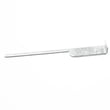
- If the display is on but temps are inaccurate, test the oven temperature sensor circuit; the sensor used on this model is commonly replaced as frigidaire range oven temperature sensor 316217002.
- If the oven is completely dead, inspect the home breaker and wiring connections at the terminal block.
What “reset” does (and does not) do
| Action | What it helps | What it will not fix |
|---|---|---|
| Power cycle at breaker | Frozen keypad, control glitches, odd display behavior | Burned element, failed sensor, wiring damage |
| Lockout toggle | “LOCK” or “Off” showing, door locked | No power to oven, tripped breaker |
Why it matters
Resetting clears minor electronic control issues and gets you back to normal operation quickly. It also helps you confirm whether the problem is a simple control glitch or a part issue (sensor, wiring, or power connection).
Last updated: February 2026
What are the parts of an electric oven?
An electric oven like the Kenmore Elite 79049063400 is built around heating elements, temperature sensing and controls, airflow and venting, and door and rack hardware. These parts work together so the oven can heat accurately, circulate air, and vent hot air safely (see the 79049063400 owner's manual).
Main parts you will find in most electric wall ovens
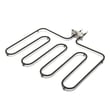
- Bake element (bottom heat source for baking)
- Broil element (top heat source for broiling)
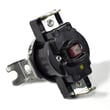
- Oven temperature sensor (tells the control how hot the oven is)
- Electronic oven control (clock/timer and temperature regulation)
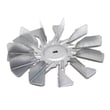
- Convection fan system (fan motor and fan blade for air circulation on convection models)
- Oven vent and trim (releases warm air; supports proper air circulation)
- Oven door and seal (keeps heat in; helps temperature stability)
- Oven racks (support cookware; also used for leveling checks during installation)
Model-specific examples for Kenmore Elite 79049063400
These are common service parts we see for this model:
| What it does | Part you may replace | Example part ID |
|---|---|---|
| Measures oven temperature for accurate heating | Oven temperature sensor | 316217002 |
| Seals the door to reduce heat loss | Oven door seal | 318053120 |
| Moves air for convection baking (if equipped) | Convection fan motor | 5304467898 |
| Provides top heat for broiling | Broil element | 318255807 |
Why it matters
Knowing the major oven parts helps you troubleshoot faster. For example, uneven baking often points to airflow (convection fan) or temperature feedback (sensor), while heat escaping around the door points to the door seal.
Quick troubleshooting clues (part-related)
- Oven not reaching set temperature: sensor or control issue; confirm with a thermometer test and inspect wiring.
- Long preheat times or weak broil: broil element or power supply issue.
- Hot air blowing from the trim area: normal venting behavior; the oven vents warm air through the vent during operation.
- Fan keeps running after shutoff: normal on many models; the cooling blower can run until components cool down.
For electrical supply, leveling, and safe installation details, use the 79049063400 installation guide.
Last updated: February 2026
Where can I find my Kenmore Elite oven model number?
For Kenmore Elite wall oven model 79049063400, the model and serial number are printed on the serial plate along the interior side trim of the lower oven, and you can see it when you open the oven door. Confirm the full number before ordering parts.
Where to look on model 79049063400
Check these spots in this order:
- Open the lower oven door and look along the interior side trim for the serial plate
- Use a flashlight and look for a label with Model and Serial fields
- Wipe grease or residue off the trim so the characters are readable
- Write down the model number, serial number, and any lot number/letter shown
What the serial plate label looks like
Most labels include the same key fields. Use this quick guide:
| Label field | What it means | Why we need it |
|---|---|---|
| Model | Identifies the exact oven version | Ensures parts fit 79049063400 |
| Serial | Production identifier | Helps match correct revisions |
| Lot number/letter | Manufacturing run info | Useful for parts lookups |
Why it matters
Kenmore Elite wall ovens often have multiple versions that look similar. Using the exact model number from the serial plate helps us match the correct wiring harness, oven sensor, door seal, or heating element for your specific build. For more details on the serial plate location and product record info, use the 79049063400 owner’s manual.
Last updated: February 2026
Why is my Kenmore Elite double oven not working?
If your Kenmore Elite wall oven model 79049063400 is not working at all, the most common causes are a power supply issue (tripped breaker, blown fuse, loose junction-box connection) or controls that need to be reset after a power interruption. Set the clock first, then retry Bake or Broil using the steps in the 79049063400 owner's manual.
Quick checks we recommend first
- Confirm the oven display is on; if it is flashing, set the clock before programming cooking functions.
- Check the home circuit breaker or fuse; reset or fully engage it.
- Verify the electrical cord is securely connected at the household junction box (power must be OFF before inspecting).
- Press STOP/CLEAR to clear an F-code and stop beeping; if the code returns, record it.
- If self-clean was started and you see a door message, close the door fully and cancel the cycle.
What to test next (common failed parts)
If power and settings are correct but the oven still will not heat or behaves erratically, these are the most common components to check:
| Symptom | Most likely area | What to do |
|---|---|---|
| No heat but controls work | Temperature sensing or heating circuit | Test the oven temperature sensor and inspect wiring/connectors |
| Random beeping or F-code returns | Control sensing a fault | Clear with STOP/CLEAR, then document the code if it repeats |
| Works sometimes, then stops | Loose connection or failing component | Inspect harness connections; look for heat damage |
A frequent no-heat culprit is a failed oven temperature sensor. For this model, the frigidaire range oven temperature sensor 316217002 is a common replacement part when the sensor tests out of range.
Why it matters
A wall oven that is not operating is often a simple reset or power issue, especially after an outage. Confirming power and setting the clock prevents unnecessary parts replacement and helps you interpret any error codes correctly.
Last updated: February 2026
Why is my Kenmore Elite oven not heating up?
If your Kenmore Elite wall oven 79049063400 is not heating, the most common causes are a power supply problem, control settings that are not completed (clock not set after an outage), or a failed heating circuit component such as the oven temperature sensor or a bake/broil element. Use the troubleshooting steps in the 79049063400 owner's manual to narrow it down safely.
Quick checks first (no tools)
- Confirm the display is on; after a power interruption the display can flash and the oven will not program until the clock is set.
- Make sure Bake or Broil was actually started (some models require pressing Start after selecting a mode and temperature).
- Check your home breaker; wall ovens typically need a dedicated 240V circuit.
- If the oven is in or just came out of self-clean, let it cool fully and try again.
- If an F-code appears, clear it with STOP/CLEAR; if it returns, record the code for service.
Parts that commonly stop heating
These are the most frequent “no heat” culprits on electric wall ovens like model 79049063400:
- Oven temperature sensor: if it reads out of range, the control may prevent proper heating.
- Bake element or broil element: can fail without obvious visible damage.
- Wiring/connectors: heat damage at terminals can interrupt power to elements.
- Control or relay issue: less common, but possible if elements and sensor test good.
Helpful part to consider
If you are diagnosing temperature or heat regulation problems, the frigidaire range oven temperature sensor 316217002 is a common heating-system component to test/replace when readings are incorrect.
Basic diagnostic path (best order)
| Step | What you’re checking | What it tells you |
|---|---|---|
| 1 | Clock set, controls programmed correctly | Rules out a simple setup issue |
| 2 | Breaker and junction box connection | Rules out loss of 240V supply |
| 3 | Error codes (F-codes) | Points to a control or sensor fault |
| 4 | Sensor and element continuity tests | Confirms failed heating components |
Why it matters
A wall oven that powers on but will not heat is often missing the correct power supply or is being blocked by a control condition (like an unset clock after an outage). Checking those first prevents unnecessary parts replacement and gets you to the right fix faster.
Last updated: February 2026
Why is my Kenmore oven fan not spinning?
On Kenmore Elite wall oven model 79049063400, the convection fan is designed to stop when the oven door is opened, and the cooling fan can also cycle on and off (and may run after shutoff). If the fan never spins during convection with the door closed, the most common causes are a failed fan motor, wiring issue, or a control problem; confirm normal operation steps in the 79049063400 owner's manual.
Quick checks (no disassembly)
- Make sure you are using Convection Bake/Roast (not standard Bake).
- Close the oven door fully; the convection fan stops when the door is opened.
- Listen for the cooling fan after high-heat use; it can run even after the oven is turned off.
- Cancel the cycle, reset power at the breaker for 1 minute, then retry convection.
- If the oven is newly installed or recently moved, verify the electrical connection and junction box wiring per the 79049063400 installation guide.
What to test next (power off)
If the fan still never runs during convection with the door closed:
- Check for a loose or burned connection at the terminal block area.
- Inspect harness connectors for heat damage or corrosion.
- If the oven is not heating correctly and the fan behavior seems abnormal, test the oven temperature sensor; a bad sensor can cause erratic operation.
Common parts involved
| Symptom | Most likely area | Example part for this model |
|---|---|---|
| Convection mode selected, fan never runs | Convection fan motor or wiring | Motor (convection fan) |
| Fan runs sometimes, temps seem off | Temperature sensing/control | Oven temperature sensor 316217002 |
| Intermittent power, burning smell at connection | Power connection | Terminal block |
Why it matters
A non-spinning convection fan reduces air circulation, so baking can be uneven and preheat times can increase. If the issue is a wiring or terminal connection, it can also create overheating at the connection point.
Last updated: February 2026





