 Owner’s manual


How to hard reset a Bosch dryer?
To hard reset your Bosch dryer model WTE86300US, we typically power-cycle it: turn the dryer off, disconnect power for a few minutes, then restore power and try a cycle again. If the dryer immediately faults again, troubleshoot the cause (often airflow, overheating, or a control lockout). See the WTE86300US owner's manual for the exact reset and error-display steps for your control panel.
Quick hard reset (power-cycle)
- Press Off/Stop to end the cycle.
- Unplug the dryer (or switch the breaker off).
- Wait 3 to 5 minutes.
- Restore power.
- Select a timed cycle and press Start.
If it still will not run: what to check next
These are the most common reasons a Bosch dryer appears to need a “reset”:
- Control lock/child lock is enabled (look for a lock indicator).
- Overheating protection tripped due to restricted airflow or lint buildup.
- Door not fully latched or latch switch not engaging.
- Moisture sensor or filter area is coated with residue, confusing cycle sensing.
- Error code is present and needs the specific fix, not just a reset.
For code meanings and the right next step, use Bosch dryer error codes.
Parts that commonly relate to “won’t start” or overheating symptoms
If you confirm a heat or airflow related shutdown, these model-matched parts are often involved:
| Symptom | What it can point to | Example part for this model |
|---|---|---|
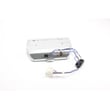
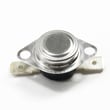
| Dryer stops mid-cycle, hot smell | Overheat condition | Dryer temperature limiter 00617454 |
| Long dry times, lint escaping | Restricted lint filtering | Fluff filter 00652184 |
| Runs but drum does not turn | Drive issue | Belt 00604866 |
Why it matters
A reset clears a temporary control glitch, but repeated shutdowns usually mean the dryer is protecting itself from overheating or detecting an unsafe condition. Fixing airflow and lint issues helps prevent repeat trips and improves drying performance.
Last updated: February 2026
What is F09 error on Bosch WTE86300US?
On the Bosch WTE86300US dryer, an F09 error points to an overheat safety condition (the dryer’s thermal protection has tripped). Fixing it starts with safely resetting the unit and then correcting the airflow or cooling problem that caused the overheat; see the WTE86300US owner's manual for model-specific steps.
What to do first (safe reset and quick checks)
- Unplug the dryer (or switch the breaker off) for at least 5 minutes.
- Let the dryer cool completely before restarting.
- Clean the lint screen and make sure it seats fully; replace it if damaged (see fluff filter 00652184).
- Check that the load is not overfilled; overloading reduces airflow and raises temperatures.
- Run a timed dry cycle and confirm the drum turns smoothly.
If F09 comes back: focus on overheating causes
Most repeat F09 events are caused by restricted airflow or a cooling/temperature safety device reacting to heat.
- Remove lint buildup from the lint screen housing and internal ducting you can access.
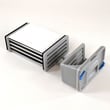
- Inspect the condenser area (ventless/condensing dryers) and clean it per the manual.
- Confirm the drum is not binding; a slipping or tight drive system can increase heat and trip safeties.
- If the dryer shuts down hot, a failed limiter/thermostat is a common suspect (see dryer temperature limiter 00617454).
Quick symptom guide
| What you notice | Most likely cause | What we recommend |
|---|---|---|
| Dryer runs, then stops and shows F09 | Overheat protection tripped | Clean lint path, cool down, retry |
| Clothes take too long to dry | Airflow restriction or condenser needs cleaning | Deep clean lint path and condenser |
| Drum does not turn or squeals | Belt/roller issue increasing load | Inspect drive parts; consider belt 00604866 |
Why it matters
An F09 overheat condition protects the Bosch dryer from damage. Clearing lint restrictions and keeping airflow and drum movement normal helps prevent repeat shutdowns and improves drying performance.
Last updated: February 2026
Why is my Bosch dryer overheating?
A Bosch dryer like model WTE86300US overheats when heat cannot move out of the drum area fast enough or when a temperature-safety control is failing. The most common causes are lint buildup, restricted airflow through internal passages, or a bad high-limit thermostat.
What to check first (fast, high-impact)
- Clean the lint screen thoroughly; if it is damaged or warped, replace the fluff filter 00652184.
- Remove lint from the lint screen housing and any accessible ducting.
- If your dryer is ventless, clean the condenser/heat exchanger area as described in the owner's manual.
- Reduce load size; overloading traps heat and slows moisture removal.
- Stop using the dryer if the cabinet gets unusually hot or you smell scorching.
Likely causes and what they mean
| Symptom | Most likely cause | What to do |
|---|---|---|
| Clothes very hot, cycle ends early | Airflow restriction (lint, internal blockage) | Deep-clean lint path and condenser area; re-test |
| Overheats and shuts down repeatedly | Temperature limiter opening | Test/replace the dryer temperature limiter 00617454 |
| Long dry times plus overheating | Poor heat removal (restricted airflow) | Clean lint system; confirm normal drum turning |
| Burning smell | Lint contacting hot surfaces or failing component | Unplug and inspect before further use |
Parts that commonly relate to overheating on this model
- Dryer temperature limiter 00617454 (high-limit safety thermostat)
- Fluff filter 00652184 (lint screen that protects airflow)
- Belt 00604866 (if the drum is not turning correctly, heat can build up)
- Dryer drum 00249014 (damage or rubbing can create heat and odor)
Why it matters
Overheating is more than a comfort issue; it shortens the life of the motor, wiring, and temperature controls, and it can damage fabrics. Restoring proper airflow and confirming the safety thermostat is working keeps drying temperatures stable.
If your dryer is showing an error, match it to the code list in Bosch dryer error codes before replacing parts.
Last updated: February 2026





