 Owner’s manual











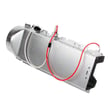
How much does it cost to replace a heating element in a Kenmore dryer?
For Kenmore dryer model 79681582410, replacing the heating element typically costs $150 to $450 total: about $100 to $300 for the part plus $100 to $250 for labor if you hire service. DIY cost is usually the part price only.
Costs vary most by whether you replace only the element or also address the cause of overheating (restricted venting, failed thermostat, etc.).
- DIY (part only): usually $100 to $300
- Professional repair (parts + labor): usually $150 to $450
- Extra parts sometimes needed: thermostats, thermistor, or wiring repairs
| Scenario | What you pay for | Typical total |
|---|---|---|
| DIY element replacement | Heating element only | $100 to $300 |
| Pro element replacement | Element + labor | $150 to $450 |
| Pro repair with diagnostics | Service call + parts + labor | $200 to $500 |
If the dryer overheats, shuts down, or takes too long to dry, we often check the heating circuit and airflow parts together.
- Dryer heating element 5301EL1001J
- Dryer high-limit thermostat 6931EL3003D
- Dryer blower thermostat 6931EL3002M
- Dryer thermistor AGM30045804
A failed heating element is common, but poor airflow can also cause repeated heater failures.
- Clean the lint screen and confirm the lint screen housing is seated correctly
- Inspect the vent duct for crushing, kinks, or heavy lint buildup
- Confirm strong airflow at the outside vent hood
- Avoid running multiple very large loads back-to-back if the dryer indicates restricted venting
- Use the troubleshooting steps in the 79681582410 owner’s manual
A restricted exhaust system can make drying slow, raise operating temperatures, and shorten the life of heating components like the element and high-limit thermostat.
Last updated: February 2026
How to hard reset a Kenmore dryer?
For Kenmore dryer model 79681582410, the most reliable hard reset is a power reset: unplug the dryer (or switch the breaker off) for 5 minutes, then restore power and press POWER. This clears many control glitches and lets you restart a cycle normally; see the 79681582410 owner's manual.
- Press START/PAUSE to stop the cycle.
- Press POWER to turn the dryer off.
- Unplug the dryer (or turn the breaker off).
- Wait 5 minutes.
- Restore power, press POWER, then start a cycle with START/PAUSE.
- If the dryer was paused, remember it can turn off automatically after being stopped for several minutes; restart the cycle from the beginning if needed.
These checks address the most common “looks dead” or “won’t run” complaints after a reset.
- Confirm the outlet has power (try a lamp or meter).
- Make sure the door is fully closed; a failed door switch can prevent starting.
- Check for a control lock feature being enabled (some models lock/unlock by holding an option button).
- If the dryer turns on but stops quickly, check airflow restrictions and lint buildup.
- If you suspect a door switch problem, match the correct replacement to your model, such as the dryer door switch EBF61496102.
Your dryer can signal a serious vent restriction (often shown as a “Check Vent” indicator). Restricted airflow can cause long dry times, overheating, and safety shut-down behavior that looks like a “needs reset” problem.
| What you notice | Most likely cause | What to do next |
|---|---|---|
| Long dry times | Vent restriction or lint buildup | Clean lint screen, inspect vent run, clear blockage |
| Dryer shuts off mid-cycle | Overheating from poor airflow | Clean venting, verify blower area is clear |
| Runs but clothes stay damp | Weak airflow or sensor issue | Improve venting; then evaluate moisture sensing |
If the dryer powers on but keeps acting up, use the troubleshooting and diagnostic guidance in the 79681582410 owner's manual. This model also supports Kenmore Connect style diagnostics when the dryer can be turned on.
Last updated: February 2026
What are common problems with Kenmore dryers?
Common problems on the Kenmore 79681582410 dryer include long dry times or no heat (usually airflow or heat-control related), the drum not turning (belt or idler issues), and loud operation (rollers or blower). Our 79681582410 owner's manual also points to poor exhaust venting as the most common cause of dryer problems.
- Takes too long to dry: restricted venting, lint buildup, crushed duct, blocked vent hood
- No heat or weak heat: heating circuit issue (heater, thermostat, thermistor), airflow restriction causing overheating
- Won’t start: door switch, power supply/terminal block wiring, control issue
- Drum won’t tumble: worn/broken belt, failed idler pulley, motor issue
- Squealing, thumping, rumbling: worn drum support rollers, idler pulley, blower wheel obstruction
- Clean the lint screen and make sure it is completely dry before reinstalling (never run with a wet lint filter).
- Inspect the entire vent run for kinks, crushing, or lint buildup; the manual recommends checking ductwork monthly and cleaning at least yearly.
- Confirm the vent material is rigid or semi-rigid metal, not plastic or foil.
- Check the outside vent hood for lint blockage and that the flap opens freely.
- If the CHECK VENT indicator comes on, treat it as an immediate airflow problem.
| Symptom | Likely area | Example model-matched part |
|---|---|---|
| Drum not turning | Drive system | Dryer drum belt 4400EL2001F |
| Loud rumble/thump | Drum support | Dryer drum support roller 4581EL2002H |
| Overheating or cycling heat | Temperature sensing | Dryer thermistor AGM30045804 |
| No heat or shuts off on high temp | Safety thermostat | Dryer high-limit thermostat 6931EL3003D |
Airflow problems do more than slow drying; they raise operating temperatures, trigger safety devices, and can make a good heating system look “bad.” Fixing venting first often restores normal heat and cycle times without replacing extra parts.
Last updated: February 2026
What does F70 mean on a Kenmore dryer?
F70 on the Kenmore dryer model 79681582410 means the control is detecting a communication failure between the main electronic control board and the user interface. In most cases, restoring power and checking the wiring connections between the boards resolves it.
- Unplug the dryer or switch both breakers off (240V circuit) for 2 minutes.
- Restore power and try a normal cycle.
- If F70 returns, stop the cycle and proceed with the checks below.
- If the dryer will not power on at all, troubleshoot power first (240 VAC supply, cord, terminal block).
- Loose or oxidized wire harness connection between the control board and console
- Pinched or damaged harness (often after moving the dryer)
- Failed user interface control board (console)
- Failed main electronic control board
- Disconnect power to the dryer.
- Access the console and control area using the steps in the 79681582410 owner's manual.
- Reseat harness plugs: unplug and firmly reconnect each connector between the main control and the user interface.
- Inspect for backed-out pins, corrosion, or rubbed-through wires.
- If wiring looks good, test continuity of the harness end-to-end with a multimeter.
If the harness tests good and connections are tight, the failure is typically one of the boards.
| What you observe | Most likely direction |
|---|---|
| Code appears intermittently, especially after vibration | Connection or harness issue |
| Console buttons/display act erratic | User interface board issue |
| Dryer runs but repeatedly throws F70 | Control board or harness issue |
The dryer relies on constant communication between the user interface and the main control to manage heat, motor operation, and cycle timing. When that signal drops out, the dryer stops or behaves unpredictably to prevent unsafe operation.
Last updated: February 2026
What is the average life of a Kenmore dryer?
Most Kenmore dryers, including model 79681582410, typically last 10 to 13 years with normal household use. Consistent airflow maintenance (lint and venting) and avoiding overheating are the biggest factors that help a dryer reach the high end of that range.
A dryer’s life is mostly determined by heat stress and how hard the drive system works.
- 10 to 13 years is the normal expectation for a full-size dryer
- Heavy loads and frequent cycles shorten life
- Restricted venting increases heat and wear on thermostats, the heater, and the motor
- Worn drum support parts can cause noise and extra strain
- Good cleaning habits reduce breakdowns and drying time
We recommend these habits for Kenmore 79681582410 to keep drying performance strong and reduce part wear.
- Clean the lint screen every load
- Inspect and clean the vent run regularly; keep it within the venting limits in the 79681582410 owner’s manual
- Use rigid or semi-rigid metal ducting (avoid plastic or foil)
- Do not overload; large comforters can trigger airflow warnings and increase strain
- Listen for squealing or thumping; address it early to prevent secondary damage
| Wear item | What you’ll notice | Why it matters |
|---|---|---|
| Drum belt | Drum stops turning, burning rubber smell | Prevents tumbling and can overwork the motor |
| Idler pulley/rollers | Squeal, rumble, thump | Reduces friction and protects the drive system |
| Thermostats/thermistor | No heat, overheating, long dry times | Controls temperature and prevents heat damage |
If you’re hearing squealing or the drum is not turning smoothly, the dryer drum belt 4400EL2001F is one of the common drive parts to check first.
A dryer can run for years while slowly losing airflow. Poor venting increases dry time and energy use, and it can also shorten the life of key components by running hotter than intended.
Last updated: February 2026
What is the part number of the thermal fuse on a Kenmore 70 Series dryer?
Kenmore “70 Series” dryers use different thermal fuses depending on the exact model number, so the correct part number is the one listed for your specific dryer’s model on the parts diagram. For Kenmore model 79681582410, confirm the exact fuse by checking the 79681582410 owner's manual and matching the fuse location to the parts list.
- Open the dryer door and locate the model/serial tag (typically inside the door opening).
- Write down the full model number exactly as shown (for example, 79681582410).
- Use the parts diagram to find the thermal fuse by its mounting location (usually on the blower housing or heater duct).
- Match by connector style (2-wire), mounting holes, and shape.
- Replace any failed fuse only after correcting the overheating cause (restricted venting is most common).
- Dryer will not start (motor circuit opens)
- Drum light works but Start does nothing
- Dryer stops mid-cycle and will not restart until cooled (some designs)
- No heat can also occur on certain designs (depending on circuit)
Restricted airflow is the usual reason a thermal fuse opens. Check these items first:
- Lint screen and lint screen housing for blockage
- Vent duct for kinks, crushing, or heavy lint buildup
- Outside vent hood for a stuck flap or screen blockage
- Blower wheel for looseness or lint packing
| Check | What “good” looks like | What causes overheating |
|---|---|---|
| Vent airflow | Strong, steady flow outside | Long runs, crushed flex duct, lint buildup |
| Lint path | Clear from screen to blower | Lint screen housing packed with lint |
| Blower wheel | Tight on shaft, spins true | Loose wheel, broken fins, heavy lint |
The thermal fuse is a one-time safety device; if it opens, the dryer is protecting itself from unsafe temperatures. Fixing the airflow problem first helps prevent the new fuse from blowing again.
Last updated: February 2026
What size is a Kenmore 70 series dryer?
For Kenmore dryer model 79681582410, the cabinet dimensions are 27 in. (W) x 30 1/4 in. (D) x 38 11/16 in. (H), and the depth is 51 5/8 in. with the door open. For the full installation specs, use the 79681582410 owner's manual.
These are the core “size” specs most people mean when planning a laundry space.
- Width: 27 in.
- Depth (door closed): 30 1/4 in.
- Height: 38 11/16 in.
- Depth (door open): 51 5/8 in.
- Drying capacity class: IEC 7.4 cu. ft.
Beyond the cabinet size, plan for door swing and venting space.
- Allow about 4 in. behind the dryer for exhaust ducting in most installs
- Allow at least 1 in. on the sides and back to reduce vibration and noise
- Allow at least 22 1/2 in. in front to open the door
| Measurement | Spec for 79681582410 | Why it matters |
|---|---|---|
| Width | 27 in. | Fits between walls, pairs with washer |
| Depth (door closed) | 30 1/4 in. | Closet depth, vent routing |
| Height | 38 11/16 in. | Counter clearance, stacking planning |
| Depth (door open) | 51 5/8 in. | Walkway and door swing |
“70 series” is a marketing label that can vary by year; the reliable way to confirm fit is the model-specific cabinet dimensions and required clearances so you avoid crushed vents, vibration, and poor drying performance.
Last updated: February 2026
Where is the part number on a Kenmore dryer?
On Kenmore dryer model 79681582410, the model and serial information (used to match the correct replacement parts) is printed on an identification plate inside the dryer door. We recommend copying those numbers exactly before ordering parts or scheduling service.
- Open the dryer door fully.
- Look along the door opening on the cabinet (not the door itself).
- Find the identification plate or sticker with MODEL and SERIAL.
- Write the numbers down exactly as shown (include all digits).
- Use those numbers when selecting parts like a belt, thermostat, or control board.
The identification plate typically includes the key details you need to get the right parts.
| Label item | What it’s used for | Example for this dryer |
|---|---|---|
| Model number | Confirms the exact dryer version | 79681582410 |
| Serial number | Helps identify production details | Varies by unit |
| Electrical ratings | Helps with safe troubleshooting | Varies by unit |
Kenmore dryers often have multiple versions that look similar, and small design changes can affect which drum belt, thermistor, or heating component fits. Using the identification plate info helps us match parts correctly the first time.
- Use the 79681582410 owner's manual to see where the identification plate is shown and how Kenmore recommends recording the model and serial number.
- If you’re troubleshooting a display code, use the Kenmore 796 model dryer error codes guide to narrow down likely causes before replacing parts.
Last updated: February 2026










