 Owner’s manual




Do I need a technician to fix the IE error on my LG washer?
You usually do not need a technician right away for an IE (inlet) error on your LG WM2801HLA washer. IE means the washer is not getting water into the dispenser fast enough; most fixes are simple checks like water supply, hoses, and cleaning the inlet filters (steps are in the WM2801HLA owner's manual).
What to check first (no parts needed)
- Confirm both hot and cold water taps are fully open.
- Make sure fill hoses are not kinked, crushed, or frozen.
- Verify the washer is getting normal household water pressure.
- Power reset: unplug the washer for 1 minute, then restart a cycle.
- Clean the inlet screens/filters at the back of the washer (the manual notes hard water can clog them).
Cleaning the water inlet filters (key DIY fix)
We recommend following the manual procedure: turn off both water taps, remove the hot and cold hoses, carefully pull the inlet filters, soak them in white vinegar or a lime scale remover, rinse, reinstall, then reconnect hoses. Do not run the washer without the inlet filters installed.
When a technician (or a part) becomes likely
If the IE code returns after the checks above, the problem is typically a failed water valve, a wiring issue, or a control-related problem. On this model, the most common “next step” part is the inlet valve.
- If the washer fills very slowly or only on one temperature: suspect a valve issue.
- If you hear the valve energize but no water enters: suspect clogged screens, supply issue, or a sticking valve.
- If the washer never attempts to fill: suspect wiring or control symptoms.
Parts that commonly relate to IE symptoms
| Symptom | Most likely area | Example part on this page |
|---|---|---|
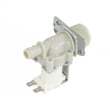
| No/slow fill on one or more cycles | Water inlet valve | LG washer single-solenoid water inlet valve 5220FR2006H |
| Intermittent fill, odd behavior after moving washer | Hose connections, inlet screens, wiring | Use the WM2801HLA owner's manual checks |
Why it matters
An IE error stops the cycle because the washer cannot measure the expected water flow into the dispenser. Fixing the supply or inlet filtering early prevents repeated cycle failures and helps protect components that rely on proper fill.
To order model-correct replacement parts (like an inlet valve), use the parts list for WM2801HLA on this page, or search by model at Sears PartsDirect.
Last updated: February 2026
How do I get my LG inverter direct drive washer to drain?
To drain your LG WM2801HLA washer, use the built-in Drain & Spin function: turn the washer on, press Spin Speed to activate Drain & Spin, choose a spin speed (or No Spin for drain-only), then press Start/Pause. See the steps in the WM2801HLA owner's manual.
Fast steps to force a drain (Drain & Spin)
- Press ON/OFF.
- Press SPIN SPEED (this activates Drain & Spin on this model).
- Choose a spin speed.
- Select NO SPIN if you want drain only (no spinning).
- Press START/PAUSE.
If it still will not drain
A front-load washer usually fails to drain because the drain pump filter is clogged, the drain hose is kinked, or the drain pump is not running.
- Unplug the washer.
- Check the drain hose for kinks or crushing; confirm the hose end is not higher than 96 in. above the bottom of the washer.
- Drain the tub using the small drain hose at the pump area (catch water in a pan).
- Remove and clean the pump filter; reinstall it fully and close the access panel.
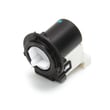
If the filter is damaged or missing, replace the washer drain pump filter 383EER2001A. If the pump hums but will not move water, the drain pump motor is a common fix: drain pump motor (4681EA2001T) - washer part by LG electronics 4681EA2001T.
Quick diagnosis guide
| What you see | Most likely cause | What to do next |
|---|---|---|
| Water stays in tub, cycle ends | Clogged pump filter | Clean or replace the pump filter |
| Drains slowly | Partial clog, hose restriction | Check hose routing and clean filter |
| Hums but no drain | Pump jammed or failing | Inspect filter area; consider pump motor |
| Won’t drain and shows error | Drain system issue | Clean filter, verify hose height, retry Drain & Spin |
Why it matters
Draining correctly protects the washer from standing water, odor, and leaks; it also prevents spin problems because the washer will not spin properly with a tub full of water.
You can also find additional replacement parts for WM2801HLA on the parts list for this model, or search by model number on Sears PartsDirect.
Last updated: February 2026
How to reset LG Tromm washer?
To reset your LG WM2801HLA (Tromm) washer, press POWER to turn it off, wait 30 seconds, then press POWER again and start a new cycle. If the controls are still unresponsive, unplug the washer for 1 minute (or turn the breaker off and back on), then retry.
Quick reset options (try in this order)
- Press POWER to turn the washer OFF.
- Wait 30 seconds.
- Press POWER to turn it ON.
- Select a cycle and press START/PAUSE.
- If the washer is frozen, unplug for 1 minute, then plug back in.
- If you cannot access the plug, reset the circuit breaker, then try again.
What a “reset” actually does on this model
A reset clears the current cycle selection and can restore normal operation after a control glitch. On the WM2801HLA, pressing POWER during a cycle cancels that cycle and the selected settings are lost, so you will need to reselect your cycle options afterward (see the WM2801HLA owner's manual).
If it still will not start after resetting
Check these common causes before replacing parts:
- Confirm the washer is plugged into a grounded 120 VAC, 60 Hz outlet.
- Make sure the door closes easily and latches fully; the washer will not spin unless the door locks.
- Press START/PAUSE after choosing a cycle; if you do not start within about 4 minutes, the washer can shut off.
- Verify water taps are fully open and hoses are not kinked.
- Clean the drain pump filter if the washer will not drain.
Helpful part checks (only if symptoms match)
| Symptom after reset | What to check | Part on this model page |
|---|---|---|
| Won’t drain, stops mid-cycle | Clogged filter, failing drain pump | Drain pump motor (4681EA2001T) - washer part by LG electronics 4681EA2001T or washer drain pump filter 383EER2001A |
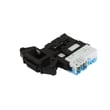
| Door won’t lock, won’t spin | Door lock not engaging | LG washer door lock assembly EBF49827801 |
| Won’t fill or fills slowly | Inlet screens/valve issue | LG washer single-solenoid water inlet valve 5220FR2006H |
Why it matters
Resetting is the fastest way to clear a canceled cycle or minor control issue without disassembly. If the washer still will not run after a proper reset, the next step is matching the symptom (no fill, no drain, no lock) to the right check so you avoid replacing the wrong part.
You can order WM2801HLA replacement parts from the parts list for this model, or search by model number on Sears PartsDirect.
Last updated: February 2026


