 Installation guide
 Owner’s manual





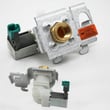
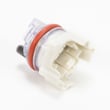
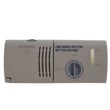
How to do a hard reset on a Kenmore dishwasher?
For a Kenmore Elite dishwasher model 66513852K602, the most reliable “hard reset” is to cancel the current cycle and clear the control, then restart. Press CANCEL/DRAIN and let the dishwasher complete the drain (about 2 minutes), then select a new cycle and press START/RESUME; see the steps in the owner's manual.
Reset options that work on 66513852K602
Use the option that matches what your dishwasher is doing:
- Stuck mid-cycle or acting unresponsive: Press CANCEL/DRAIN once and let it drain fully.
- You want to clear lights/options before starting: Press CANCEL/DRAIN before choosing a new cycle.
- Controls seem “locked”: Press and hold HEATED DRY for 4 seconds to toggle Lock On off.
- After opening the door: Close the door firmly, then press START/RESUME to continue.
Step-by-step: cancel and restart (recommended)
- Close the door (the unit must be closed to drain).
- Press CANCEL/DRAIN.
- Wait for the drain to finish (typically about 2 minutes).
- Confirm detergent is correct for the new cycle.
- Select your desired cycle and options.
- Press START/RESUME.
Quick reference table
| What you see | What to do | What it does |
|---|---|---|
| Cycle won’t change | CANCEL/DRAIN, wait for drain | Clears the cycle and resets selections |
| Lights/options won’t clear | CANCEL/DRAIN before starting | Clears indicators/options |
| Buttons don’t respond, “Lock On” lit | Hold HEATED DRY 4 seconds | Unlocks the control panel |
Why it matters
A true “hard reset” on this style of Kenmore dishwasher is really a control clear plus drain. It prevents starting a new cycle with leftover water, stuck indicators, or a locked keypad, which helps avoid no-start and incomplete-wash problems.
Last updated: February 2026
How to get a Kenmore 66513852K602 Elite dishwasher to drain?
To drain your Kenmore Elite dishwasher model 66513852K602, press CANCEL/DRAIN and keep the door closed; the dishwasher runs a drain cycle for about 2 minutes (if needed) and then stops. Use this before starting a new cycle or after a canceled cycle. See the owner's manual.
Quick steps to force a drain
- Press CANCEL/DRAIN once.
- Confirm the Cancel/Drain light turns on.
- Close the door fully (the unit will not drain with the door open).
- Wait about 2 minutes for the drain cycle to finish.
- If you need to stop draining, press CANCEL/DRAIN again.
If it still will not drain
A drain problem is usually a blockage, a kinked hose, or a drain pump issue.
- Check the sink drain or garbage disposer connection for a clog.
- Make sure the drain hose is not kinked or crushed behind the dishwasher.
- Verify the drain hose connection is before the drain trap and the hose is routed in a high loop under the counter (recommended).
- If the dishwasher hums but does not move water, the drain pump area may be obstructed.
- If the dishwasher is completely dead (no lights), check the home breaker; a blown thermal fuse is also possible.
Drain hose routing requirements (installation basics)
Correct routing prevents backflow and helps the dishwasher drain consistently.
| Item to check | What “correct” looks like | What goes wrong if not |
|---|---|---|
| Connection height | Drain connection is at least 20 in. above the floor | Water can siphon back, poor draining |
| Hose routing | High loop secured under counter (recommended) | Standing water, odor, slow drain |
| Hose condition | No kinks, no sharp bends | Restricted flow, incomplete drain |
Parts that commonly relate to draining issues
If you find damage or a confirmed failure, these are common drain-related replacements for this model:
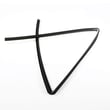
- Dishwasher drain hose 8269144A (cracked, soft, kinked, or leaking)
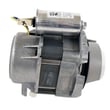
- Pump motor WPW10780877 (if the pump assembly is not moving water)
Why it matters
A proper drain clears dirty water so the next wash starts clean; it also helps prevent odors and standing water that can redeposit soil on dishes.
Last updated: February 2026
What does red lock mean on a dishwasher?
On the Kenmore Elite dishwasher model 66513852K602, a red lock light means Lock On (control lock) is turned on, so the buttons are disabled to prevent unintended use. Turn it off by pressing and holding HEATED DRY for 4 seconds (the lock light goes out). See the owner's manual.
What the lock does (and what it does not do)
When Lock On is lit:
- All control panel buttons are disabled.
- The lock helps prevent accidental cycle or option changes.
- You can still open the dishwasher door.
- If you press a button while locked, the lock light flashes (typically 3 times).
- If you open the door during a cycle, you must unlock and press START/RESUME to continue.
How to turn Lock On on or off (66513852K602)
Use this exact button sequence for this model:
- To turn Lock On on: press and hold HEATED DRY for 4 seconds.
- To turn Lock On off: press and hold HEATED DRY for 4 seconds.
| Indicator | What it means | What to do |
|---|---|---|
| Lock light is on (red lock) | Controls are locked | Hold HEATED DRY 4 seconds |
| START/RESUME light flashing | Door opened mid-cycle or power interruption | Close door, press START/RESUME |
Why it matters
If the control lock is on, the dishwasher can look “dead” even though power is fine. Unlocking restores normal button operation and helps you start, change, or resume a wash cycle.
Last updated: February 2026








