 Owner’s manual




What is the most common problem with LG dryers?
On the LG DLGX7188RM dryer, the most common performance problem we see is long drying times caused by restricted airflow (a clogged lint screen, lint buildup in the housing, or a blocked exhaust vent). The DLGX7188RM manual also emphasizes checking the lint filter before every load and keeping venting clear.
What to check first on DLGX7188RM (no parts)
- Clean the lint filter before every load; reinstall it fully seated.
- Inspect the vent hose for kinks, crushing, or excessive length.
- Confirm the outside vent hood damper opens while the dryer runs.
- Reduce load size; heavy loads can dry unevenly and extend cycle time.
- If using Sensor Dry, clean the moisture sensor bars inside the drum.
When a part is the likely cause
If airflow is good but drying is still slow, the issue can be lint bypass, sensing, or temperature control. These model-matched parts are common suspects:
- Lint screen not catching lint well: dryer lint filter 5231EL1003B
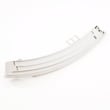
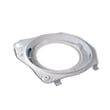
- Lint leaking around the filter area: dryer lint screen housing 3550EL1006B
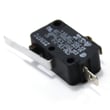
- Sensor cycles end early or clothes stay damp: dryer moisture sensor 6500EL3001A
- Dryer overheats or heat cuts out: dryer high-limit thermostat AGM30045804 or dryer blower thermostat 6931EL3002M
Symptom-to-next-step guide
| Symptom | Most common cause | Best next step |
|---|---|---|
| Takes too long to dry | Vent restriction or lint buildup | Verify venting and clean lint system |
| Stops mid-cycle | Airflow restriction or overheating protection | Fix venting first, then check thermostats |
| Clothes damp after Sensor Dry | Dirty/failed moisture sensing | Clean sensor bars, then inspect sensor |
| No heat (gas model) | Ignition or heat safety circuit issue | Confirm gas supply, then test heat components |
Why it matters
Restricted airflow makes the dryer run hotter and longer, which can trigger safety thermostats and shorten the life of components like sensors, rollers, and the blower system.
For DLGX7188RM venting, cleaning, and troubleshooting steps, use the DLGX7188RM user manual.
Last updated: January 2026
Why do LG dryers take so long to dry?
LG dryers like model DLGX7188RM usually take too long to dry because airflow is restricted (lint screen, exhaust duct, or blower area), the load is too large, or the moisture-sensing system is dirty or not reading correctly. Less often, a heating or safety thermostat issue reduces heat output.
Quick checks that fix most “long dry time” complaints
- Clean the lint screen before every load; even a thin film from dryer sheets can block airflow (see DLGX7188RM user manual).
- Confirm strong airflow at the outside vent hood while the dryer runs.
- Check the vent path for kinks, crushed flex duct, lint buildup, or a stuck vent damper.
- Avoid overloading; heavy fabrics (towels, jeans) need more space to tumble.
- Use the right cycle: Sensor Dry for mixed loads; Time Dry for small loads.
Model-specific parts to consider (when cleaning does not help)
If airflow is good and loads are sized correctly, these DLGX7188RM-COMPATIBLE parts are common culprits:
- Dryer lint filter 5231EL1003B if the screen is torn, warped, or will not seat tightly.
- Dryer blower wheel 5835EL1002A if airflow is weak and you hear rattling or thumping from the blower area.
- Dryer moisture sensor 6500EL3001A if Sensor Dry ends too soon or runs too long despite proper venting.
- Dryer high-limit thermostat AGM30045804 or dryer blower thermostat 6931EL3002M if the dryer cycles heat abnormally or overheats and then struggles to dry.
What “normal” drying time looks like
Dry time varies by fabric, vent length, and heat source, but this is a practical baseline:
| Load type | Typical cycle choice | Typical time range |
|---|---|---|
| Mixed everyday clothes | Sensor Dry (Normal) | 40 to 60 minutes |
| Towels/denim | Sensor Dry (Cotton/Towels) | 55 to 80 minutes |
| Small load | Time Dry | 20 to 40 minutes |
Why it matters
Long dry times usually mean poor airflow, which wastes energy and can overheat components. Fixing venting and lint buildup helps the DLGX7188RM dry faster and reduces wear on thermostats, sensors, and the blower system.
Last updated: January 2026
How do I find the model number on my DLGX7188RM?
On your LG DLGX7188RM dryer, the model number is printed on the rating plate inside the front door. Open the dryer door and look along the door opening area for the label that lists both the model and serial number.
Where to look (fast checklist)
- Open the dryer door fully
- Look for a sticker or metal rating plate on the inside front panel (door opening)
- Confirm it says Model and Serial
- Write the model number exactly as shown (letters and numbers)
- Take a clear photo for reference when ordering parts
What the rating plate helps you do
The rating plate information is used to match the correct LG dryer parts and diagrams for your exact configuration.
| Item on label | What it’s used for |
|---|---|
| Model number | Identifies the exact dryer version for parts lookup |
| Serial number | Helps confirm production details when troubleshooting |
| Electrical/gas info | Confirms power or fuel requirements for safe service |
Why it matters
LG often makes small design changes within a model family. Using the exact model number from the rating plate helps ensure parts like a belt, thermostat, or door components fit your DLGX7188RM correctly.
Reference
For the label location and other identification details, use the DLGX7188RM owner’s manual.
Last updated: March 2026










