Owner’s manual
 Error Codes


What is the difference between force defrost FD and RD?
On Samsung model RF263AEPN, RD is a targeted defrost mode for the refrigerator (fresh food) section, while FD is a full force defrost that runs a more complete defrost cycle across the cooling system (commonly including both compartments). We use RD for localized fresh-food frost issues and FD for heavier, system-wide icing.
What each mode is used for
- RD (Refrigerator Defrost): Clears frost buildup tied to the refrigerator evaporator area and airflow in the fresh food section.
- FD (Force Defrost): Clears heavier frost that affects overall cooling performance, including freezer-side icing symptoms.
- Both are service-style defrost options intended to melt abnormal frost faster than waiting for normal automatic defrost.
When to choose RD vs FD
Use this quick guide to match the symptom to the mode:
| Symptom you see | Start with | Why |
|---|---|---|
| Fresh food section warm but freezer seems OK | RD | Focuses on refrigerator-side frost and airflow restrictions |
| Heavy frost, poor airflow, or repeated icing after door openings | FD | More comprehensive defrost for system-wide icing |
| Water under crisper drawers or recurring drain icing | FD, then check drain | Full defrost helps clear ice that can refreeze around the drain path |
What to do after running a force defrost
After RD or FD completes and the unit returns to normal cooling:
- Set temps back to normal targets (many Samsung units run best around -19°C freezer and 3°C fridge).
- Keep doors closed for several hours so temperatures stabilize.
- Check door sealing and loading habits that cause moisture intrusion.
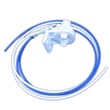
- If you had puddles or drain freeze-ups, inspect the drain path and consider replacing the drain tube assembly if it is damaged.
Helpful references for your exact control layout and temperature settings are in the RF263AEPN owner's manual.
Why it matters
Choosing the right defrost mode saves time and reduces repeat icing. RD addresses refrigerator-only frost problems; FD addresses broader icing that can impact airflow, temperature stability, and ice production.
Last updated: February 2026
How to get the bottom shelf out of a Samsung refrigerator?
On your Samsung RF263AEPN refrigerator, the bottom glass shelf lifts up to release from the supports, then slides out once it is free. Remove food first and use two hands so the glass stays level; this prevents chipping and cracking. See the RF263AEPN owner's manual for shelf and drawer handling cautions.
Steps to remove the bottom shelf
- Empty the shelf completely.
- Open both refrigerator doors for full access.
- Grip the shelf with two hands near the front corners.
- Lift the front edge straight up to unseat it from the shelf supports.
- If your shelf has retaining clips/tabs, press them in while lifting.
- Once the shelf is free, pull it straight out of the refrigerator.
If the shelf will not lift out
Most “stuck shelf” issues are caused by the drawers or pantry pressing against the shelf from below.
- Pull the crisper drawers out to full extension and remove them if needed (tilt the front up, then pull straight out).
- Remove the pantry drawer if it is blocking the shelf (pull out fully, tilt the front up, then pull straight out).
- Check that nothing is wedged between the shelf frame and the liner wall.
- Warm the shelf edges slightly by leaving the doors open for a few minutes; cold plastic can bind.
Quick reference: what to remove first
| What is in the way? | What to do first | Why it helps |
|---|---|---|
| Crisper drawers | Remove drawers | Clears upward lift path |
| Pantry drawer | Remove pantry | Prevents shelf from catching |
| Items frozen to glass | Let temps stabilize briefly | Reduces sticking and stress on glass |
Why it matters
Lifting the shelf evenly protects the glass and keeps the shelf supports from cracking. It also prevents damage to drawer covers and rails when the shelf catches during removal.
Last updated: February 2026
How to tell if a Samsung fridge compressor is bad?
If your Samsung RF263AEPN refrigerator is warm but the interior fans run, and you hear repeated clicking or buzzing from the back, the compressor circuit is failing or the compressor is locked. Because the compressor is part of the sealed system, diagnosis and repair typically require a service technician.
Quick signs the compressor is the likely problem
- Fridge and freezer temperatures rise even though the evaporator and condenser fans run
- You hear a click every few minutes (overload protector cycling) and the compressor never stays running
- The compressor is very hot to the touch and then shuts off
- Lights and display work normally, but cooling does not recover after a power reset
- You smell burning plastic or see smoke; unplug immediately (per the safety guidance in the RF263AEPN owner's manual)
Rule out common non-compressor causes first
Before blaming the compressor, we check the easy items that stop cooling on this model family:
- Power reset: Unplug the refrigerator, wait at least 5 minutes, then plug it back in (the manual calls out the 5-minute wait).
- Airflow: Make sure vents are not blocked by food packages.
- Condenser area: Clean dust from the condenser coils area and confirm the condenser fan runs.
- Door sealing: Inspect for gaps or tears in the door gasket; a poor seal can mimic cooling failure.
- Defrost symptoms: Heavy frost buildup behind the rear freezer panel points to a defrost problem, not a compressor.
What you can safely check vs. what needs service
| Check | What it tells you | DIY-friendly? |
|---|---|---|
| Fans running but no cooling | Points toward sealed system or compressor circuit | Yes (observation) |
| Repeated clicking from rear | Often overload protector/start device cycling | Yes (listen) |
| Multimeter/amp draw tests | Confirms electrical start/run issues | No (service recommended) |
| Sealed system diagnosis | Compressor, refrigerant, restrictions | No (sealed system) |
Parts that can be involved (not always the compressor)
A “bad compressor” complaint is often a start or protection issue. One related component is the refrigerator compressor overload protector DA34-00004D, which can trip if the compressor is overheating or struggling to start.
Why it matters
A compressor that cannot start or cannot pump refrigerant will not cool at all, and continued cycling can overheat components. If you notice burning smells or smoke, unplug the unit immediately and contact service.
Last updated: February 2026
What is the average lifespan of a Samsung refrigerator?
Most Samsung refrigerators, including the Samsung RF263AEPN bottom-mount style, last 10 to 15 years. Regular cleaning, good airflow around the cabinet, and staying on top of water and ice system maintenance help you reach the high end of that range; see the RF263AEPN owner's manual for care guidance.
Typical lifespan and what affects it
A refrigerator’s life is mostly driven by compressor run time, heat removal, and how well doors seal.
- Typical lifespan: 10 to 15 years
- Heavy use factors: frequent door openings, warm kitchens, overpacked shelves
- Maintenance factors: dirty condenser area, blocked airflow, neglected water system
- Wear items: door gaskets, fans, valves, sensors, ice maker components
Maintenance checklist that extends life
We recommend these habits for Samsung French door and bottom-mount refrigerators:
- Keep clearance around the refrigerator for airflow (reduces heat load and power use).
- Clean interior surfaces with mild detergent, then wipe dry.
- Confirm water pressure is 20 to 125 psi for proper ice maker operation.
- Keep doors closing fully; fix sealing issues early.
- Address puddles, frost, or warm temps quickly to prevent compressor overwork.
Common “life-shortening” symptoms and likely areas
| Symptom | What it often points to | Example part for RF263AEPN |
|---|---|---|
| Water under fridge or ice buildup | Drain system restriction | Refrigerator cabinet drain tube assembly DA97-04049H |
| Warm temps, noisy back area | Airflow or fan issue | Condenser fan (model-specific) |
| Weak ice production | Water supply or valve issue | Refrigerator water inlet valve (model-specific) |
| Moisture, sweating, or temp swings | Door seal leak | Samsung refrigerator door gasket (model-specific) |
Why it matters
A refrigerator that is running hot, leaking air, or struggling with water and ice systems cycles longer and harder. That extra load shortens compressor life and increases energy use, so small fixes and routine care add years.
Last updated: February 2026
What is the capacity of the Samsung RF263AEPN?
The Samsung RF263AEPN is a French door, bottom-mount refrigerator with a total capacity of about 25.8 cu. ft. For the exact configuration details (shelves, drawers, and storage features that affect usable space), we recommend confirming in the RF263AEPN owner's manual.
What “25.8 cu. ft.” means
Capacity is the combined interior volume of the fresh food compartment and the freezer. Usable space can feel different depending on shelf layout, ice maker hardware, and door bin setup.
Common factors that change usable space:
- Ice maker and ice bin size
- Shelf positions and split-shelf design
- Crisper and deli drawer layout
- Door bin depth and spacing
- Air channels and vents that must stay clear
Quick reference
| Spec | Value |
|---|---|
| Model | RF263AEPN |
| Refrigerator type | Samsung bottom-mount (French door) |
| Total capacity | 25.8 cu. ft. |
Why it matters
Knowing the total capacity helps when you are comparing replacement refrigerators, planning kitchen storage, or deciding whether organization parts (like shelves and drawers) will give you the space you need without blocking airflow.
Last updated: February 2026
What is the most common problem with Samsung refrigerators?
The most common problem we see on Samsung refrigerators like model RF263AEPN is a cooling issue caused by airflow restriction from frost or ice buildup around the evaporator area. That can make the fresh food section warm even when the freezer still seems cold; the defrost system and fans are the usual suspects. For model-specific operating details, use the RF263AEPN user manual.
What you typically notice first
- Refrigerator section warming up while the freezer stays closer to normal
- Frost or a “snowy” look on the back wall inside the refrigerator
- Fan noise, buzzing, or a fan that stops and starts
- Water under crisper drawers or puddles near the front (often tied to defrost drain issues)
- Ice maker slows down or stops when temperatures drift
Common causes and the parts that relate
Cooling complaints usually trace back to one of these areas:
| Symptom | Most likely system | Example part for RF263AEPN | Why it matters |
|---|---|---|---|
| Warm fridge, frost buildup | Defrost system or airflow | Kenmore pro refrigerator temperature sensor DA32-10105X | Bad sensing or defrost control lets ice build up and blocks airflow |
| Warm temps, compressor tries to start | Compressor protection circuit | Refrigerator compressor overload protector DA34-00004D | A failing protector can interrupt compressor operation |
| Water pooling inside | Defrost drain path | Refrigerator cabinet drain tube assembly DA97-04049H | A restricted drain can refreeze and contribute to icing and leaks |
| Weak ice production or no ice | Water supply to ice maker | Refrigerator water inlet valve DA62-01477A | Low flow prevents proper fill and consistent ice cycles |
Quick checks we recommend before replacing parts
- Confirm settings: refrigerator about 37°F and freezer about 0°F (typical targets).
- Make sure vents are not blocked by food packages.
- Check door sealing and closing: the manual notes an auto-close feature; a door left slightly open can drive frost and temp swings.
- Verify water pressure for ice maker operation: 20 to 125 psi is required.
- Power reset correctly: if unplugged, wait at least 5 minutes before plugging back in.
Why it matters
When airflow is restricted by frost, the refrigerator compartment cannot circulate cold air properly. That leads to food spoilage risk, heavier compressor run time, and secondary issues like ice maker problems and interior water leaks.
For ice-specific symptoms, we also use the troubleshooting steps in why your Samsung fridge stopped making ice and how to fix it.
Last updated: February 2026