Installation guide
 Owner’s manual



How do I reset my Kenmore Elite microwave?
To reset your Kenmore Elite microwave model 40188523011, unplug it (or turn off the breaker) for about 1 minute, then restore power and set the clock. This clears most control glitches and returns the control to a normal standby state; see the 40188523011 owner's manual for model-specific keypad steps.
Quick reset options (start here)
- Soft reset (most common): Unplug for 60 seconds, plug back in.
- Breaker reset: Turn the microwave circuit breaker off for 1 minute, then back on.
- Control lock check: If the keypad seems “dead,” turn off Control Lock (often a 3-second press on a specific key; confirm in the 40188523011 owner's manual).
- After power returns: Re-enter the clock and any preferred settings.
What to do right after the reset
The installation instructions for this style of microwave/hood combo call out a few “before you use” items that also help after a reset.
- Confirm the unit has power and the display is on
- Remove any packing material from the cavity
- Install the turntable and ring correctly
- Verify the microwave is plugged into a dedicated 20-amp outlet
Symptoms and what a reset usually fixes
| Symptom | What a reset can fix | What to check next |
|---|---|---|
| Display frozen or buttons lag | Clears a control “hang” | Control lock, stuck key, moisture on keypad |
| Microwave runs but will not heat | Reset rarely fixes heating | Heating circuit diagnosis (magnetron, diode, capacitor) |
| Random beeping after outage | Restores normal standby | Clock, timer, control lock |
Why it matters
A reset is the fastest safe step for nuisance issues (blank display, odd behavior after a power flicker). If the microwave still will not heat after a reset, the cause is typically in the high-voltage heating system; our why is my microwave not heating guide walks through the most common reasons.
Last updated: February 2026
How do I turn the sound off on my Kenmore microwave?
On the Kenmore Elite microwave/hood combo model 40188523011, the keypad beeper (sound) is turned off using the control panel’s “options” or “sound” setting. Use the exact key sequence listed in the 40188523011 owner's manual so you mute the correct tones without changing other settings.
How to mute the keypad tones
Use these steps to find the sound setting on most Kenmore over-the-range microwaves:
- Make sure the microwave is not cooking and the door is closed.
- Look for a key labeled Options, Settings, or Sound.
- Press that key to enter the options menu.
- Use the number pad (often 1-3) or the Start/Enter key to cycle choices.
- Select Sound off (or Beeper off), then press Start/Enter to save.
- Test by pressing a few keys; the beeps should be muted.
If you do not see an Options or Sound key
Some versions hide the sound toggle behind a press-and-hold shortcut.
- Check the “Control panel features” section in the 40188523011 owner's manual for the exact shortcut.
- If Control Lock is enabled, turn it off first; locked controls can block option changes.
- Reset the control by unplugging the microwave (or switching off the breaker) for 1 minute, then retry the sound setting.
What to expect when you change the sound setting
| Result | What it means | Next step |
|---|---|---|
| Display shows an option (ON/OFF) | You are in the settings menu | Choose Sound off; press Start/Enter |
| Beep pattern changes once | Setting accepted | Test a few keys |
| Nothing happens | Wrong key or control lock active | Use the manual’s exact steps; disable Control Lock |
Why it matters
Muting tones is convenient for quiet hours, but the microwave still uses alerts for timing and status. Using the correct menu path prevents accidentally changing vent fan, clock, or demo settings.
Last updated: February 2026
How to unlock Kenmore microwave keypad?
To unlock the keypad on your Kenmore Elite microwave model 40188523011, press and hold the Cancel/Off pad (often marked with an X) for about 3 seconds until the Control Lock indicator turns off.
Quick unlock steps
- Make sure the door is fully closed.
- Press Cancel/Off.
- Keep holding Cancel/Off for 3 seconds.
- Watch for the Control Lock icon or message to disappear.
- Try a simple cook function (for example, Time Cook) to confirm the keypad responds.
If it still will not unlock
Check these common causes
- Wrong key: Some versions use a pad labeled Control Lock or a small lock icon; the correct pad is listed in the 40188523011 owner's manual.
- Stuck key: Wipe the keypad with a barely damp cloth, then dry it; a greasy film can make keys act “held down.”
- Demo mode or special mode: Cancel/Off usually exits; if the display behavior is unusual, follow the mode instructions in the manual.
- Power glitch: Unplug the microwave (or switch off the breaker) for 1 minute, restore power, then try the 3-second hold again.
What to expect (typical behavior)
| What you see | What it means | What to do |
|---|---|---|
| “LOCKED” or lock icon stays on | Control lock is enabled | Hold Cancel/Off for 3 seconds |
| Beeps but no response | Keypad input blocked | Confirm correct pad in the manual |
| Random beeping or keys “pressing themselves” | Keypad may be shorted or stuck | Clean and dry keypad; if it continues, service may be needed |
Why it matters
Control lock prevents accidental starts and unwanted vent or light operation on a microwave/hood combo. Unlocking restores normal keypad control for cooking, fan, and surface light functions.
Last updated: February 2026
Is Kenmore Elite high end?
Yes. Kenmore Elite is Kenmore’s higher-end line, and the Kenmore Elite model 40188523011 microwave/hood combo is built as a premium over-the-range unit with installation and electrical requirements typical of higher-feature models (dedicated 120V power, proper grounding, and secure wall mounting). See the 40188523011 installation guide for the exact requirements.
What “high end” means for Kenmore Elite
Kenmore Elite typically sits above standard Kenmore models in features, styling, and component quality. For a microwave/hood combo, that usually shows up as stronger venting options, more cooking sensors/programs, and a more integrated built-in look.
Common “Elite” expectations include:
- More advanced cooking features (sensor cooking, more presets)
- More robust ventilation design (ducted or recirculating setups)
- Higher parts cost for key assemblies (door, controls, vent motor)
- More specific installation requirements (stud mounting, templates)
Model 40188523011: practical signs it is a premium build
From the installation requirements for this platform, we treat it like a higher-end over-the-range microwave because it calls for a dedicated electrical circuit and secure mounting.
Key requirements called out in the install instructions:
- 120 volts AC, 60 Hz power
- Separate 20-amp grounded branch circuit recommended
- Properly grounded 3-prong receptacle (no extension cord)
- Microwave must be connected to at least one wall stud
Quick checklist (before you buy parts or plan a replacement)
- Confirm your cabinet opening and wall space align with the template steps in the 40188523011 installation guide
- Verify you have a grounded 3-prong outlet and a dedicated circuit
- Decide on venting path (outside top exhaust, other configurations)
- Plan for two-person handling during mounting
Cost comparison: why “Elite” can feel high end
Higher-end models often have higher replacement-part prices, especially for controls and door assemblies.
| Part type | What it affects | Typical “Elite” impact |
|---|---|---|
| Touch pad | User interface and cooking commands | Higher-cost electronic assembly |
| Vent motor | Hood fan performance | Higher-cost motor and housing |
| Door assembly | Safety interlocks, sealing, appearance | Higher-cost complete assembly |
Why it matters
If you are comparing repair vs. replace, “Elite” positioning usually means better features and fit-and-finish, but also higher part costs and stricter installation requirements. Using the correct electrical setup and mounting method helps prevent nuisance issues and protects the microwave/hood combo from vibration and misalignment.
Last updated: February 2026
What is the life expectancy of a Kenmore microwave?
A Kenmore microwave typically lasts 9 to 10 years. For your Kenmore Elite 40188523011 microwave/hood combo, lifespan depends most on daily run time, keeping the venting and filters clean, and avoiding overheating events that can stress high-voltage parts.
What affects microwave lifespan most
- Heavy daily use (multiple long cook cycles per day) shortens life faster than light use.
- Poor airflow from blocked grease filters or restricted ducting raises internal temperatures.
- Door slamming or misalignment can wear door interlock switches.
- Power surges can damage the control board and high-voltage components.
- Running empty or frequent arcing can damage the cavity and waveguide area.
Signs it is nearing end of life (or needs repair)
- Food takes much longer to heat than it used to.
- Loud humming/buzzing during heat cycles.
- Unit runs but does not heat.
- Intermittent operation when closing the door.
- Burning smell, repeated shutdowns, or dead display.
Common repair paths vs replacement (quick guide)
| Symptom | Often involved system | Example parts for model 40188523011 |
|---|---|---|
| Runs, no heat | High-voltage circuit | Microwave magnetron OM75P-21-ESGN, high-voltage diode, capacitor, transformer |
| Dead or intermittent | Safety/door circuit | Door interlock switches |
| Shuts off during use | Overheat protection | Thermal cut-off, thermostat |
Why it matters
Knowing the typical 9 to 10 year life expectancy helps you decide whether to invest in a repair (like a magnetron or door switch) or plan for replacement, especially if multiple symptoms show up at once.
For safe operation and care tips specific to your installation style (recirculating vs outside exhaust), follow the clearances and ventilation guidance in the 40188523011 installation guide.
Last updated: February 2026
Where is the fuse in my Kenmore microwave?
In your Kenmore Elite microwave model 40188523011, the fuse is mounted inside the cabinet behind the outer cover (not in the house electrical panel). Accessing it requires removing the microwave’s outer shell; follow the safety and access steps in the 40188523011 owner's manual before opening any panels.
What to check first (before you open the microwave)
Microwaves can look “dead” because of a power supply issue, not a blown internal fuse.
- Confirm the unit is plugged into a grounded outlet (no extension cord).
- Check the kitchen circuit breaker or house fuse and reset/replace if needed.
- If the outlet is controlled by a wall switch, make sure it is on.
- If the display is blank but the outlet has power, suspect an internal fuse or door interlock issue.
- If the microwave runs but does not heat, the fuse is usually not the cause.
Where the internal fuse typically sits on over-the-range microwaves
On most Kenmore over-the-range units like 40188523011, the fuse is usually located:
- Behind the grille or control panel area, or
- On/near the noise filter board where the power cord enters, or
- Near the high-voltage section (varies by design)
Use the wiring diagram and component location info in the 40188523011 installation guide to match what you see after the cover is removed.
Safety notes that matter for this repair
We recommend extreme caution because internal microwave components can store dangerous voltage even when unplugged.
- Unplug the microwave before removing any panels.
- Do not touch high-voltage components (capacitor, transformer, magnetron area).
- If you are not trained to discharge a capacitor safely, stop and use a service technician.
- If the fuse blows again after replacement, troubleshoot the cause (door switches, wiring, shorted components).
Common “blown fuse” symptoms vs other failures
| Symptom | More likely cause | Parts often involved |
|---|---|---|
| Completely dead (no display, no interior light) | Blown internal fuse or no power | Fuse, wiring, filter board |
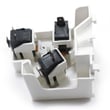
| Dead right after closing door or pressing Start | Door interlock fault | Microwave door interlock switch 3405-001034 |
| Runs but does not heat | High-voltage heating circuit issue | Magnetron, diode, capacitor |
For no-heat problems, use why is my microwave not heating to narrow down likely causes.
Why it matters
The fuse is a safety device; replacing it without fixing the underlying short (often a door interlock switch or wiring issue) can lead to repeat failures and more damage.
Last updated: February 2026
Why is my Kenmore Elite microwave not working?
If your Kenmore Elite 40188523011 microwave/hood combo is not working, the most common causes are a power supply issue, a blown internal fuse or thermal cut-off, or a door interlock problem. If it runs but does not heat, the high-voltage components (like the magnetron) are the usual suspects.
Quick checks you can do first
- Confirm the outlet has power (try a lamp or small appliance).
- Check the house breaker or GFCI and reset if tripped.
- If the display is dead, unplug for 2 minutes, then plug back in.
- Make sure the door closes firmly and latches normally.
- If it starts then stops when you open or close the door, suspect an interlock switch.
Symptom-to-cause guide (most common)
| What it’s doing | Most likely cause | What to do next |
|---|---|---|
| Completely dead (no display) | No power, blown fuse, thermal cut-off | Verify outlet and breaker; then check internal protection devices |
| Runs but does not heat | Magnetron, high-voltage diode, capacitor, transformer | Use the heating troubleshooting steps below |
| Starts then stops, or won’t start with door closed | Door interlock switch or latch issue | Inspect/replace the interlock switch assembly parts |
| Random shutoff during cooking | Overheating, airflow/venting issue, thermal cut-off | Clean filters and confirm vent damper moves freely |
If it runs but doesn’t heat
Heating failures on over-the-range microwaves commonly trace to the high-voltage circuit. We recommend starting with the simplest, most failure-prone items first.
- Test the high-voltage diode for failure symptoms (often shorted).
- Check the magnetron thermostat and thermal cut-off for an open condition.
- If those check out, the magnetron is a common next suspect.
Helpful references for this model:
- Use the wiring and component locations in the 40188523011 owner’s manual.
- If you need installation and venting details that affect overheating, use the 40188523011 installation guide.
Parts that commonly fix “not heating” or “won’t start”
These are model-matched parts we see tied to the symptoms above:
- Microwave magnetron OM75P-21-ESGN
- Microwave high-voltage diode DE91-70063D
- Microwave door interlock switch 3405-001034
- Range thermal cut-off DE47-20034A
Why it matters
A microwave that is dead, won’t start, or won’t heat can involve safety interlocks and high-voltage components. Correct diagnosis prevents repeat failures and helps you replace only the part that actually caused the problem.
Last updated: February 2026