 Owner’s manual









What is the capacity of the DV45H7000GW?
The Samsung DV45H7000GW dryer is a large-capacity front-load dryer; its drum capacity is typically listed as 7.4 cu. ft. for this model family. For the most accurate model-specific specs and feature details, use the DV45H7000GW owner's manual.
We recommend verifying capacity using the model and spec section in the documentation, especially if your dryer has a specific revision (such as an A2 suffix).
- Check the model tag inside the door opening for DV45H7000GW
- Open the specs section in the manual and look for capacity or drum volume
- Compare your control panel and cycle list to the manual to ensure you have the matching variant
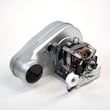
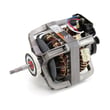
- If you are shopping for parts, match by model number first, then by part number
Capacity is the drum volume; load size is how full you should pack the drum for good airflow and even drying.
| Load type | How full to fill the drum | Typical examples |
|---|---|---|
| Small | Up to about 1/4 full | 3 to 5 lightweight items |
| Medium | About 1/2 full | Mixed everyday laundry |
| Large | Loosely full (not packed) | Towels, jeans, heavier items |
Using the right load size helps the DV45H7000GW dry faster, reduces wrinkles, and prevents overheating conditions that can stress airflow-related components like the blower wheel, thermostats, and lint screen.
Last updated: January 2026
What is the most common problem with Samsung dryers?
The most common Samsung dryer problem is poor drying performance: the dryer runs but clothes stay damp because airflow is restricted (lint buildup or venting issues) or the heater safety circuit trips from overheating. On the Samsung DV45H7000GW, start with airflow and load size guidance in the DV45H7000GW owner's manual.
- Runs but no heat or weak heat: heating circuit issue, thermostat or thermal cut-off opened, or airflow restriction causing overheating.
- Takes too long to dry: clogged lint path or vent, overloaded drum, or moisture sensor issues.
- Drum not turning: worn or broken belt.
- Rumbling, thumping, or squealing: worn drum support rollers or belt-related wear.
- Stops mid-cycle: overheating from restricted airflow or a control/temperature sensing problem.
- Clean the lint screen before every load and remove any film from fabric softener sheets.
- Check the vent hood outside; it should open fully and blow a strong stream of air.
- Keep venting short and smooth; crushed flex venting slows airflow and increases heat stress.
- Follow cycle and load-size recommendations (overloading commonly causes long dry times).
- If an error code appears, use Smart Care or look it up in the Samsung dryer error codes guide.
| Symptom | Common suspect part | Example part for DV45H7000GW |
|---|---|---|
| Overheats, shuts down, no heat | Thermal cut-off or high-limit thermostat | Dryer thermal cut-off thermostat DC47-00016A, dryer high-limit thermostat DC47-00017A |
| Long dry times, weak airflow noise | Blower wheel | Dryer blower wheel DC67-00180B |
| Drum will not spin | Drum belt | Samsung dryer drum belt 6602-001655 |
| Thumping/rumbling | Drum support rollers | Samsung dryer drum support roller DC97-16782A |
Airflow problems do more than slow drying; they raise operating temperatures, which can open safety thermostats and shorten the life of components like the motor, blower wheel, and control board.
Last updated: January 2026
Is the Samsung DV45H7000GW stackable?
Yes. The Samsung DV45H7000GW dryer is designed to be installed either side-by-side with a matching washer or stacked to save floor space; stacking requires the correct stacking kit and safe installation steps from the DV45H7000GW user manual.
Stacking is a hardware-based installation, not just placing one unit on top of the other. Plan on these basics:
- A compatible Samsung stacking kit for your washer and DV45H7000GW dryer pair
- A solid, level floor (stacking on an uneven surface increases vibration and noise)
- Proper clearance for the door swing and airflow
- Correct exhaust ducting (for vented setups) and electrical or gas connections
- Two people to lift and position the dryer safely
These steps prevent most fit and performance problems after stacking:
- Confirm your washer model is approved to stack with DV45H7000GW
- Verify the dryer door direction and room to open fully
- Make sure the dryer can vent correctly without crushing or kinking the duct
- Level the washer first; the dryer follows the washer’s level when stacked
- Do not store items on top of the dryer while it is running (heat and vibration)
| Setup | Best for | Main tradeoff |
|---|---|---|
| Side-by-side | Easy access, simplest service | Uses more floor space |
| Stacked | Tight laundry closets, small rooms | Harder access to the top unit controls and service |
A correct stacked installation helps the DV45H7000GW run smoothly, reduces vibration, and keeps airflow and venting within safe limits, which also helps drying performance and cycle times.
Last updated: January 2026
How do I reset my Samsung dryer?
To reset your Samsung DV45H7000GW dryer, we recommend a simple power reset: turn the dryer off, disconnect power for about 5 minutes, then restore power and start a cycle. This clears many temporary control glitches; repeated problems usually point to a venting, heating, or control issue.
- Press Power to turn the dryer off.
- Unplug the dryer (or switch the dryer breaker off).
- Wait 5 minutes.
- Restore power.
- Press Power, select a cycle, then press Start/Pause.
- If the dryer was mid-cycle, remember that pressing Power cancels the cycle.
For control and indicator behavior (including what the display shows at the end of a cycle), follow the DV45H7000GW manual.
Many “won’t start” complaints are actually a locked control.
- Look for a Child Lock indicator on the display.
- Press and hold the Child Lock key combination on the console for about 3 seconds.
- Try Power then Start/Pause again.
A reset helps with a one-time glitch. If symptoms return, use the pattern below to narrow the cause.
| Symptom after reset | Most common cause | What to check first |
|---|---|---|
| Runs but dries slowly | Restricted airflow | Lint screen, vent hose, outside vent hood |
| Stops and shows a heat-related code | Overheating or airflow problem | Venting, lint buildup, blower airflow |
| Won’t start at all | Door not sensed closed or power issue | Door switch, breaker, outlet |
| Runs but no heat | Heating circuit problem | Heat source, thermostats, sensors |
If you suspect a door-sensing problem, the dryer door switch DC64-00828B is a common fix when the switch is physically worn or intermittent.
Resetting clears the control’s temporary state, but it does not fix the underlying cause of overheating, poor airflow, or a failing component. Addressing the root issue helps prevent repeat shutdowns and long dry times.
For code-specific guidance, use our Samsung dryer error codes reference.
Last updated: January 2026







