 Installation guide
 Owner’s manual
 Error Codes



How can I force my Frigidaire dishwasher to drain?
On a Frigidaire PLDB998AC1 dishwasher, we force a drain by canceling the active cycle; pressing START/CANCEL starts a timed drain (about 90 seconds) and pumps the water out. After it finishes, you can select a new cycle. See the PLDB998AC1 owner’s manual.
Quick steps to force a drain
- Press START/CANCEL once.
- Close the door fully so the unit can run the drain.
- Wait for the drain period to finish (about 90 seconds).
- If needed, select a new wash cycle and press START/CANCEL to begin.
- If water remains, check the drain path below before running another cycle.
If it still will not drain (most common causes)
A forced drain only works if the drain hose and drain system can flow freely.
- Check for kinks or sharp bends in the drain hose under the sink.
- Confirm the drain hose is secured with a clamp and not crushed behind the dishwasher.
- Make sure the drain hose routing includes a high loop (the installation guide calls for a loop at least 32 inches above the floor).
- If connected to a garbage disposer, confirm the knockout plug in the disposer inlet was removed.
- Clean the filter area if it is packed with debris (food soil can restrict pump-out).
Drain connection requirements (what we look for)
| Item to verify | What “correct” looks like | What happens if it’s wrong |
|---|---|---|
| Drain hose routing | No kinks; no sharp bends | Slow drain or no drain |
| High loop | Loop at least 32 inches above floor | Backflow; standing water |
| Sink connection point | Connect above the sink trap (or use an air gap where required) | Dirty water can return to tub |
| Disposer hookup | Knockout plug removed | Dishwasher cannot push water out |
Why it matters
Cancel-draining protects the pump and motor by clearing standing water before you restart a cycle. It also helps you confirm whether the issue is a control/cycle problem or a drain-path restriction.
Last updated: January 2026
How to do a hard reset on a Frigidaire dishwasher?
For a Frigidaire PLDB998AC1 dishwasher, we hard reset the control by canceling the current cycle and then power-cycling the unit. Press START/CANCEL to stop the cycle (it may drain), then turn the dishwasher’s power off at the breaker for 5 minutes and restore power.
Hard reset steps (PLDB998AC1)
- Press START/CANCEL once to stop the current cycle.
- Wait for the dishwasher to finish any drain portion.
- Turn OFF power at the circuit breaker (or remove the fuse).
- Leave power off for 5 minutes.
- Turn power back ON.
- Close the door to latch, select a cycle, then press START/CANCEL to begin.
For model-specific button names, indicator lights, and cycle behavior, follow the PLDB998AC1 owner’s manual.
If it still will not run after a reset
A “reset” clears many control glitches, but it will not fix a door-latch problem, a fill problem, or a drain restriction. Check these common causes:
- Door not fully latched (controls may show a “close door” condition on some versions).
- Control lock enabled; unlock by holding the POWER DRY OFF/NO HEAT DRY pad for 5 seconds.
- No water entering (house shutoff closed, kinked supply line, inlet valve issue).
- Not draining (clogged drain path, disposer plug not removed, drain hose restriction).
- Float/overfill protection stuck or triggered.
If you suspect a fill or drain hardware issue, these model-matched parts are commonly involved:
| Symptom | What to check first | Related part (if needed) |
|---|---|---|
| Won’t fill | Water supply, inlet screen, valve | Water valve 154637401 |
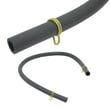
| Won’t drain | Drain path, high loop, hose clogs | Hose 807117001 |
| Stops mid-cycle or acts “stuck” | Float movement, float switch | Switch 154773201 |
Why it matters
Resetting restores normal control operation and clears a stalled cycle, but the dishwasher can still pause or refuse to start if it senses an unsafe condition (door open, control lock on, or water temperature and fill checks delaying the timer).
Last updated: January 2026
What are the error codes on a Frigidaire dishwasher?
On the Frigidaire PLDB998AC1 dishwasher, the status window can display codes such as PF (power interruption), HO (water heat delay), LO (rinse aid low), CL (door not closed), plus delay-start hours and minutes remaining. For the full list and what to do next, use the PLDB998AC1 owner's manual.
Common PLDB998AC1 status codes and what they mean
These are the most common codes shown in the display for this model:
- PF: Power was interrupted (often after installation or an outage). Clear by touching START/CANCEL.
- HO: Water heat delay; the dishwasher is waiting for water to reach temperature.
- LO: Rinse aid dispenser needs refilling (often appears at end of cycle until the door is opened).
- CL: Close the dishwasher door (cycle will not run with the door unlatched).
- 1H to 9H: Delay start hours (the last hour counts down in minutes).
Quick reference table
| Code | What you’ll see | What we recommend |
|---|---|---|
| PF | PF in status window | Touch START/CANCEL to clear; rerun cycle if needed |
| HO | HO flashing | Let it continue heating; verify hot water supply to sink |
| LO | LO at end of cycle | Refill rinse aid; confirm dispenser cap closes |
| CL | CL in window | Close and latch door firmly |
What to check before assuming a failure
If the dishwasher is not running normally, these checks solve many “code” situations:
- Confirm the door is fully closed and latched (CL can appear if it is not).
- Check the house breaker or fuse if the unit is dead or PF appears repeatedly.
- Make sure the water supply valve is turned on.
- If the cycle seems long, HO can indicate a heating delay.
- If you recently installed the dishwasher, verify grounding and wiring practices in the PLDB998AC1 installation guide.
Why it matters
Reading the display correctly prevents unnecessary part replacement. For example, PF and CL are usually user-action items, while HO often points to incoming water temperature or a heating delay rather than a control problem.
Last updated: January 2026





