 Error Codes



How old is my Magic Chef oven?
Your Magic Chef S64F-3CKXW gas range’s age is determined by the manufacturing date code in the serial number on the data plate. Once we match that code to the brand’s date format, we can identify the build month and year.
Where to find the serial number
On most Magic Chef ranges, the model and serial tag is typically found in one of these spots:
- On the oven frame behind the storage drawer (pull the drawer out)
- On the lower front frame behind the broiler door (if equipped)
- Along the oven door frame (visible when the door is open)
- On the back panel of the range
How to decode the date (practical steps)
Use this process so you get a reliable age estimate:
- Write down the full serial number exactly as shown (letters and numbers)
- Look for a date code pattern (often a week and year, or month and year)
- Compare the code to common appliance formats (for example, a 2-digit year paired with a week number)
- If the tag is worn, take a clear photo and zoom in to confirm characters
- Keep the model number S64F-3CKXW with the serial; both matter for correct decoding
Quick age estimate vs. exact age
If you only need a rough idea, we can usually narrow it down quickly; for an exact build date, the serial format has to be decoded correctly.
| What you want to know | What you need | What you’ll get |
|---|---|---|
| Approximate age | Model number + partial serial | A likely year range |
| Exact build date | Full serial number | Build month and year |
Why it matters
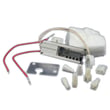
Knowing the build date helps us choose the correct replacement parts and troubleshoot accurately, especially for ignition and electrical items that can change by production run (for example, a weak igniter can affect oven heat-up and baking performance).
Related parts customers often replace
If your oven is slow to heat or won’t ignite consistently, these are common service items for this model family:
Last updated: January 2026
What is the code F3 on a Magic Chef oven?
On the Magic Chef S64F-3CKXW gas range, error code F3 points to a problem in the oven temperature sensing circuit (most commonly an oven temperature sensor issue or a wiring/connection problem between the sensor and the control). Fixing the connection or replacing the failed component typically clears the code.
What F3 usually means
F3 is commonly tied to the oven temperature sensor (often called an RTD sensor) reading out of range because the circuit is open (broken connection) or shorted (wires touching or sensor failed).
Common causes
- Loose or corroded sensor connector at the rear of the oven cavity
- Damaged sensor harness (pinched, burned, or rubbed-through wires)
- Failed oven temperature sensor (RTD)
- Less common: a problem on the electronic oven control (clock/control board)
Quick checks we recommend (power off first)
- Turn off power at the breaker before touching wiring.
- Inspect the sensor connector and harness for heat damage.
- Reseat the connector (unplug and firmly reconnect).
- If you have a multimeter, test the sensor resistance at room temperature (many RTD sensors read around 1,080 ohms at about 70°F; a reading far off that range indicates a bad sensor).
- If wiring and sensor test good, the control board becomes the next likely cause.
Helpful DIY resources
Use these guides to test the circuit safely and accurately:
What to replace first (typical order)
| What you find | Most likely fix | Notes |
|---|---|---|
| Connector loose or wires damaged | Repair/replace wiring | Heat damage near the oven cavity is common on ranges |
| Sensor resistance out of range | Replace oven temperature sensor | Most common fix for F3-type sensor errors |
| Sensor and wiring test good | Replace control board | Less common, but possible |
Why it matters
When the control cannot trust the temperature signal, it may stop heating or heat unpredictably. Correcting an F3 condition helps restore accurate baking temperatures and prevents repeated shutdowns.
Last updated: January 2026
How do I find the model number on my S64F-3CKXW?
Your Magic Chef gas range model number is on the appliance’s rating label. On model S64F-3CKXW, check the most common label locations first (oven frame and storage drawer area), then match the full model exactly so you get the right diagrams and replacement parts.
Where to look on a Magic Chef range
Check these spots in order:
- Open the oven door; look along the oven door frame (front frame) near the bottom edge
- Pull out the storage drawer (if equipped); check the frame behind the drawer front
- Look on the lower side trim near the front legs
- Check the back panel of the range (you may need a flashlight)
What the label looks like
The rating label usually includes the model and serial information together.
- “Model” or “MOD” followed by S64F-3CKXW
- A serial number (often “SER”)
- Gas type and pressure information
- Electrical rating (volts/amps)
Model number tips (so parts fit)
Use these quick checks before ordering parts like an igniter, oven light, or grate.
| What to verify | What to do | Why it matters |
|---|---|---|
| Exact characters | Copy the model exactly, including dashes | Small differences can change parts |
| Full model vs. series | Use S64F-3CKXW, not just “S64F” | Diagrams are model-specific |
| Label condition | Wipe grease, use a flashlight, take a photo | Prevents misreads |
Why it matters
The model number ties your range to the correct parts list and diagrams, which helps you avoid ordering the wrong component (for example, a grate W11400301 that does not match your cooktop layout).
Last updated: March 2026




