 Installation guide
 Owner’s manual
 Error Codes









How do I get my Kenmore oven out of lock mode?
To unlock your Kenmore electric range model 79096413402, press and hold the Oven Lockout pad for 3 seconds until the control unlocks and normal operation returns. If the door is actively locking or unlocking, wait about 15 seconds and do not pull on the door.
Quick unlock steps (79096413402)
- Press and hold the Oven Lockout control for 3 seconds.
- Watch for “LOC” to clear from the display.
- If the Door Locked light is flashing, wait; the motorized latch needs about 15 seconds.
- Do not open the oven door while the lock light is flashing.
- If you just ran Self-Clean, let the oven cool; the door can stay locked until it cools down.
For the exact button name and display behavior on your control panel, follow the steps in the 79096413402 owner's manual.
If it locked after Self-Clean
During and after Self-Clean, the door lock can stay engaged until the oven cools.
- Press Cancel/Stop to end the cycle if needed.
- Wait for the oven to cool; many ranges take about 1 hour for the lock light to go out after cleaning.
- Do not force the door open; forcing can damage the latch mechanism.
What you should see on the display
| What you see | What it means | What to do |
|---|---|---|
| “LOC” | Control is in lockout | Hold Oven Lockout 3 seconds |
| Door lock light flashing | Latch is moving | Wait about 15 seconds |
| Lock light on after Self-Clean | Oven is still hot | Let it cool, then unlock |
Why it matters
Lock mode prevents accidental keypad presses and can also protect you from opening the door while the latch is moving or the oven is still hot after Self-Clean.
Last updated: February 2026
How do I reset a Kenmore range?
To reset your Kenmore 79096413402 electric range, we recommend doing a full power reset: turn the range off, shut off the circuit breaker (or unplug it) for 1 to 5 minutes, then restore power and reset the clock. This clears many control glitches after a power interruption.
Quick reset steps (most common)
- Turn all surface element knobs to OFF.
- Press STOP/CLEAR once to stop any beeping and clear the display.
- Turn OFF the range breaker (or unplug the cord) for 1 to 5 minutes.
- Restore power.
- Set the time of day using the clock steps in the 79096413402 owner's manual.
- Test Bake and a surface element to confirm normal operation.
If the display shows an error code or keeps beeping
The manual’s standard reset for a detected fault is to press STOP/CLEAR to clear the display, then reprogram the oven. If the fault returns, it usually points to a control or wiring issue rather than a one-time glitch.
- Clear the code with STOP/CLEAR.
- Try a power reset again.
- If the code returns quickly, check for loose connections at the control (power off first).
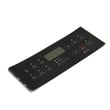
- If touch pads do not respond or the display is erratic, the control overlay can be the failure point.
Common “reset” outcomes
| What you see after reset | What it usually means | What to do next |
|---|---|---|
| Display returns, clock flashes | Normal after power loss | Set clock, retest oven |
| Error code returns | Ongoing fault detected | Use the Kenmore 790 range 4-digit error codes guide, then troubleshoot |
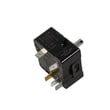
| Surface element still won’t heat | Element, switch, or control issue | Check the oven switch 316436000 if the problem is tied to a specific burner control |
Why it matters
A proper reset protects you from unexpected heating after a power interruption and helps separate a temporary electronic glitch from a real part failure (control, switch, or wiring).
Last updated: February 2026
What is the F1 code on a Kenmore oven?
On the Kenmore 79096413402 electric range, an F1 error code means the electronic oven control has detected a fault condition. Clearing the code may stop the beeping temporarily, but if the code returns, the problem is typically in the control system (control board, keypad/touch panel circuit, wiring, or a related sensor input).
What to do right away
- Press STOP/CLEAR to clear the display and stop the beeping.
- If the oven was running, let it cool and then try a normal Bake cycle.
- If F1 returns, write down the exact code and when it happens (at idle, during preheat, or after heating).
- Turn off power at the breaker for 1 minute, then restore power and retest.
- Follow the model-specific steps and any diagnostic notes in the 79096413402 owner's manual.
Common causes of an F1 code
In Kenmore ranges like model 79096413402, F-code faults are usually tied to the electronic control detecting an abnormal signal.
| Likely cause | What you may notice | Typical next step |
|---|---|---|
| Control board or keypad circuit fault | Beeping with F1 even when not cooking | Inspect connections; replace failed control component if confirmed |
| Wiring/connector issue | Code appears after moving the range or after heat-up | Reseat harness plugs; check for heat damage |
| Temperature sensing/input problem | Erratic temps, long preheat, then F1 | Check sensor circuit and wiring per manual guidance |
Parts that are often involved
If troubleshooting points to the surface element control side (for example, odd burner behavior along with faults), a failed control component can be part of the issue.
- Board 316429301 (surface burner control board)
- Loose or overheated wire terminals at the control area
- Damaged harness connectors (look for discoloration or melting)
Why it matters
An F1 code is the range telling you it cannot reliably control heat. Addressing it quickly helps prevent temperature swings, nuisance beeping, and unexpected shutdowns during baking or broiling.
Last updated: February 2026
Where can I find my Kenmore electric range model number?
On Kenmore electric range model 79096413402, the model and serial number are printed on an identification (serial) plate located on the right side of the oven front frame, inside the storage drawer or warmer drawer compartment. Use the plate info when ordering parts or scheduling service.
Where to look on the range
- Pull the range drawer straight out (warmer drawer on some models, storage drawer on others).
- Look along the right side of the oven front frame (the front-facing frame behind the drawer opening).
- Find the identification plate and record both the model and serial numbers.
Quick checklist
- Check the storage drawer area first
- If your range has a warmer drawer, check there instead
- Look on the right side of the front frame (not the back panel)
- Write down the full model number, including any dots or prefixes (example: 790.9641 family)
- Keep the numbers with your purchase records for future parts lookup
What the label is used for (and why it matters)
The model number ensures we match the correct Kenmore range parts (like a bake element, broil element, or control overlay) to your exact configuration. The serial number helps identify production details that can affect part compatibility.
Model number location at a glance
| What you need | Where it’s printed | How to access it |
|---|---|---|
| Model number | Identification (serial) plate | Open the storage or warmer drawer |
| Serial number | Identification (serial) plate | Look on the right side of the oven front frame |
For the illustration and the “Product Record” section, use the 79096413402 owner’s manual.
Last updated: February 2026
Why is my Kenmore electric oven not getting hot?
If your Kenmore electric range model 79096413402 isn’t getting hot, the most common causes are a failed bake or broil heating element, a bad temperature sensor probe, or a control issue that stops power from reaching the elements. Start with a safe visual check, then test components.
Quick checks first (safe and fast)
- Make sure the oven is set to Bake (not Delay Start, Sabbath, or a timed feature).
- Confirm the range has full power (electric ranges typically need 240V; a tripped double breaker can leave you with lights but no heat).
- If the control is beeping or showing an F code, clear it with STOP/CLEAR and retry.
- Do not line the oven bottom with foil; it can cause heating problems and safety issues.
- Keep plastic and heat-sensitive items away from the oven vent area.
What usually fails on this model
1) Bake element (most common)
A bake element can look blistered, cracked, or have a visible break. If it’s open electrically, the oven won’t heat.
- If your lower element is exposed, it may tilt up for cleaning; lift only a few inches.
- If you need the correct replacement, match it to the model-specific part: frigidaire range bake element 316413800.
2) Broil element (can prevent preheat on some settings)
If the broil element is out, some ovens struggle to preheat or maintain temperature.
- Check for visible damage and test continuity.
- Model-matched part: frigidaire range broil element 316203301.
3) Temperature sensor probe
If the sensor reads wrong, the control can underheat or not heat at all.
- Inspect the sensor wiring connection at the back of the range.
- If replacement is needed, use the model-matched part: probe 316490001.
Troubleshooting path (what to test and in what order)
| Step | What you’re checking | What it tells you |
|---|---|---|
| 1 | Breaker and terminal block power | Confirms proper voltage to heat |
| 2 | Bake element continuity | Finds an “open” element |
| 3 | Broil element continuity | Confirms top heat circuit |
| 4 | Sensor resistance and wiring | Confirms temperature feedback |
| 5 | Control output to elements | Points to control/relay issue |
Why it matters
An oven that won’t heat is usually a power delivery problem (breaker, wiring, control) or a heat-making problem (element, sensor). Testing in order prevents replacing good parts and gets your Kenmore range baking safely again.
For control settings, error code behavior, and safety notes, use the 79096413402 owner’s manual. For electrical clearances and installation checks, use the 79096413402 installation guide.
Last updated: February 2026






