Owner’s manual



How to clean Samsung front load washer rubber gasket?
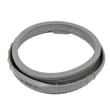
For your Samsung WF409ANW front load washer, clean the rubber door seal (bellow) by pulling it back, wiping away residue, then disinfecting stained areas with a diluted bleach solution; finish by drying thoroughly and leaving the door open to air-dry. See the step-by-step procedure in the WF409ANW owner's manual.
- Unplug the washer.
- Open the door and remove any laundry.
- Inspect the gray seal/bellow all the way around; pull the lip back to check underneath for coins, hair pins, and debris.
- If you see stains or buildup, mix:
- 3/4 cup (177 mL) liquid chlorine bleach
- 1 gallon (3.8 L) warm tap water
- Wipe stained areas with a damp cloth soaked in the solution.
- Let it sit 5 minutes.
- Wipe the area thoroughly with a dry cloth; leave the door open until the interior is fully dry.
- Wear rubber gloves, especially if you are cleaning for more than a few minutes.
- Do not mix bleach with ammonia or other cleaners.
- Do not pour concentrated bleach directly onto the gasket.
- Do not scrub with abrasive pads that can damage the rubber.
- Do not close the door immediately after cleaning; trapped moisture causes odors and mildew.
| Task | How often | Goal |
|---|---|---|
| Wipe gasket folds dry after laundry day | Weekly | Prevent mildew and odors |
| Deep-clean gasket with diluted bleach solution | Monthly or when stains appear | Remove biofilm and staining |
| Check under gasket lip for foreign objects | Monthly | Prevent leaks and tears |
On front load washers like the Samsung WF409ANW, moisture and detergent residue collect in the gasket folds. Keeping the bellow clean and dry helps prevent musty smells, mold spots, and premature gasket wear.
Last updated: February 2026
Where can I find my Samsung washer part number?
For your Samsung washer model WF409ANW, we find the part number by first locating the model and serial label on the washer, then using that model number to look up the correct parts list. The fastest way to confirm locations and label details is the WF409ANW owner's manual.
On Samsung front-load washers like WF409ANW, the model and serial information is typically found on a label around the door opening area (often on the door frame) or on the rear of the cabinet.
- Check the door opening: open the door and inspect the rim and door frame area
- Check the back panel: look for a sticker on the rear of the washer cabinet
- Write down both the model number and serial number (the serial helps with version-specific parts)
- Take a clear photo of the label before ordering parts
- Use the exact characters as printed (letters, numbers, and any dashes)
Your washer’s label shows the model number; individual replacement parts each have their own part numbers (for example, a door lock or water inlet valve).
| What you have | Where you find it | What it’s used for |
|---|---|---|
| Model number (WF409ANW) | On the washer’s ID label | Identifies the correct parts diagram/list |
| Serial number | On the same ID label | Helps match production version details |
| Part number (example: DC64-00519B) | On the part itself or parts list | Identifies the exact replacement part |
- Match the symptom to the part category (fill, drain, spin, door won’t lock)
- Compare the old part markings to the parts list when possible
- If the washer won’t start because the door won’t lock, the washer door lock DC64-00519B is a common part to check for this model
Samsung often uses multiple versions of a component across production runs. Using the correct WF409ANW model identification first is what ensures the part number you order fits and functions correctly.
Last updated: February 2026
What is the life expectancy of a Samsung front load washing machine?
A Samsung front-load washer like the WF409ANW typically lasts 10 to 15 years in normal household use. You can often reach the high end of that range by avoiding overloads, using the right detergent amount, and following the care and cleaning steps in the WF409ANW owner’s manual.
- Load size and balance: frequent overloading and unbalanced loads increase wear on the tub, bearings, and suspension
- Spin speed and vibration: high-speed spinning is hard on shocks and the tub system if the washer is not level
- Water quality and pressure: the WF409 series is designed for 20 to 116 psi supply pressure; extremes can stress fill components
- Detergent habits: too much HE detergent can cause oversudsing and residue
- Moisture control: leaving the door and gasket wet encourages odor and buildup
We recommend these habits for Samsung front-load washers:
- Keep the door slightly open between loads to dry the door boot area
- Wipe the door boot and glass after washing bulky or linty loads
- Run a monthly tub-clean routine (per the manual) and clean the dispenser as needed
- Level the washer and re-check leveling if it starts vibrating more than usual
- Use HE detergent and measure carefully (more soap does not mean cleaner clothes)
| Item | Typical expectation | Why it matters |
|---|---|---|
| Service life | 10 to 15 years | Helps plan repairs vs. replacement |
| Water pressure range (WF409/WF407 series) | 20 to 116 psi | Protects fill performance and valves |
| High-speed spin | Up to 1200 rpm | Increases wear if loads are unbalanced |
Most early failures come from vibration, moisture-related buildup, or chronic overloading. Keeping the WF409ANW stable, clean, and properly loaded reduces stress on key systems like the suspension, door seal area, and water inlet components.
Last updated: February 2026
Does a Samsung washer have a filter that needs to be cleaned?
Yes. The Samsung WF409ANW washer has a debris (drain pump) filter that needs cleaning when the washer does not drain well or when an “nd” drain error appears; Samsung provides the exact procedure in the WF409ANW owner's manual.
This is the debris filter in the drain system. Cleaning it helps prevent common drain-related problems.
- Slow draining or water left in the drum
- “nd” drain error conditions
- Extra pump noise during draining
- Odors caused by trapped lint and residue
Follow the model-specific steps in the manual; the process typically includes:
- Turn the washer off and unplug it
- Open the filter cover
- Unscrew the drain cap (counterclockwise)
- Use the small drain tube to drain water into a shallow pan
- Remove the debris filter cap and clear lint and small objects
- Reinstall the filter cap and drain cap, then close the cover
Samsung’s guidance for WF409ANW is symptom-based: clean it when draining is poor or an “nd” message is displayed.
| Situation | Clean the debris filter? | Also check |
|---|---|---|
| “nd” error shows | Yes, first step | Drain hose for kinks or clogs |
| Water remains after spin | Yes | Standpipe height and hose insertion |
| Drain is noisy | Yes | Coins or debris in filter area |
A clogged debris filter restricts water flow to the drain pump. Keeping it clear restores normal draining, reduces strain on the pump, and helps the washer finish cycles on time.
Last updated: February 2026