Installation guide
 Owner’s manual
 Error Codes

How do I reset my Kenmore dryer?
To reset your Kenmore dryer model 41794092500, we recommend a hard reset: unplug the dryer (or switch off the breaker) for 1 to 5 minutes, then restore power and try a normal cycle. If it still will not start or heat, use the checks in the 41794092500 owner's manual.
Quick reset steps (works for most control issues)
- Turn the dryer OFF.
- Unplug the power cord (or turn OFF the circuit breaker).
- Wait 1 to 5 minutes.
- Restore power.
- Close the door firmly and press START.
- If the dryer stops when you open the door, that is normal; the manual notes the dryer stops with the door open and resumes when you close the door and press START.
If “resetting” doesn’t fix it, check these common causes
Many “needs a reset” symptoms are actually power, airflow, or heat-safety issues.
- No start: loose plug, tripped breaker, blown fuse
- Runs but no heat: one house fuse blown (electric), gas supply valve closed (gas)
- Long dry times: lint screen clogged, restricted venting
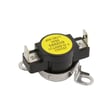
- Safety trip: thermal limiter/thermal fuse condition (often tied to poor airflow)
What to check first (fast triage)
| Symptom | Most likely area | What to do next |
|---|---|---|
| Dead, no response | Power supply | Reset breaker, check outlet fit |
| Drum turns, no heat | Heating circuit or gas supply | Check fuses (electric) or gas valve (gas) |
| Takes too long | Venting/airflow | Clean lint screen and inspect exhaust duct |
Why it matters
A hard reset clears the control’s temporary state, but it will not correct a blown fuse, a tripped thermal limiter, or a clogged exhaust duct. Fixing the root cause prevents repeat shutdowns and improves drying performance.
Last updated: January 2026
What are common problems with Kenmore dryers?
Common problems we see on Kenmore dryer model 41794092500 are: the dryer will not start, it runs but will not heat, it takes too long to dry, or it makes loud squealing or thumping noises. Most of these issues trace back to power supply problems, airflow restrictions (lint buildup), or worn drive and drum-support parts.
Most common symptoms and what usually causes them
- Dryer will not start: loose power cord plug, tripped breaker or blown fuse, door switch issue, or a tripped thermal limiter (per the troubleshooting checklist in the 41794092500 owner's manual).
- Runs but will not heat: on many dryers, a blown fuse on one side of the 240V supply can let the drum turn but prevent heating; gas models can also have a closed gas supply valve.
- Long dry times: restricted venting, clogged lint screen, crushed vent hose, or heavy loads.
- Loud noise: worn drum bearing, drum glides, idler components, or a worn belt.
- Clothes come out wrinkled or overdried: overdrying, overloading, or incorrect cycle selection.
Quick checks we recommend before replacing parts
- Clean the lint screen before every load and confirm it is seated correctly.
- Check airflow: strong air at the outside vent hood; weak airflow points to a vent restriction.
- Verify power: confirm the dryer is on a dedicated circuit and reset the breaker(s).
- Confirm door closure: the door must latch fully for the dryer to run.
- Listen for the noise source: squeal often points to belt or idler; rumble can point to drum support.
Parts that commonly fix noise or no-tumble complaints
If the drum will not turn or you hear squealing, these are frequent wear items on this model family:
| Symptom | Common wear item | Example part for this model |
|---|---|---|
| Drum not turning | Drum belt worn or broken | Belt 134503600 |
| Squealing or scraping | Drum bearing or glide wear | Drum bearing, drum glide |
| Thumping | Drum support wear or felt seal wear | Felt seal, bearing kit |
Why it matters
Poor airflow and lint buildup can cause long dry times, overheating symptoms, and repeated shutdowns. Catching venting and wear issues early also helps protect the motor, drum, and heating system.
Last updated: January 2026
What does AF mean on Kenmore dryer?
On Kenmore dryer model 41794092500, AF means the dryer is sensing restricted airflow through the exhaust system. In most cases, the fix is cleaning lint buildup and correcting venting issues so the dryer can move air properly and dry efficiently.
What to check first (most common causes)
- Clean the lint screen and wash off any fabric softener film; let it dry completely.
- Inspect the vent hose behind the dryer for kinks, crushing, or long runs.
- Check the outside vent hood for a stuck flap, lint blockage, or bird nesting.
- Make sure the exhaust duct is not compressed; compression increases restriction.
- Clean the full vent path from the blower outlet to the exterior hood.
Vent maintenance guidance for this model
The installation instructions for this Kenmore dryer call out that vent restriction increases when the exhaust system is compressed or crimped, and that the exhaust system should be inspected and cleaned on a regular schedule. Use the venting and exhaust direction details in the 41794092500 installation guide to confirm your setup.
Typical cleaning interval
| Usage level | Inspect and clean venting |
|---|---|
| Normal household use | About every 18 months |
| Heavy use (large family, daily loads) | More often (check every 6 to 12 months) |
Why AF matters
Restricted airflow can cause long dry times, overheating, and repeated cycling because the dryer cannot exhaust moist air. Fixing airflow usually improves drying performance immediately and helps protect key components like the thermistor and burner system.
If AF returns after cleaning
Use these quick checks to narrow it down:
- Run a timed dry cycle and verify strong airflow at the outside hood.
- Confirm the vent material is rigid or semi-rigid metal (avoid plastic or foil-style ducts).
- If the dryer is gas, confirm the installation and venting requirements in the 41794092500 owner's manual.
- If you see other codes along with AF, use the Kenmore 417 model dryer error codes reference to interpret them.
Last updated: January 2026