




What if I can't find my part on Sears PartsDirect?
If you can’t find a part for your Maytag LDE412 dryer, we recommend confirming the full model number and then searching by the part name or part number. If it still doesn’t show up, our parts specialists can help you identify the correct replacement.
Quick checks that usually solve it
- Match the model number exactly: LDE412 (letters and numbers matter)
- Search using the manufacturer part number (if you have it from the old part)
- Try a simpler keyword (example: “timer” instead of “control timer assembly”)
- Check for alternate names (example: “blower wheel” vs. “impeller”)
- Compare your symptom to common wear parts (rollers, felt seals, heater parts)
Common part search examples for LDE412
If you’re not sure what to call the part, these are common LDE412 items you can use as reference points:
| What you’re looking for | Example part name on our site | Example part ID |
|---|---|---|
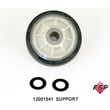
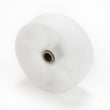
| Drum support roller | Roller W/bea | 12001541 |
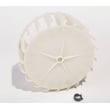
| Blower wheel | Impeller | Y303836 |
| Lint filter | Lint Screen | WP33001003 |
| Timer | Dryer Timer | WP305448 |
When to contact us (and what to have ready)
Contact us when the part is missing from search results, your dryer has multiple versions, or you’re unsure which component matches your symptom.
Have these ready:
- Model number: LDE412
- Serial number (from the dryer’s ID tag)
- A short symptom description (no heat, noisy, won’t start, long dry times)
- Any numbers printed on the old part (sticker, stamping, or tag)
Why it matters
Dryers often use different parts across production runs, even under the same model family. Matching by model and part number helps ensure the replacement fits, mounts correctly, and works with your wiring and heater circuit.
For a common example, if you’re chasing a noise issue, comparing the drum support parts like the roller w/bea 12001541 can quickly confirm whether you’re looking at the right component.
Last updated: February 2026
How do I tell what model Maytag dryer I have?
Your Maytag dryer’s model number is printed on the appliance ID label; for the dryer on this page, that model number is LDE412. On most Maytag dryers, you can find the label just inside the door opening on the cabinet frame, or on the back of the dryer near the top.
Where to look on a Maytag dryer
Check these common label locations first:
- Inside the dryer door opening on the cabinet frame (most common)
- On the back panel near the top edge
- Along the door opening lip (near the latch area)
- On the side of the cabinet behind the door (less common)
What to write down (so you get the right parts)
Record the information exactly as shown on the label:
- Model number (example: LDE412)
- Serial number (helps identify production run)
- Type (electric or gas)
- Any additional code numbers (sometimes shown as series or engineering codes)
Quick checklist
| Label item | Why it matters |
|---|---|
| Model number | Matches the correct parts diagrams and part fit |
| Serial number | Helps confirm version changes within the same model |
| Fuel type | Prevents ordering the wrong heating or ignition parts |
Why it matters
Maytag dryers often have multiple versions that look similar, but use different drum support, heating, or control parts. Using the exact model number helps us match the correct components, such as a lint screen WP33001003 or a dryer timer WP305448, to your specific dryer.
Last updated: February 2026
How long is the Maytag dryer warranty?
Maytag dryer warranty length is set by the warranty statement that came with your dryer and the purchase date on your receipt. For Maytag model LDE412, confirm the exact parts and labor term using your proof of purchase and the model and serial tag.
What to expect for Maytag dryer warranty coverage
Most Maytag dryers are sold with a limited warranty that’s organized by coverage type:
- A parts-and-labor period for manufacturing defects
- Possible extended parts-only coverage on certain major components (labor not included)
- Exclusions for normal wear, cosmetic issues, and damage from installation or venting problems
How to confirm the exact warranty for LDE412
Use these checks to match the warranty to your specific dryer:
- Verify the model number and serial number on the appliance tag
- Match the warranty start date to your sales receipt (or delivery date if stated)
- Check any extended service plan paperwork if you purchased additional coverage
A reliable first step is confirming the model number using how to find your appliance model number (and what it means for parts).
If you’re deciding whether to repair now
Warranty questions often come up when a dryer gets noisy or stops heating. These common LDE412-STYLE repairs typically involve wear parts, which are often not covered after the initial coverage period.
- Thumping or rumbling: drum support components
- Squealing: drum bearing or felt seal contact
- Roaring or vibration: blower wheel issues
| Symptom | Common area to inspect | Example part used on LDE412-STYLE dryers |
|---|---|---|
| Thumping/rumbling | Drum support roller | Roller w/bea 12001541 |
| Roaring/vibration | Blower wheel | Impeller Y303836 |
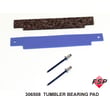
| Scraping/squealing | Drum bearing area | Dryer drum bearing kit 306508 |
Why it matters
Knowing whether you’re in a parts-and-labor window or a parts-only window helps you choose the most cost-effective next step: schedule service, or diagnose and replace the specific failed part.
Last updated: February 2026





