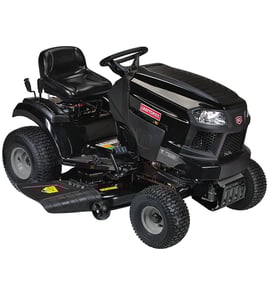

How old is my mower by serial number?
For a Snapper front-engine lawn tractor model 2690441, the serial number can indicate the build date, but the exact format depends on the ID tag style used on your tractor. We use the serial number and any date code on the tag to determine the manufacturing year, then match that to the correct parts list for your mower.
Where to find the serial number on a Snapper riding mower
Look for an ID tag or sticker in one of these common locations:
- Under the seat on the seat pan or frame rail
- On the rear frame near the hitch plate
- On the left or right side of the frame, near the engine
- Near the transmission area on the frame
- Under the hood area on the chassis (less common)
How to decode the serial number (what to look for)
Snapper serial tags often include more than one identifier. When you read the tag, capture all of these if present:
- Serial number (S/N)
- Model number (already 2690441 in your case)
- Any printed date code or “MFG” date
- Engine model/type/code (engine date can help narrow the mower’s age)
Quick check table: what the tag shows vs what it tells you
| What you find on the tag | What it helps determine | What to do next |
|---|---|---|
| Serial number only | Production range (year family) | Use it to match the correct illustrated parts breakdown |
| Serial number + date code | Exact or near-exact build date | Use that date to confirm the correct version of parts |
| Engine code/date | Engine build date (not always mower build date) | Use as a cross-check if the mower tag is unclear |
Why it matters
Snapper tractors can have running design changes across production. Knowing the correct build period helps you order parts that fit the exact configuration, especially for deck and drive components like a Snapper transmission 1761325YP or a Snapper electric clutch 1687296SM.
Tips to avoid ordering the wrong part
- Write the serial number exactly as shown (include letters and leading zeros)
- If the tag is worn, take a clear photo and zoom in to confirm characters
- Match parts by model and configuration (deck size, drive type, clutch style)
- When replacing deck hardware, verify related wear items at the same time (blade, mandrel parts)
Last updated: February 2026
How to read Snapper mower serial number?
On the Snapper 2690441 front-engine lawn tractor, the model and serial number are typically printed on an ID label on the lower right-hand side of the frame, just above the right front tire. Clean the area first so every character is readable.
Where to look on model 2690441
Check these common label locations in order:
- Lower right frame rail above the right front tire (most common)
- Inside the hood area near the engine compartment
- Under the seat pan or on the seat support bracket
- Near the rear frame crossmember by the transmission
How to read and record the numbers
Use this quick process so you capture the correct information for parts lookup:
- Wipe off dirt and grass; use a flashlight to reduce glare
- Write down the model number (for example, 2690441) exactly as shown
- Write down the serial number exactly as shown (letters and numbers)
- Take a clear photo for reference before ordering parts
- If the label is damaged, look for a stamped number on the frame nearby
Model number vs. serial number (what each one does)
| Number on the label | What it identifies | When we use it |
|---|---|---|
| Model number | The tractor design and parts breakdown | Always, to match the correct diagrams and parts list |
| Serial number | The specific unit and production run | When a model has serial-range changes or revisions |
Why it matters
Snapper riding mowers can have mid-production changes (like deck hardware, mandrel parts, or electrical switches). Having both the model and serial number helps us match the correct parts the first time.
If you are ordering parts after you find your ID label, common wear items for this model include the Snapper lawn tractor blade 1731898BZYP and the Snapper switch 7023354YP.
Last updated: February 2026
What size belt do I need for my 42 inch deck?
For the Snapper 2690441 front-engine lawn tractor with a 42-inch mower deck, the correct deck belt size depends on the exact deck and pulley setup used on your tractor; most 42-inch decks use a 1/2-inch wide belt in the roughly 95 to 102 inch length range. Use the parts diagrams for your model to match the exact belt.
How to identify the correct 42-inch deck belt
We recommend confirming the belt by deck configuration, not just deck width.
- Find the mower deck model or decal on the deck shell (often near the discharge chute)
- Compare the belt routing path around the mandrel pulleys and idlers
- Check whether your deck uses a single belt or separate deck and ground-drive belts
- Inspect the old belt for printed size markings (if still readable)
- Match the belt to the correct diagram for model 2690441 to avoid slip or throwing the belt
Quick belt sizing guidance (typical)
These are common ranges for many 42-inch riding mower decks; they help you sanity-check what you have before ordering.
| Deck type (common) | Typical width | Typical length range | What you’ll notice |
|---|---|---|---|
| Standard 2-blade 42-inch deck | 1/2 in. | 95 to 102 in. | Two mandrel pulleys, one or more idlers |
| Heavy-duty/alternate routing 42-inch deck | 1/2 in. | 96.5 to 101 in. | Longer routing, more wrap around idlers |
Why it matters
A belt that is even slightly off in length can cause poor cut quality, belt squeal, excessive vibration, or repeated belt derailment. Getting the exact belt for Snapper 2690441 protects the mandrel bearings, idler pulley, and blade drive system.
Related deck parts that affect belt fit
If the belt keeps coming off or wearing quickly, we often see a worn pulley, bent bracket, or loose hardware.
- Worn or wobbling mandrel housing (deck spindle support)
- Seized or noisy mandrel bearings
- Grooved or misaligned idler pulley
- Loose mounting hardware on pulleys and guards
If you’re servicing the deck while replacing the belt, these model-matched parts are commonly involved: Snapper housing 1713338ASM, Snapper pulley 1728001SM, and Snapper lawn tractor blade 1731898BZYP.
Last updated: February 2026