Owner’s manual



Does a Kenmore canister vacuum have a fuse?
Kenmore vacuums often use an electrical protection device, but your Kenmore model 12522614610 is an upright vacuum, not a canister. On uprights, protection is commonly a thermal protector in the motor circuit rather than a replaceable fuse; confirm the exact design in the 12522614610 owner’s manual.
What “fuse” usually means on Kenmore vacuums
Depending on the design, the protection device may be one of these:
- Thermal protector/thermal cutoff that opens if the motor overheats (some reset after cooling)
- Circuit breaker/reset (less common on many uprights)
- Inline fuse in the power path (more common in some other appliance types than vacuums)
Quick checks when the vacuum is dead or shuts off
Before assuming a fuse is blown, we recommend these steps:
- Unplug the vacuum; wait 30 to 60 minutes to allow a thermal protector to reset.
- Check the wall outlet with another device.
- Inspect the power cord for cuts, crushed spots, or a loose plug.
- Remove clogs from the hose, nozzle, and airflow path.
- Clean or replace filters; restricted airflow overheats the motor.
Filters that commonly cause overheating and shutdown
Dirty filters are a top cause of repeated thermal trips on upright vacuums.
| Filter area | What it does | What you may notice |
|---|---|---|
| Motor safety filter | Protects motor from dust and helps airflow | Hot smell, shutoff, weak suction |
| Exhaust filter | Cleans air leaving the vacuum | Reduced airflow, warmer operation |
| Pre-filter/foam filter | Captures larger debris before motor | Dusty odor, frequent clogging |
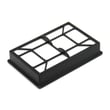
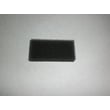
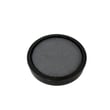
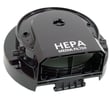
Model-matched filter options include the Kenmore vacuum exhaust filter KC38KDWCZV07 and the vacuum motor safety filter KC44KDXEZ000.
Why it matters
If the protection device is opening repeatedly, the vacuum is warning you about overheating or an electrical issue. Fixing airflow restrictions (clogs, dirty filters, full bin) prevents motor damage and restores normal suction.
Last updated: February 2026
How do I find my Kenmore vacuum model number?
Your Kenmore vacuum model number is printed on the model and serial number plate on the vacuum. For Kenmore model 12522614610, use the plate information (model and serial) any time you order parts or request help; it is the fastest way to match the correct components.
Where to look on the vacuum
On Kenmore vacuums like 12522614610, the model and serial number plate is on the vacuum itself (not on the attachments). Common places to check include:
- The back of the main body
- The bottom of the vacuum
- Near the dust bin or bag compartment area
- On the canister or main housing (depending on configuration)
What you should write down
We recommend recording both numbers exactly as shown on the plate.
- Model number (example: 125.22614610 may appear with a dot)
- Serial number
- Date of purchase (helpful for service and reference)
| Item | Why it matters | Tip |
|---|---|---|
| Model number | Ensures part compatibility | Match every digit; include punctuation if shown |
| Serial number | Helps identify production run details | Copy it exactly; letters and numbers matter |
| Date of purchase | Useful for service history | Keep with your receipt |
Why it matters
Kenmore vacuums often have similar-looking versions that use different hoses, filters, or floor nozzles. Using the exact model number helps us match the right parts the first time, such as a hose assembly or exhaust filter.
Related parts you may match by model
Once you have the model number, you can confidently select maintenance parts that fit 12522614610, such as:
- Kenmore vacuum exhaust filter KC38KDWCZV07
- Vacuum motor safety filter (for motor protection)
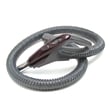
- Vacuum hose assembly (for suction through tools)
For the official model identification details and where the plate is referenced, use the 12522614610 use & care guide.
Last updated: February 2026
How to change the belt on a Kenmore canister vacuum?
On the Kenmore vacuum cleaner model 12522614610, you change the PowerMate belt by unplugging the vacuum, opening the PowerMate cover, moving the agitator out to remove the old belt, then installing the new belt over the motor drive and belt path before re-latching the cover and reinstalling the screws. See the step-by-step in the 12522614610 owner's manual.
Safety first
Before you start, we follow these basics every time:
- Unplug the vacuum cleaner before any maintenance (prevents shock and accidental start)
- Work on a flat surface with good lighting
- Keep screws and latches together so nothing gets lost
- Remove hair and string from the agitator and end caps while you are in there
- Confirm the cover fully seats with no gaps before using the PowerMate
Belt replacement steps (PowerMate)
These steps match the belt-changing procedure for the PowerMate on this Kenmore model:
- Unplug the vacuum.
- Turn the PowerMate upside down and remove the cover screws.
- Release the latches and lift off the cover.
- Lift out the agitator assembly and remove the old belt.
- Install the new belt over the motor drive, then route it over the belt path.
- Push the agitator assembly back into the PowerMate.
- Set the cover on the front edge, rotate it down, and press until the side and rear latches snap in.
- Reinstall the two cover screws.
If the brush stops: use the Belt Reset
This model’s PowerMate includes a belt protection feature. If the agitator jams, the belt can stop while the canister motor keeps running.
- Turn the vacuum off and unplug it
- Remove the obstruction (string, rug fringe, debris in the belt path)
- Press the Belt Reset button
- If it trips again, clean the agitator and end caps thoroughly before resetting
Quick troubleshooting guide
| Symptom | Most common cause | What we do next |
|---|---|---|
| Burning rubber smell | Belt slipping on a jammed agitator | Clean agitator and end caps; replace belt if stretched |
| PowerMate will not run | Belt broken or overload tripped | Clear jam; press Belt Reset; replace belt |
| Poor pickup on carpet | Dirty filters or clogged PowerMate belt path | Check filters and belt path; clean debris |
Why it matters
A properly installed belt keeps the agitator spinning at the right speed for carpet cleaning. A worn belt or a jammed agitator reduces pickup and can repeatedly trip the PowerMate’s belt protection.
Last updated: February 2026
Where is the reset button on the Kenmore vacuum?
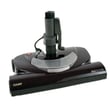
On Kenmore model 12522614610, the reset you will use most often is the BELT RESET button on the PowerMate nozzle (the floor head). If the brush (agitator) jams and stops turning, unplug the vacuum, clear the blockage, then press the BELT RESET button to restore brush operation; the canister motor can keep running even when the brush stops.
What the reset button does on this model
The BELT RESET is a protection feature for the PowerMate drive system.
- Trips when the agitator slows or stops due to a jam
- Helps prevent belt and motor damage in the PowerMate
- Restarts brush roll operation after you remove the obstruction
- Does not fix low suction caused by clogs or dirty filters
For diagrams and the exact location callouts, use the 12522614610 use & care guide.
Quick steps to reset it safely
- Turn the vacuum off and unplug it.
- Flip the PowerMate over and remove hair, string, or debris from the brush area.
- Check the nozzle path for a blockage (especially at the intake).
- Press the BELT RESET button on the PowerMate.
- Plug in and test on carpet.
If it keeps tripping
Use this checklist to stop repeat belt resets:
- Replace or clean filters (restricted airflow can increase load)
- Check for a clog in the hose or wand
- Inspect the brush roll for worn bristles or binding
- Confirm the belt is intact and seated correctly
A common maintenance item is the vacuum motor safety filter KC44KDXEZ000.
Symptoms and what they usually mean
| Symptom | What it points to | What to do first |
|---|---|---|
| Motor runs, brush stops | Agitator jam or belt protection tripped | Clear jam, press BELT RESET |
| Brush turns, suction is weak | Clog or dirty filter | Check hose/wand, clean or replace filters |
| Vacuum shuts off completely | Overheat protection from restriction | Unplug, cool down, clear clogs, service filters |
Why it matters
Using the BELT RESET correctly protects the PowerMate belt and drive components, and it helps you avoid repeated belt wear, overheating, and poor carpet cleaning performance.
Last updated: February 2026
Why is my Kenmore vacuum brush roller not spinning?
On Kenmore vacuum model 12522614610, the brush roller (PowerMate brush) usually stops spinning because something is jammed in the brush area, the belt is worn or broken, or airflow is restricted by dirty filters. Start by unplugging the vacuum and checking the brush, belt, and filters using the steps in the 12522614610 owner’s manual.
Quick checks (most common causes)
- Unplug the vacuum before touching the brush area.
- Remove hair, string, and debris wrapped around the brush and end caps.
- Check that the brush turns by hand; it should rotate smoothly without binding.
- Inspect the belt for cracks, glazing, stretching, or a burnt smell; replace if worn.
- Clean or replace clogged filters; restricted airflow can reduce suction and contribute to brush issues.
- Check the floor selector setting (carpet vs. hard floor) if your model has a selector.
Parts that commonly fix “brush not spinning”
If cleaning does not restore brush action, these model-compatible parts are common fixes:
| Symptom | What to check | Model-compatible part to consider |
|---|---|---|
| Brush is clean but still will not spin | Belt slipping or broken | Vacuum beater bar belt KC28SBZTZ000 |
| Brush area smells hot or belt keeps failing | Brush roller jammed or worn | Vacuum beater bar 8192535 |
| Suction is weak and brush performance is poor | Filters clogged | Vacuum motor safety filter KC44KDXEZ000 and Kenmore vacuum exhaust filter KC38KDWCZV07 |
Step-by-step troubleshooting order
- Unplug the vacuum.
- Clear the brush path: remove debris from the brush and nozzle opening.
- Check brush rotation by hand: if it binds, clean the ends and remove wrapped material.
- Inspect the belt: if it is loose, shiny, cracked, or broken, replace it.
- Service the filters: clean or replace the pre-filter, motor safety filter, and exhaust filter as applicable.
- Re-test on carpet: confirm the brush engages and the vacuum picks up normally.
Why it matters
A non-spinning brush roller reduces carpet cleaning and can overheat the belt or brush components. Keeping the brush area clear and filters clean helps protect the PowerMate drive system and maintain strong suction.
Last updated: February 2026
Why is my Kenmore vacuum not suctioning?
Loss of suction on your Kenmore vacuum model 12522614610 almost always comes from restricted airflow: a dirty filter, a clog in the hose, or a full/blocked dust container path. Start with the filters and hose checks in the 12522614610 owner’s manual, then replace any filter that will not clean up.
Quick checks that fix most suction problems
- Unplug the vacuum before opening covers or removing the hose.
- Empty the dust bin and make sure the bin door seals fully.
- Check the hose and wand for a clog (coins, socks, hair plugs).
- Inspect and clean or replace filters (pre-filter, motor safety filter, exhaust filter).
- Look for a blockage at the floor nozzle inlet.
- If suction is fine at the hose but weak at the floor nozzle, check the brush roll area for hair and debris.
Filters to inspect on this model
Your 12522614610 uses multiple filters; any one of them can choke airflow when loaded with fine dust.
| Filter location | What it affects | When to replace |
|---|---|---|
| Pre-filter | First-stage airflow into the dust path | When it stays gray or dusty after cleaning |
| Motor safety filter | Protects the motor from debris | When it looks clogged or airflow stays weak |
| Exhaust filter | Final-stage filtration and exhaust flow | When suction drops and exhaust feels restricted |
Model-matched parts we commonly use:
- Vacuum pre-filter KC43KDXEZP0S
- Vacuum motor safety filter KC44KDXEZ000
- Kenmore vacuum exhaust filter KC38KDWCZV07
Hose and air path blockage checklist
A partial clog can still let some air through but kill pickup at the nozzle.
- Remove the hose and look through it toward a light.
- Check the wand ends and the handle inlet for packed lint.
- Clear the floor nozzle throat (where debris enters) and the dust bin inlet.
If the hose is split, collapsing, or leaking air, replacement restores suction:
Why it matters
A vacuum depends on steady airflow. When filters load up or a hose/nozzle clogs, the motor cannot move enough air, so carpet pickup drops fast and the motor can run hotter than normal.
Last updated: February 2026