 Error Codes




How to reset Whirlpool gas oven?
For a Whirlpool WGG745S0FS02 gas range, the most reliable “reset” is a simple power reset: turn the oven off, then cycle power to clear a stuck control or temporary error. If the oven still will not heat after resetting, a failed igniter is a common cause.
Quick reset steps (control and power)
- Press CANCEL/OFF to stop any bake or broil cycle.
- Wait 60 seconds.
- Turn OFF power to the range at the breaker (or unplug if accessible).
- Wait 2 to 5 minutes.
- Restore power, then set BAKE and test heat.
What a reset fixes (and what it does not)
| Symptom | Reset often helps | Reset usually will not fix |
|---|---|---|
| Control panel acting “frozen” | Yes | No |
| Oven will not start a cycle | Sometimes | If an igniter or gas valve is bad |
| Oven starts but does not heat | Rarely | Often an igniter or burner issue |
| Random beeping after a power flicker | Yes | No |
If it still will not heat after resetting
On gas ovens, the bake igniter must glow hot enough to open the gas valve and light the burner. If you smell gas without ignition, or the igniter never glows, stop and address the heating circuit.
- Look through the oven bottom vents for igniter glow during BAKE.
- If there is no glow, check wiring connections and the igniter.
- If it glows weakly but the burner does not light, replace the igniter.
- If the igniter glows strongly but there is no flame, the gas valve or supply can be involved.
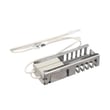
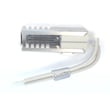
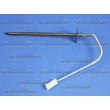
Helpful model-matched parts to consider:
Why it matters
A reset clears control glitches, but it cannot compensate for a weak igniter or a gas delivery problem. Testing for igniter glow quickly separates a simple control issue from a true no-heat repair.
Last updated: February 2026
Why is my Whirlpool gas oven not getting hot?
If your Whirlpool gas range oven (model WGG745S0FS02) is not getting hot, the most common cause is a weak oven igniter that glows but does not pull enough current to open the gas valve. Start by watching the igniter during a bake cycle and testing it electrically.
Quick checks we recommend first
- Confirm the oven is set to Bake (not Delay Start or Sabbath mode).
- Make sure the range is getting gas (surface burners light normally).
- Listen for a click and look for an igniter glow within about 30 to 90 seconds.
- If the igniter glows but the burner never lights, suspect a weak igniter.
- If there is no glow at all, suspect the igniter, wiring, or control.
Most likely failed parts on this model
For WGG745S0FS02, these parts are common fixes when the oven will not heat:
| Symptom | Most likely cause | What we do next |
|---|---|---|
| Igniter does not glow | Open igniter or wiring issue | Check connections; test igniter continuity |
| Igniter glows but no flame | Weak igniter (common) | Replace igniter |
| Igniter glows, no flame, gas smell is minimal | Gas valve not opening | Test/replace gas valve |
Helpful parts to match your symptom:
- Whirlpool range bake igniter W11596211 (common when the igniter is weak or dead)
- Range oven gas valve WPW10546238 (common when the valve will not open)
How we test the igniter (safe, practical approach)
- Unplug the range or switch off the breaker.
- Access the igniter at the oven burner area.
- Inspect the igniter for cracks, white spots, or damaged wiring.
- Use a meter to check continuity; an open circuit means the igniter is failed.
- If it has continuity but heats slowly or never lights the burner, replace it (weak igniters often still glow).
Why it matters
A gas oven depends on the igniter to heat up and draw enough electrical current to open the safety circuit and allow gas to flow to the bake burner. When the igniter is weak, the oven can look like it is “trying” to heat but never reaches temperature.
Last updated: February 2026
How do I find the model number on my WGG745S0FS02?
Your Whirlpool gas range’s model number is printed on the appliance’s rating label; on ranges like the WGG745S0FS02, it’s most often found around the oven door frame area when you open the door. Match the full model number exactly before ordering parts.
Where to look on a Whirlpool range
Check these common label locations (look for a sticker or metal plate with model and serial):
- Oven door frame (left or right side) when the door is open
- Front frame behind the storage drawer or warming drawer (if equipped)
- Lower front panel area near the floor
- Under the cooktop edge near the front (less common)
- Back of the range near the power cord and gas connection (least convenient)
Tips to read the label correctly
Model numbers and serial numbers can look similar; we use the model number to ensure correct fit.
- Copy the model number exactly, including all letters and numbers
- Avoid using only the “family” number; use the full model like WGG745S0FS02
- If the label is greasy, wipe it gently with a damp cloth and a little dish soap, then dry
- Take a clear photo so you can zoom in when ordering
Why it matters
Whirlpool often uses small model-number changes (like the “02” at the end) to indicate different production versions. That can affect which igniter, burner head, knob, or oven rack fits your range.
| What you see | What it’s used for | Example |
|---|---|---|
| Model number | Identifies the exact range version for parts | WGG745S0FS02 |
| Serial number | Identifies the production unit and date | Varies |
Next step once you have it
Use the model number to shop the correct diagrams and parts; for example, common repairs include replacing an igniter such as the range oven burner igniter WPW10324738.
Last updated: March 2026








