 Owner’s manual
 Error Codes





How to reset Maytag gas oven?
To reset the oven controls on your Maytag MGR5775QDW gas freestanding range, press CANCEL to stop the current function; if the display keeps flashing (such as BAKE or LOCK), cycle power to the range for a few minutes and then restore power. See the exact control steps in the MGR5775QDW owner's manual.
- Press CANCEL to clear an active bake, broil, or clean cycle.
- If BAKE or LOCK is flashing, press CANCEL once and wait a moment.
- If the flashing continues, turn off power to the range (unplug or switch off the breaker) for a few minutes.
- Restore power and reset the clock if needed.
- If the oven is in Sabbath Mode and you see "SAb", press and hold CLOCK for 5 seconds to cancel.
A reset helps when the control is “stuck” after a canceled cycle, a brief power interruption, or a control alert.
- BAKE or LOCK flashing on the display
- Oven not responding after canceling a cycle
- Control acting erratic after a power flicker
If BAKE or LOCK continues flashing after you restore power, we treat that as an ongoing fault condition and move to basic checks before replacing parts.
- Make sure the oven door is fully closed (especially after self-clean)
- Let the oven cool down if it was recently in a clean cycle
- Check for heavy soil or spillovers that can cause issues during self-clean
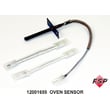
- If the issue is tied to heating accuracy, test the oven temperature and consider the oven sensor 12001655
| What you see | What to do | Result |
|---|---|---|
| Normal display but oven won’t start | Press CANCEL, reselect function | Clears a stuck selection |
| BAKE or LOCK flashing | Press CANCEL; if it continues, power cycle | Reboots the control |
| “SAb” (Sabbath) | Hold CLOCK 5 seconds | Exits Sabbath Mode |
Resetting correctly prevents repeated lockups and helps you tell the difference between a temporary control glitch and a real problem (like a sensor or heating issue) that needs troubleshooting.
Last updated: February 2026
Why is my Maytag gas oven not working?
If your Maytag MGR5775QDW gas oven is not working, the most common causes are a power issue (this model uses pilotless ignition and will not operate during a power failure), a weak oven igniter, or a temperature-sensing problem. Start with power, then check ignition and heat control.
- Confirm the range has power; pilotless ignition needs electricity even though the oven is gas.
- If the house power is out, do not try to light the oven with a match; the oven will not operate during a power failure.
- Make sure the oven is set to a normal Bake temperature (not Delay or a timed setting).
- Verify the gas supply valve is fully open.
- Look for an error code or unusual beeping on the control.
A gas oven that will not heat usually fails in the ignition or temperature feedback circuit.
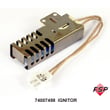
- Weak or failed igniter: the oven may click or you may smell gas briefly but the burner never lights.
- Bad temperature sensor: the oven may heat incorrectly or shut off early.
Helpful parts to consider:
| What you see | Most likely issue | What to do next |
|---|---|---|
| No display, no response | No power to range | Check breaker, outlet, cord; restore power |
| Display works, no ignition/glow | Igniter not working | Inspect igniter wiring; replace igniter |
| Igniter glows but no flame | Gas flow or burner issue | Check gas valve open; inspect burner ports |
| Heats but temperature is off | Sensor or control issue | Test/replace sensor; verify settings |
On the MGR5775QDW, the oven safety system relies on the igniter and controls to open gas flow correctly. A weak igniter can prevent ignition, and a bad sensor can cause poor baking performance or shutdowns.
Use the owner's manual to confirm pilotless ignition behavior, control settings (Bake, Delay, Cook & Hold), and troubleshooting steps.
Last updated: February 2026
Why is my Maytag gas stove clicking but not igniting?
On your Maytag MGR5775QDW gas freestanding range, clicking without ignition usually means the igniter is sparking but the burner is not getting a clean, consistent gas flow at the ports. Most often, the burner cap or base is wet, greasy, misaligned, or the burner ports are clogged, so the gas does not light.
- Turn all burner knobs to OFF and let the burner area cool.
- Remove the grate, burner cap, and burner base; dry everything completely after boilovers or cleaning.
- Reinstall the burner base and cap so they sit flat and centered.
- Clean clogged burner ports with a soft brush or toothpick (do not enlarge the ports).
- Wipe the igniter tip and the metal area around it; grease and moisture can “steal” the spark.
- Try lighting again; a properly adjusted burner should light within a few seconds.
If the clicking continues after cleaning and drying, focus on alignment and ignition parts.
| Symptom | Most likely cause | What we recommend |
|---|---|---|
| Clicks, no flame, cap recently removed | Cap/base not seated correctly | Re-seat the cap and base; confirm they are level |
| Clicks, weak or inconsistent spark | Dirty/wet electrode area | Clean and dry around the electrode |
| One burner affected, others OK | Clogged ports or damaged burner parts | Inspect burner base and cap; replace if warped/cracked |
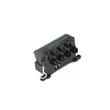
| Multiple burners affected | Spark system issue | Check wiring and consider the spark module |
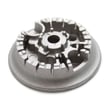
Model-matched parts that commonly relate to this symptom include the burner base WPW10406243, burner WPW10406797, and range surface burner electrode WP74009958.
- If you smell gas: do not try to light the burner; shut off the gas supply valve and ventilate the area.
- Disconnect power to the range before servicing or accessing internal components.
- If the flame is yellow or noisy after it lights, the air/gas mixture may need adjustment by a qualified servicer.
A burner that clicks but does not ignite can allow unburned gas to accumulate around the cooktop. Cleaning, drying, and correct burner-cap alignment restore normal ignition and help prevent flare-ups.
For model-specific burner assembly details and operating notes, use the MGR5775QDW owner's manual.
Last updated: February 2026




