 Owner’s manual
 Error Codes









What is the life expectancy of a Kenmore dryer?
A Kenmore dryer typically lasts 10 to 13 years. With consistent care on your Kenmore Elite 11077042600 (especially lint and vent cleaning), it’s common to reach 15 years or more because airflow and heat control problems are what usually shorten dryer life. See the maintenance schedule in the 11077042600 owner's manual.
What most affects dryer lifespan
- Airflow and venting: restricted venting overheats components and stresses the burner system.
- Lint control: a clogged lint screen or lint buildup inside the cabinet raises operating temperatures.
- Load size: chronic overloading wears the drum support system and belt faster.
- Heat regulation parts: thermostats, thermal fuses, and thermistors fail sooner when the dryer runs hot.
- Usage frequency: multiple loads per day shortens life compared to a few loads per week.
Maintenance that extends life (what we recommend)
The manual calls out regular lint-screen cleaning and periodic lint removal from the venting path; it also notes lint removal inside the cabinet and exhaust vent about every 2 years (more often with heavy use). Use this routine:
- Clean the lint screen every load.
- Check airflow at the outside exhaust hood; strong, steady flow matters.
- Clean the full vent run (and the outside hood) at least yearly if the run is long or has elbows.
- Have accumulated lint removed from inside the dryer cabinet on a regular interval (the manual recommends about every 2 years).
- Avoid overloading; loads should tumble freely.
Common wear items and typical timing
| Item | What it does | Typical replacement window |
|---|---|---|
| Drum belt | Turns the drum | 5 to 10 years |
| Drum rollers/idler | Supports drum and keeps belt tension | 5 to 10 years |
| Thermal fuse/thermostat | Safety and temperature limiting | As needed (often after overheating) |
| Igniter/coils (gas models) | Lights and controls burner | 7 to 12 years |
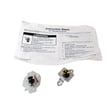
If you’re hearing squealing or thumping, a rebuild is often more cost-effective than replacing one piece at a time; our dryer repair kit 4392067 is a common bundle for drum support wear.
Why it matters
Most “dryer died early” situations trace back to overheating from poor venting or lint buildup, which can also cause nuisance shutdowns and repeated failures of safety parts like a thermal fuse.
Last updated: February 2026
Where is the model number on Kenmore Elite dryer?
On the Kenmore Elite dryer model 11077042600, the model and serial information is on the rating plate in the door well; open the dryer door and look around the door opening (the cabinet frame area) for the label. For diagrams and label details, use the 11077042600 owner's manual.
Where to look (fast checklist)
- Open the dryer door and inspect the door well (the recessed area around the opening).
- Check the cabinet frame near the latch side and hinge side.
- Look along the upper edge of the opening where the label is easiest to miss.
- Wipe dust off the area; the print can be faint.
- Use a flashlight and view from an angle to reduce glare.
What the label typically shows
| Item on label | What it’s used for | When you need it |
|---|---|---|
| Model number (11077042600) | Confirms exact dryer version | Ordering parts, manuals |
| Serial number | Identifies production run | Service history, warranty |
| Gas type and burner info | Confirms fuel setup | Gas conversion, heating issues |
Why it matters
We use the exact model number to match the correct Kenmore Elite dryer parts and troubleshooting steps. On gas dryers, the rating plate also lists burner and gas information, which is critical for safe setup and accurate repairs.
Last updated: February 2026
How do I know if my Kenmore dryer thermal fuse is blown?
On Kenmore Elite dryer model 11077042600, a blown thermal fuse commonly shows up as a dryer that will not start, or a dryer that tumbles but has no heat. The sure way to confirm is a continuity test with a multimeter after disconnecting power; a blown fuse reads open (no continuity). See the 11077042600 owner's manual for safety steps and basic no-heat checks.
Quick symptoms to look for
- Dryer will not run at all (no motor, no tumble)
- Drum turns but there is no heat on a heated cycle
- Cycle runs unusually long because heat is cutting out
- You recently had restricted airflow (clogged lint screen or vent)
How we test the thermal fuse (safe, accurate method)
- Unplug the dryer (or switch off the breaker). Our manual stresses using a grounded outlet and disconnecting power before service.
- Access the thermal fuse (typically on the blower housing in many Kenmore 110-series designs).
- Pull the wires off the fuse terminals.
- Set a multimeter to continuity or ohms and test across the fuse.
Interpreting the meter reading
| Meter result | What it means | What to do next |
|---|---|---|
| Beep or near 0 ohms | Fuse is good | Keep troubleshooting heat/airflow |
| No beep or OL/infinite | Fuse is blown | Replace the fuse and fix the airflow issue |
Parts that are often involved with a blown fuse
A thermal fuse usually blows because the dryer overheats from poor airflow. These related items are common checks during a no-heat or overheat repair:
- Lint screen and lint screen housing for blockage
- Vent duct for kinks, crushing, or lint buildup
- Blower wheel area for lint packing
- Cycling temperature control components such as the dryer thermistor WP8577274
- High-limit safety devices such as the dryer high-limit thermostat W11050897
Why it matters
The thermal fuse is a one-time safety device; once it opens, it prevents normal operation to reduce overheating risk. Replacing the fuse without correcting venting and lint restrictions often leads to repeat failures.
Last updated: February 2026
How to hard reset a Kenmore dryer?
To hard reset your Kenmore Elite dryer model 11077042600, unplug the dryer (or switch the breaker off) for 1 to 5 minutes, then restore power and start a cycle. If the control is acting up after a power interruption, press and hold START to restart the cycle.
Quick reset steps (works for most control issues)
- Turn the dryer OFF.
- Unplug the power cord (or turn the circuit breaker OFF).
- Wait 1 to 5 minutes.
- Restore power.
- Close the door and press START (some loads require holding START 2 to 5 seconds).
- If the dryer still will not respond, cancel the cycle by pressing STOP twice, then reselect the cycle and press START.
For cycle and control behavior details specific to this model, use the 11077042600 owner's manual.
What a reset fixes (and what it does not)
A hard reset clears many temporary control glitches, but it will not fix a failed safety device or airflow problem.
| Symptom after reset | Most common cause | What to check next |
|---|---|---|
| Dryer will not run | Power supply or door not latched | Breaker/fuse, door closure, hold START 2 to 5 seconds |
| Drum turns but no heat (gas model) | Heating circuit or gas ignition issue | Airflow, igniter, gas valve coils, thermal fuse |
| “PF” code (power failure) | Cycle interrupted by power loss | Press and hold START to restart |
If the dryer still will not start or heat
- Check the household breaker/fuse (use a time-delay fuse if applicable).
- Confirm the door is firmly closed.
- Try a Timed Cycle to rule out sensor-cycle confusion.
- Inspect and clean the lint screen and venting (restricted airflow can trip safeties).
- If the dryer runs but will not heat, test common heat-related parts such as the dryer thermal fuse WP3390719 and, on gas models, the dryer gas valve coil kit 279834.
Why it matters
Resetting is the fastest way to clear a temporary electronic lockup, especially after a power interruption. If the problem returns immediately, the dryer is usually protecting itself due to a power, airflow, or heating-component issue.
Last updated: February 2026
What are the codes for Kenmore Elite dryer?
For Kenmore Elite dryer model 11077042600, the display can show PF for a power interruption and F-series service codes (such as F1, F2, F20) that indicate a control or sensing problem. Use the troubleshooting section in the 11077042600 owner's manual to match the code to the next step.
Common codes and what they mean
- PF: Power failure during a cycle; press and hold START to restart.
- F1 (F:01): Main electronic control board fault.
- F2 (F:02): Keypad or user interface fault.
- F20: Heater relay fault.
- F22 / F23: Outlet thermistor fault.
- F24 / F25: Inlet thermistor fault.
What to do when a code appears
- Write down the exact code (including any leading zeros).
- Reset power: unplug the dryer (or switch off the breaker) for 1 minute, then restore power.
- For PF: restart the cycle by pressing and holding START.
- For any F-code: stop using the dryer until the cause is corrected; many F-codes require service-level diagnosis.
- Check airflow first (especially for heat or thermistor-related codes): clean the lint screen and confirm the vent is not restricted.
Quick reference table
| Code type | What it points to | Best first check |
|---|---|---|
| PF | Power interruption | House power, breaker, cord connection |
| F1 / F2 | Control or keypad issue | Power reset; then follow manual troubleshooting |
| F20 | Heating control circuit | Airflow and heating system inspection |
| F22-F25 | Temperature sensing | Airflow; sensor wiring and mounting |
Why it matters
A PF code is usually a simple restart issue, but F-series codes often mean the dryer is not controlling heat or sensing temperature correctly. Addressing the code quickly helps prevent long dry times, overheating, and repeat shutdowns.
For model-family guidance on code meanings, we also use the Kenmore elite dryer error codes reference.
Last updated: February 2026
Why is my Kenmore Elite dryer not spinning?
If your Kenmore Elite 11077042600 dryer runs but the drum will not spin, the most common causes are a broken drum belt, a seized drum support roller, or a failed idler assembly. Start with a quick belt check, then inspect the drum support and tensioner using the steps in the 11077042600 owner's manual.
Quick checks (fastest fixes first)
- Confirm the door fully closes and the Start button is pressed and held 2 to 5 seconds (large loads can require a longer press).
- Reduce the load size; an overloaded drum can stall and make the belt slip.
- Unplug the dryer; try turning the drum by hand. If it is hard to turn, a roller or idler is likely binding.
- Listen for a motor hum with no drum movement; that often points to a broken belt or jammed drum.
- Check for small objects caught at the drum edges (coins, clips) that can lock the drum.
Parts that most often stop the drum from turning
| Symptom | Most likely part | What you typically notice |
|---|---|---|
| Motor runs, drum does not move | Dryer drum belt WP8547157 | Drum turns freely by hand; no tumbling |
| Loud thumping or squeal, drum stiff | Support WPW10314173 | Drum hard to rotate; noise increases with use |
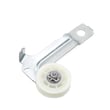
| Squeal, intermittent tumbling, belt wear | Dryer idler assembly WPW10547292 | Belt slack, tensioner pulley wobbles |
| Multiple wear items at once | Dryer repair kit 4392067 | Noise plus poor tumbling; several parts worn |
Safe troubleshooting steps we recommend
- Disconnect power (and shut off gas if your model is gas).
- Open the cabinet and inspect the belt path around the drum and idler.
- Spin each drum support roller by hand; it should rotate smoothly without wobble.
- Check the idler pulley for free rotation and spring tension.
- Reassemble and test a timed dry cycle.
Why it matters
A dryer that runs without tumbling can overheat clothing, wear the motor, and damage the belt and drum support system. Fixing the belt, roller, or idler early prevents bigger repairs later.
Last updated: February 2026
How to remove Kenmore dryer panel?
To remove the panel on Kenmore Elite dryer model 11077042600, we start by disconnecting power, then remove the top and front access fasteners so the front panel can release from its retaining clips. Use the steps in the 11077042600 owner's manual for safe access and screw locations.
Before you start (safety and prep)
- Unplug the dryer (or switch off the breaker) before removing any panels.
- If it is a gas dryer, shut off the gas supply valve before moving the unit.
- Pull the dryer forward enough to work comfortably without stressing the vent.
- Protect the finish with a towel or soft cloth on top of the cabinet.
- Keep screws grouped by location so reassembly is straightforward.
Basic front panel removal steps (common Kenmore 110-style cabinet)
- Remove the lint screen (if your lint screen is in the top panel) and take out the screws in the lint screen housing.
- Release the main top: remove the screws at the rear of the top (if present), then slide the top back slightly and lift it up.
- Lift the control panel (if needed): remove its mounting screws and rotate it up/out of the way.
- Remove front panel screws: take out the screws along the inside top edge of the front panel.
- Release the front panel clips: insert a flat blade screwdriver between the upper and lower front panels to pop the retaining clips.
- Disconnect door switch wiring (if attached to the front panel), then lift the front panel up and off the lower tabs.
What you may need to remove next (depending on the repair)
| Repair goal | Panel(s) typically removed | Parts commonly involved |
|---|---|---|
| Squealing, thumping, rumbling | Front + top | Support WPW10314173, dryer repair kit 4392067 |
| Drum not turning | Front + top | Dryer drum belt WP8547157, dryer idler assembly WPW10547292 |
| No heat (gas models) | Front (burner access) | Igniter 279311, dryer gas valve coil kit 279834 |
Why it matters
Removing panels the right way prevents bent cabinet edges, broken clips, and pinched wiring. It also helps you correctly diagnose common dryer problems like belt wear, idler pulley drag, and drum roller noise.
Last updated: February 2026








