Installation guide
 Error Codes



How do I find the right GE part number?
For your GE ZDP48N4GH3SS gas range, the fastest way to get the right part number is to match parts by the full model number and the serial plate information, then order using the model number, serial number, and code letter so the replacement fits your exact production run.
Use the identification plate on the range, then copy the details exactly.
- Look for the serial plate beneath the ledge trim on the left side, just above the left knob
- Write down the model number (ZDP48N4GH3SS)
- Write down the serial number
- Write down the code letter (this helps match the correct revision)
- Keep this info with your records for future repairs
Once you have the ID information, match the part using diagrams and the part listing for your model.
- Search parts using the exact model number: ZDP48N4GH3SS
- Compare the part name and where it installs (burner, oven, control area)
- Confirm the part number shown for your exact model breakdown
- If multiple similar parts appear, use the code letter to narrow the correct version
- Order using the model number, serial number, and code letter for best compatibility
These are examples of parts that are easy to confuse because they work together in ignition.
| What you are fixing | Part type | Example part for this model |
|---|---|---|
| Burner clicks but won’t spark | Switch or spark system | Igniter switch WB24X10091 or spark module WB13T10078 |
| One burner won’t light but others do | Burner ignition | Igniter WB02X10822 |
GE ranges can use different versions of the same part across production changes. Using the model number plus the serial number and code letter helps prevent ordering a look-alike part that does not mount, wire in, or calibrate correctly.
For additional model-specific identification and ordering guidance, we recommend checking the ZDP48N4GH3SS installation guide.
Last updated: February 2026
How to order GE appliance parts?
To order parts for your GE ZDP48N4GH3SS gas range, we recommend using your complete model number and serial number so you get the correct replacement. The serial plate location and ordering details are listed in the installation guide.
Having these details ready prevents wrong-part returns and delays:
- Model number: ZDP48N4GH3SS
- Serial number (from the serial plate)
- Fuel type the range is set up for (natural gas or LP)
- Any “code letter” listed with the model and serial information
- A short symptom description (example: “burner won’t spark”)
For the ZDP48N4GH3SS, the serial plate is located beneath the ledge trim on the left side, just above the left knob. It also lists burner ratings plus the fuel type and pressure the range was adjusted for at the factory.
If you are ordering because a surface burner will not click or spark, these are common ignition-related parts for this model:
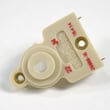
- Igniter switch WB24X10091 (switch that triggers sparking when you turn a knob)
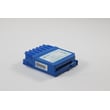
- Spark module WB13T10078 (creates the spark signal to the igniters)
- Igniter WB02X10822 (the electrode that sparks at the burner)
| Symptom | Most likely area | Example part for this model |
|---|---|---|
| No burners spark at all | Spark system power/module | Spark module |
| One burner will not spark | Burner igniter or wiring | Igniter |
| Clicking continues after knob is off | Stuck switch or moisture | Igniter switch |
GE ranges like the ZDP48N4GH3SS can be configured for different gas types and pressures; using the exact model and serial information helps ensure the replacement part matches your specific configuration.
Last updated: February 2026
What if I can't find my part on Sears PartsDirect?
If you can’t find a part for your GE gas range model ZDP48N4GH3SS, we recommend confirming the exact model and serial information first, then searching by part name or part ID. If the part still doesn’t appear, our parts specialists can match the correct replacement using your serial plate details.
- Locate the serial plate; on this model it’s beneath the ledge trim on the left side, just above the left knob.
- Write down the model number, serial number, and any code letter listed on the plate.
- Search using a specific part term (example: “spark module” or “igniter”).
- If you have it, search by the exact part ID (example: WB13T10078).
- Compare your part’s location and function to the diagrams and notes in the installation guide.
- If your range was converted or adjusted for a different fuel type or pressure, use the serial plate ratings to avoid ordering the wrong orifice or burner-related part.
| What you’re seeing | Most common cause | What to do next |
|---|---|---|
| No results for a general term | Search is too broad | Use a more specific name (igniter switch, spark module, thermostat) |
| Similar parts appear, but not yours | Model/serial mismatch | Recheck the serial plate and code letter |
| Part looks right but won’t fit | Variant by production run | Match by part ID and serial information |
| You’re replacing an ignition part | Multiple ignition components exist | Identify whether you need an igniter, switch, or module |
If you’re troubleshooting burner clicking or no spark, these are commonly mixed up:
- Igniter switch WB24X10091 (switch at the control that triggers spark)
- Spark module WB13T10078 (creates spark to the burners)
- Igniter WB02X10822 (burner igniter component at the cooktop)
This range can have part variations by serial number and factory fuel/pressure settings. Using the serial plate information helps ensure the replacement part matches your exact ZDP48N4GH3SS configuration and prevents repeat repairs.
Last updated: February 2026