 Owner’s manual
 Error Codes
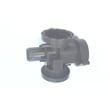


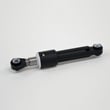
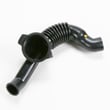
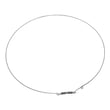

How to force a Kenmore Elite washer to drain?
To force-drain the Kenmore Elite washer model 79641583411, use the built-in Drain & Spin routine: power the washer on, choose Drain & Spin, set NO SPIN for drain-only, then start the cycle. This runs the drain pump and empties the tub.
Fast steps to drain the washer
- Press POWER to turn the washer on.
- Select Drain & Spin.
- Press SPIN SPEED until NO SPIN is selected (drain only).
- Press START/PAUSE; the washer will drain and may tumble briefly.
- Wait for draining to finish before opening the door.
For the exact button sequence and cycle options for this model, follow the 79641583411 owner's manual.
If it still will not drain
A drain problem is usually a restriction (hose or pump path) or a failed pump.
- Check the drain hose for kinks, crushing, or a clogged standpipe.
- Make sure the drain hose is not shoved too far down the standpipe (it can siphon or restrict flow).
- If you hear the pump humming but water does not move, the pump may be jammed or worn.
- If the washer is completely silent during drain, the pump may not be getting power or may be failed.
Common parts related to “won’t drain”
| Symptom | Most likely area | Example part for this model |
|---|---|---|
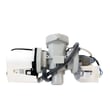
| Hums but no drain | Pump jammed or failing | Drain pump motor (4681EA2001T) - washer part by lg electronics 4681EA2001T |
| Slow drain | Partial blockage in hose path | Washer tub-to-pump hose (inspect for debris) |
| Intermittent drain | Loose connection or failing pump | Drain pump motor wiring and pump motor |
Why it matters
Forcing a drain clears standing water so you can safely unlock the door, prevent odors, and avoid water spilling when you troubleshoot the drain hose, tub-to-pump hose, or drain pump motor.
Last updated: February 2026
How to hard reset a Kenmore Elite washer?
To hard reset your Kenmore Elite washer model 79641583411, we recommend doing a full power reset: turn the washer off, unplug it (or switch the breaker off) for a few minutes, then restore power and restart a cycle. This clears many temporary control glitches.
Recommended hard reset steps
- Press POWER to turn the washer off.
- Unplug the washer from the wall outlet (or turn the circuit breaker off).
- Wait 3 to 5 minutes.
- Plug the washer back in (or turn the breaker on).
- Press POWER, select a cycle, then press START/PAUSE.
If the display is still unresponsive after the reset, confirm the outlet is a grounded 3-prong 120 VAC, 60 Hz supply and check the home breaker or fuse.
If the washer is stuck with water in the tub
A reset will not drain water by itself. If you need to force a drain/spin:
- Press POWER.
- Press SPIN SPEED (without selecting a full wash cycle).
- Press START/PAUSE.
If the washer will not drain, a common cause is a failed drain pump or a restriction in the tub-to-pump hose.
| Symptom after reset | Most likely direction | What to check next |
|---|---|---|
| Powers on, will not drain | Drain system issue | Pump, hose, clogs |
| Powers on, door will not unlock | Safety lock condition | Let it cool; wait for DOOR LOCK light to turn off |
| Dead/no display | Power supply issue | Outlet, breaker, cord connection |
Why it matters
A hard reset restores the control to a known good state, which helps separate a one-time software/control hiccup from a real failure (like a drain pump motor, door lock, or power supply problem).
For model-specific control and troubleshooting details, use the 79641583411 owner's manual.
Last updated: February 2026
Is it worth repairing a Kenmore washing machine?
Yes, repairing a Kenmore Elite washer like model 79641583411 is worth it when the fix restores reliable operation for less than the cost of replacement, especially for common failures such as draining, filling, or door-lock issues. We recommend starting with the troubleshooting and maintenance steps in the 79641583411 owner's manual.
Quick way to decide (repair vs. replace)
Use this checklist to make a clear call before spending money:
- Repair it when the problem is isolated (won’t drain, won’t fill, won’t lock) and the tub and cabinet are in good shape.
- Repair it when the washer completes cycles but shows a specific symptom or error code you can target.
- Repair it when the fix is a common service item (pump, inlet valve, door lock, boot clamp).
- Replace it when the washer has repeated major leaks, severe vibration from structural damage, or multiple expensive failures at once.
- Diagnose first if you are unsure; a correct diagnosis prevents buying the wrong part.
Common repairs that are often cost-effective on this model
These are frequent, straightforward repairs on front-load designs like the Kenmore Elite 796 series:
| Symptom | Likely area | Example part for 79641583411 |
|---|---|---|
| Won’t drain, water left in tub | Drain pump or pump filter blockage | Drain pump motor (4681EA2001T) - washer part by lg electronics 4681EA2001T |
| Won’t fill or fills slowly | Water inlet valve, screens clogged | Lg washer single-solenoid water inlet valve 5220FR2006H |
| Door won’t lock, won’t start | Door lock or strike alignment | Lg washer door lock EBF61315802 |
Steps we recommend before buying parts
These checks solve many “repair vs replace” situations with minimal cost:
- Clean the pump filter and remove lint or foreign objects; then reinstall and secure it (a common no-drain cause).
- Clear the error by selecting a cycle after the issue is corrected (many models allow clearing after a cycle selection).
- Check fill screens at the hose connections for sediment if filling is slow.
- Confirm the door closes firmly and the strike lines up with the lock.
- Use Kenmore Connect only when instructed; it can help a technician diagnose when the washer powers on.
Why it matters
A targeted repair extends the life of the 79641583411 and avoids replacing a full appliance for a single failed component. Routine maintenance (like cleaning the drain pump filter) also prevents repeat breakdowns and nuisance error codes.
Last updated: February 2026
Is the Kenmore Elite a HE washer?
Yes. The Kenmore Elite washer model 79641583411 is a high-efficiency (HE) washer; it is designed to use less water than traditional washers while still delivering strong cleaning through controlled fill levels, higher spin speeds, and HE detergent dosing guidance in the 79641583411 owner's manual.
How to tell you are using it as an HE washer
- Use HE detergent (regular detergent can cause oversudsing and poor rinsing)
- Measure detergent carefully; more soap does not mean cleaner clothes
- Expect lower water levels than older top-load washers
- Use the correct cycle and soil level for the load size
- Run periodic cleaning and maintenance steps listed in the manual
What “HE” changes in day-to-day use
HE washers clean by tumbling and saturating fabrics efficiently rather than filling the tub to the top. That means performance depends more on correct detergent type, load size, and cycle selection.
| What you notice | Normal for HE? | What to do |
|---|---|---|
| Low water level | Yes | Let the cycle run; do not add extra water |
| Suds left after rinse | No | Switch to HE detergent and reduce amount |
| Longer cycle times | Often | Use a faster cycle only when appropriate |
| Higher spin extraction | Yes | Use proper load balance to reduce vibration |
Why it matters
Using the washer like a non-HE model (too much detergent, overloading, or adding water) can lead to oversudsing, poor rinsing, odors, and extra wear on components such as the drain system.
Last updated: February 2026
What is the average lifespan of a Kenmore washer?
A Kenmore washer typically lasts 10 to 15 years under normal household use. For your Kenmore Elite 79641583411, routine care like cleaning the drain pump filter and avoiding chronic overloading helps you reach the longer end of that range; see the 79641583411 owner's manual for the maintenance steps.
Typical lifespan and what affects it
Most washers land in the 10 to 15 year range; the biggest difference is how hard the machine works and how well water and drainage systems are maintained.
Common factors that shorten lifespan:
- Frequent overloading or consistently unbalanced loads
- Excess detergent (especially non-HE detergent) causing residue and odors
- Poor drainage (clogged pump filter, kinked drain hose)
- Hard water scale buildup on internal components
- Door seal and door lock wear from slamming or forcing the door
Maintenance that extends life (high impact)
These are the habits we recommend most for the 79641583411:
- Clean the drain pump filter regularly (lint and foreign objects collect there)
- Leave the door slightly open between loads to reduce moisture and odor
- Use the correct amount of HE detergent and avoid overdosing
- Run a monthly tub-clean cycle (or the hottest cycle recommended in the manual)
- Check fill hoses for bulges or leaks and replace if worn
Quick maintenance checklist
| Task | Good interval | Why it helps |
|---|---|---|
| Clean drain pump filter | Monthly | Prevents drain strain and pump damage |
| Wipe door boot and glass | Weekly | Reduces mold, leaks, and odors |
| Level the washer | As needed | Reduces vibration and suspension wear |
| Inspect inlet hoses | Every 6 months | Prevents leaks and valve issues |
Parts that commonly wear over time
If performance changes as the washer ages, these parts are frequent culprits:
- Drain pump and pump motor (slow drain, grinding, ND-type drain symptoms)
- Water inlet valve (slow fill, NF-type fill symptoms)
- Door lock and strike (won’t lock, won’t start, door errors)
If you are troubleshooting a drain issue, the drain pump motor (4681EA2001T) - washer part by lg electronics 4681EA2001T is a common replacement on this model.
Why it matters
A washer near the end of its typical lifespan often shows early warning signs (longer fill/drain times, louder operation, repeated error codes). Addressing maintenance and small part failures early helps prevent bigger repairs like tub or motor damage.
Last updated: February 2026
What model is my Kenmore Elite washer?
For Kenmore Elite washer model 796.4158# (including 79641583411), the model number is printed on the appliance identification plate. On this front-load design, you typically find it inside the washer door opening, on the door jamb area. See the 79641583411 owner's manual for the exact label location and what information to record.
Where to look on model 79641583411
Check these common label spots in this order:
- Inside the door opening on the cabinet frame (door jamb)
- Just behind the door, along the front edge of the opening
- Along the side of the main cabinet near the lower front corner
- On the back of the control panel area (less common on front-load units)
What to write down (and why)
We recommend recording both the model and serial number exactly as shown on the plate.
| Item | Example format | Why it matters |
|---|---|---|
| Model number | 79641583411 | Ensures you get the correct Kenmore Elite washer parts and diagrams |
| Serial number | Letters and numbers | Helps match production changes and service bulletins |
| Purchase date | Month/day/year | Useful for maintenance tracking and service history |
Tips to avoid common mix-ups
- Copy the full number string; do not stop at 796 or 796.4158.
- If the tag shows 796.4158#, the characters after the # identify the exact version.
- Take a clear photo of the label before ordering parts or scheduling service.
Why it matters
Kenmore model numbers that start with 796 often share similar styling, but internal components (like the door lock, drain pump, or water inlet valve) can vary by exact model. Using 79641583411 prevents ordering the wrong replacement part.
Last updated: February 2026
What size is a Kenmore Elite washer?
For Kenmore Elite washer model 79641583411, the cabinet size is 27 in. wide x 29 3/4 in. deep x 38 11/16 in. high; with the door fully open, the total depth is 51 in. These are the key dimensions used for fit, delivery, and installation planning.
Dimensions and fit details (model 79641583411)
Use these measurements when checking doorways, closets, and laundry alcoves:
| Measurement | Size |
|---|---|
| Width | 27 in. |
| Depth (door closed) | 29 3/4 in. |
| Height | 38 11/16 in. |
| Depth (door open) | 51 in. |
For the full spec list (including electrical requirements and water pressure range), see the 79641583411 owner's manual.
Space you should allow around the washer
Even if the washer fits, we recommend leaving clearance for hoses, airflow, and service access.
- Leave at least 1 in. on each side
- Leave at least 4 in. behind the washer
- Leave at least 27 in. in front to open the door
- Install on a solid, rigid floor to reduce vibration
- Keep the washer level; allowable slope is up to about 1 in. across the footprint
Quick measuring checklist before you buy or move it
Measure these spots with a tape measure (and compare to the table above):
- Narrowest doorway or hallway turn
- Closet opening width and height
- Depth to the back wall (including baseboards)
- Location of water valves and drain standpipe
- Space needed to swing the washer door open
Why it matters
Correct sizing prevents delivery surprises, crushed fill hoses, kinked drain hoses, and vibration issues. Using the model-specific dimensions for 79641583411 also helps you plan stacking, pedestals, and tight closet installs.
Last updated: February 2026
Where is the filter located on a Kenmore Elite washing machine?
On Kenmore Elite washer model 79641583411, the “filter” most owners mean is the drain pump filter. It’s located behind the small access panel at the lower front of the washer, where you can open the panel, drain residual water, and twist out the pump filter for cleaning (see the 79641583411 owner's manual).
How to find and access the drain pump filter
- Unplug the washer (safety first).
- Look at the bottom front of the cabinet for a small rectangular access door/panel.
- Open the panel; you’ll typically see a drain hose and the pump filter cap.
- Drain water into a shallow pan or towels before removing the filter.
- Twist the filter counterclockwise to remove; clean lint and debris.
- Reinstall by twisting clockwise and close the access panel.
What this “filter” does (and why it matters)
The drain pump filter catches lint, coins, and small items before they reach the drain pump. Keeping it clean helps prevent no-drain problems, slow draining, and pump strain.
Quick symptoms guide
| Symptom | Common cause at the filter area | What to do |
|---|---|---|
| Won’t drain / standing water | Filter clogged with lint or debris | Clean the pump filter and check the hose |
| Grinding or rattling during drain | Foreign object in filter housing | Remove filter and clear objects |
| Intermittent drain issues | Partial blockage | Clean filter; verify drain hose routing |
Parts that are commonly involved if draining problems continue
If cleaning the filter doesn’t restore normal draining, the issue is often in the pump or pump motor circuit.
- Drain pump motor (4681EA2001T) - washer part by lg electronics 4681EA2001T
- Drain hose or tub-to-pump hose restrictions
- Wiring connection issues at the pump
- Installation drain height or standpipe problems
Last updated: February 2026


