 Owner’s manual



How do I clear the error code on my Samsung washer?
To clear an error code on your Samsung WA50K8600AV washer, we recommend a simple power reset: unplug the washer for 5 minutes, plug it back in, then start a cycle. If the code returns, the washer is detecting an active problem that needs troubleshooting (not just clearing).
Quick reset steps (safe first)
- Press Power to turn the washer off.
- Unplug the power cord (or switch off the breaker).
- Wait 5 minutes (this lets the control fully discharge).
- Restore power.
- Run Rinse + Spin (or a short cycle) to see if the code reappears.
- If Child Lock is on, turn it off using the button combo shown in the WA50K8600AV owner’s manual.
What to do when the code comes back
An error code that returns usually points to a specific system (drain, fill, lid lock, balance, motor). Start with the basics below before replacing parts.
- Drain-related codes: Check for a kinked/blocked drain hose, a clogged standpipe, or a slow household drain.
- Fill-related codes: Confirm both water valves are fully open; clean inlet screen debris; verify good water pressure.
- Lid/lock-related codes: Make sure the lid closes fully and nothing is pressing on it.
- Out-of-balance codes: Redistribute the load; avoid washing one heavy item alone.
- Repeated drain failures: Inspect the pump area for obstructions; a failing pump can also cause repeat drain errors.
Common causes and likely next checks
| What you notice | Most common cause | What we check first |
|---|---|---|
| Won’t drain, water left in tub | Drain restriction or pump issue | Hose routing, clogs, then pump |
| Won’t fill or fills slowly | Water supply issue | Valves open, screens, pressure |
| Stops mid-cycle with code | Intermittent sensing issue | Load size, leveling, lid closure |
| Loud humming during drain | Pump jam or failing pump | Debris in pump path |
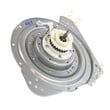
If you’re seeing a drain error repeatedly, the washer drain pump assembly dc97-19289f is the model-matched pump assembly commonly involved in no-drain symptoms.
Why it matters
Clearing the display without fixing the cause can lead to repeat shutdowns, poor cleaning, and potential water left in the tub. A quick reset is useful for a one-time control glitch; repeat codes mean the washer is protecting itself.
For code definitions and targeted fixes, we use the Samsung top load washer error codes guide alongside your model’s manual.
Last updated: February 2026
What is the capacity of the Samsung WA50K8600AV?
The Samsung WA50K8600AV top-load washer has a 5.0 cu. ft. capacity, which is considered a large-capacity tub for handling bulky loads like comforters and towels. For cycle-specific load guidance, use the WA50K8600AV owner's manual.
What 5.0 cu. ft. means for everyday loads
A 5.0 cu. ft. washer typically supports:
- King/queen comforters (check the cycle and fabric care label)
- Large towel loads without overpacking
- Mixed family loads with fewer cycles per week
- Better room for proper agitation and rinsing when you do not stuff the basket
Quick capacity and loading tips
Overloading is the most common reason large-capacity washers clean poorly or go out of balance.
- Load items loosely; do not pack them down
- Keep the load below the top of the basket and allow space to circulate
- Balance heavy items (for example, one comforter plus a few towels, not all heavy items together)
- Use HE detergent and measure carefully to reduce residue
- If the washer shakes or stops to rebalance, reduce the load size
Capacity vs. what you can wash (simple guide)
| Item type | Typical fit in 5.0 cu. ft. | Best practice |
|---|---|---|
| Towels | Large load | Mix sizes; avoid all bath towels only |
| Bedding | Most comforters | Use Bedding/Bulky cycle if available |
| Jeans/hoodies | Medium to large | Distribute evenly around the basket |
| Delicates | Small to medium | Use mesh bags; do not overload |
Why it matters
Using the correct capacity expectations helps prevent out-of-balance spinning, reduces strain on the drive system, and improves rinse performance. If you are troubleshooting shaking or spin issues, checking load size and distribution is one of the fastest fixes.
Last updated: February 2026
What is the most common problem with Samsung washing machines?
The most common issues we see on Samsung washers like model WA50K8600AV are (1) excessive vibration or shaking during spin and (2) drain or spin failures that leave clothes wet. Most of the time, the root cause is load balance and leveling, or a drain restriction in the pump or hoses; see the WA50K8600AV manual for model-specific checks.
Most common symptoms and what they usually mean
- Washer shakes or “walks” during spin: load is unbalanced, washer is not level, or a vibration sensing issue.
- Won’t drain or stops mid-cycle: drain path is restricted (lint, coins, small socks) or the pump is failing.
- Clothes come out soaking wet: incomplete drain, spin interruption, or repeated out-of-balance corrections.
- Slow fill or no fill: inlet screens clogged, low water pressure, or a valve problem.
- Lid won’t lock or cycle won’t start: lid switch or lock circuit issue.
Quick checks we recommend first (no parts needed)
- Re-distribute the load (mix large and small items; avoid one heavy item by itself).
- Confirm the washer is level and all feet are firmly on the floor.
- Check the drain hose for kinks, crushing, or an overly deep standpipe insertion.
- Run a rinse and spin with the tub empty to see if the symptom changes.
- If you get an error code, match it to the Samsung top load washer error codes list before replacing anything.
Parts that commonly solve drain and fill complaints
| Problem you notice | Most likely area | Example part for WA50K8600AV |
|---|---|---|
| Hums but won’t drain, or drains slowly | Drain pump | Washer drain pump assembly dc97-19289f |
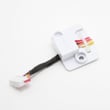
| Drains intermittently, noisy pump | Pump motor | Washer drain pump motor dc31-00187a |
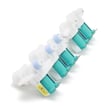
| Won’t fill or fills slowly | Water inlet valve | Samsung washer water inlet valve DC97-15459G |
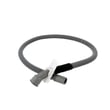
| Leaks or poor draining due to restriction | Drain hose | Washer drain hose dc97-18682d |
Why it matters
Vibration and drain problems are more than an annoyance; they can stop the spin cycle, leave detergent residue, and increase wear on the tub, sensors, and drive components. Fixing the simple causes first (load balance, leveling, drain routing) prevents unnecessary part replacement.
Last updated: February 2026





