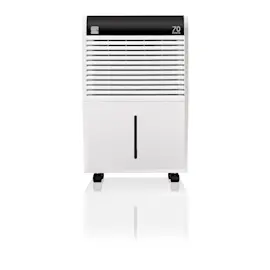
Owner’s manual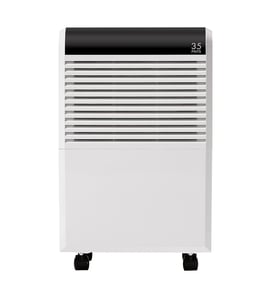

What does P2 mean on a dehumidifier?
On the Kenmore Elite dehumidifier model 40554550410, P2 means the water bucket is full or the bucket is not seated/removed. The unit beeps, the Full light turns on, and it stops dehumidifying until the bucket is emptied and reinstalled correctly (see the 40554550410 owner's manual).
What to do when you see P2
- Turn the dehumidifier off.
- Pull the bucket straight out using both handles; avoid tipping.
- Empty the bucket; do not set it on an uneven surface where it can tip.
- Reinstall the bucket fully so it sits securely.
- Wait a few minutes; the compressor can have a built-in restart delay.
Quick checks that commonly cause P2
- Bucket is not pushed in all the way.
- Bucket is overfilled.
- Float inside the bucket is stuck, missing, or not moving freely.
- Foam/float pieces are out of position.
If the float or foam is damaged or won’t move freely, replacing the bucket float foam can restore proper “full bucket” sensing; use the model-correct midea float foam 12820100000004.
What you should see (normal behavior)
| Condition | What the dehumidifier does | What fixes it |
|---|---|---|
| Bucket becomes full while running | Compressor stops; fan runs briefly; beeps; shows P2 | Empty and reinstall bucket |
| Bucket removed or not seated | Beeps; Full light; shows P2 | Reseat bucket securely |
Why it matters
P2 is a protection message. It prevents overflow and water on the floor, and it also protects internal components by stopping operation when the unit cannot safely collect water.
Last updated: February 2026
Do dehumidifiers have filters that need to be cleaned?
Yes. The Kenmore Elite 40554550410 dehumidifier uses an air filter that needs regular cleaning to keep airflow strong and moisture removal efficient. Under normal conditions, we clean the filter about every two weeks and reset the filter reminder after cleaning (see the 40554550410 owner's manual).
How often to clean the filter (and what the unit tells you)
- Clean the air filter every 2 weeks under normal use.
- The Filter (clean filter) light turns on after about 250 hours of operation.
- After cleaning, press and hold the Filter button for 1 second to turn the light off.
- Always reinstall the filter securely before running the unit.
Quick cleaning steps
- Turn the dehumidifier off and unplug it.
- Remove the bucket, then pull the filter downward.
- Wash the filter with clean water, then let it dry completely.
- Reinstall the filter and bucket; make sure the bucket is fully seated.
What happens if you skip filter cleaning
A dirty filter restricts airflow, which reduces performance and can create extra noise. It can also contribute to icing on the coils in cooler rooms.
| Condition | What you may notice | What to do |
|---|---|---|
| Filter is dusty or lint-covered | Weak airflow, slower drying | Clean and dry the filter, then reset Filter light |
| Filter is clogged | Loud operating noise, poor dehumidifying | Clean filter; check for blocked grilles |
| Unit runs in a cool space | Frost on coils (often normal) | Improve airflow; keep room above about 41°F |
Why it matters
Your dehumidifier removes moisture by moving a lot of air across the evaporator coil. Keeping the filter clean protects airflow, helps the compressor run efficiently, and keeps humidity control more consistent.
If you also need to address bucket-related shutoffs, the float system in the bucket area can be involved; the midea float foam 12820100000004 is one of the related components available for this model.
You can order replacement parts for your Kenmore Elite 40554550410 from the parts list for this model, or search by model number on Sears PartsDirect.
Last updated: February 2026
Why is my Kenmore dehumidifier not working?
If your Kenmore Elite dehumidifier model 40554550410 is not working, the most common causes are power issues, a full or mispositioned bucket, or the built-in 3-minute compressor delay after the unit stops. We also see airflow restrictions and low room temperature prevent normal operation; check the basics first using the 40554550410 owner's manual.
Quick checks that fix most “won’t run” problems
- Push the plug fully into a grounded outlet (avoid multi-outlet adapters).
- Check the home fuse or circuit breaker.
- Empty the bucket and reinstall it firmly; the unit will not run if the bucket is not seated.
- Wait at least 3 minutes after the unit shuts off before expecting the compressor to restart.
- Confirm the room is within the operating range: 41°F to 95°F.
- Make sure curtains, furniture, or walls are not blocking the front or back airflow.
If it runs but does not collect water
A dehumidifier can power on and still remove little or no moisture if airflow is restricted, the humidity setting is too high, or the space conditions are working against it.
- Set the humidity control lower and give it time to pull moisture out.
- Close doors and windows so you are not dehumidifying the outdoors.
- If the coils frost up, that is normal; auto-defrost will cycle and performance will vary during defrost.
Common symptoms and what they usually mean
| What you notice | Most likely cause | What we recommend |
|---|---|---|
| No lights, no fan | Power supply issue | Outlet, breaker/fuse, cord seating |
| Fan runs, compressor seems delayed | Safety delay | Wait 3 minutes, then recheck |
| Runs, little water collected | Airflow or settings | Clear airflow, lower humidity setting |
| Loud operation | Filter clogged or unit not level | Clean filter, level the unit |
Parts that can be involved
If the bucket is installed but the unit still acts like it is “full,” the float system in the bucket area is a common place to inspect.
- Check the float for sticking, damage, or missing foam.
- If needed, replace the midea float foam 12820100000004.
Why it matters
A dehumidifier that cannot move air freely or cannot restart its compressor normally will not remove moisture effectively. Fixing bucket seating, airflow, and temperature issues prevents nuisance shutoffs and helps protect the compressor.
For replacement parts for model 40554550410, use the parts list for this model, or search by model number on Sears PartsDirect.
Last updated: February 2026
What are the parts of a dehumidifier?
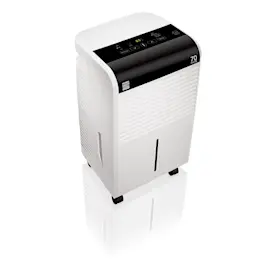
A Kenmore Elite dehumidifier like model 40554550410 is built around a refrigeration system that pulls moisture from air using a cold evaporator coil, then reheats the air with a condenser coil before blowing the drier air back into the room. For model-specific features and safety details, use the 40554550410 owner's manual.
Main parts you will typically find
Most residential dehumidifiers (including the 40554550410) include these core components:
- Evaporator coil: the cold coil that condenses water out of humid air
- Condenser coil: reheats the air after moisture is removed
- Compressor: pumps refrigerant through the sealed system
- Fan and air ducting: moves air across the coils and out the outlet grille
- Air filter: protects the coils from dust; we recommend cleaning it every two weeks
- Water collection system: bucket, float, and bucket-position safety switch
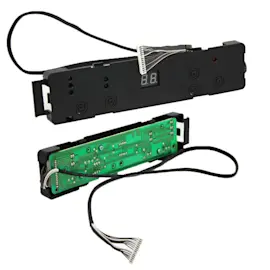
- Controls and sensors: humidity control, display, and temperature/humidity sensing
- Drain connection (if equipped/used): supports continuous draining with a hose
Parts you can replace on this model
These are examples of replaceable parts we list for Kenmore Elite 40554550410 that match the systems above:
- Water level/overflow protection: midea float foam 12820100000004
- Water collection: midea dehumidifier water bucket 2011267A0327
- Sealed system components: midea evaporator 201526790070, Kenmore elite compressor 201402200440, Kenmore elite capillary pipe 201626790129
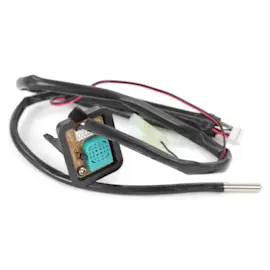
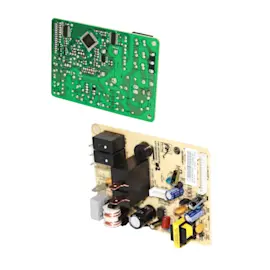
- Electrical/control items: midea main pcb 2013265A0059, midea sensor 202301300303, midea switch 202301800108
Quick “what it does” table
| Part/system | What it does | Common symptom when it fails |
|---|---|---|
| Evaporator + condenser coils | Removes moisture, then reheats air | Poor drying, frost on coils, reduced airflow |
| Compressor + capillary tube | Circulates refrigerant | Runs but does not dehumidify well |
| Bucket/float/switch | Stops unit when bucket is full or not seated | Won’t start, “bucket full” behavior |
| Filter + fan | Maintains airflow across coils | Loud operation, weak airflow, icing |
Why it matters
Knowing the major parts helps you troubleshoot faster. For example, our manual notes performance drops if airflow is blocked, the filter is dirty, or the room is below 41°F (5°C); it also highlights a 3-minute compressor safety delay that can look like a start problem.
Safety and care reminders
- Keep at least 8 inches of clearance on all sides for airflow.
- Do not block air openings or insert objects into intake/exhaust.
- Use a 115V, 60 Hz grounded outlet.
- Clean and reinstall the filter securely; running without filters can cause failures.
You can also search by model number and order parts through Sears PartsDirect.
Last updated: February 2026
What usually breaks on a dehumidifier?
On the Kenmore Elite 40554550410 dehumidifier, the most common failures are airflow restrictions, bucket and float shutoff problems, and electrical or sealed-system issues that stop moisture removal. Use the 40554550410 owner's manual to match symptoms to protections, error codes, and operating limits.
What fails most often (and what it looks like)
- Airflow problems: clogged filter or blocked intake and exhaust; the unit runs but pulls little water.
- Bucket not seated: “bucket full” behavior or auto shutoff; the unit will not operate if the bucket is not securely in place.
- Float system issues: a stuck float can mimic a full bucket and stop operation.
- Evaporator frost and defrost cycling: frost can appear on coils; auto defrost should clear it.
- Compressor or sealed-system trouble: persistent EC can point to compressor overload/failure, a refrigerant leak, or a sealed-system restriction.
Quick checks that prevent unnecessary part replacement
- Keep room temperature above 41°F (5°C) for normal drying performance.
- Clear curtains, furniture, and dust from the front and back air openings.
- Clean the filter regularly and reinstall it securely.
- Slide the bucket in straight and fully; do not force it.
- If using a drain hose, confirm the hose connection is tight and the hose path is not blocked.
Parts on this model that commonly match the symptom
| Symptom | Likely area | Example part on this model |
|---|---|---|
| Shuts off, “bucket full,” won’t restart | Bucket/float | Midea float foam 12820100000004, midea dehumidifier water bucket 2011267A0327 |
| Poor moisture removal, frequent EC concerns | Sealed system | Kenmore elite compressor 201402200440, Kenmore elite capillary pipe 201626790129 |
| Erratic controls or no response | Controls/sensing | Midea main pcb 2013265A0059, midea sensor 202301300303 |
Why it matters
Dehumidifiers depend on steady airflow across the evaporator and a working bucket safety system. Fixing filter, bucket, and float issues first restores performance quickly and helps you avoid replacing major components.
You can order replacement parts from the parts list for model 40554550410, or search by model number on Sears PartsDirect.
Last updated: February 2026