Owner’s manual
 Error Codes




How many cubic feet is my Kenmore Elite refrigerator?
Your Kenmore Elite bottom-mount refrigerator model 79579049313 is typically sold in the 30.6 cubic foot class. For the exact capacity for your specific configuration and color code, confirm it in the 79579049313 owner's manual.
How to confirm the exact capacity on your model
We recommend checking the capacity listing in the specifications section of the manual or on the model and serial label.
- Look in the manual for a specifications or product information section
- Check the model and serial label inside the fresh food compartment (often on a side wall)
- Match your full model (including any color code) to the correct spec line
- If you are comparing refrigerators, use total capacity (not just refrigerator section)
- Keep the model number handy when ordering parts like an ice maker or water valve
Capacity quick reference
| What you’re measuring | What it means | Typical value for this model class |
|---|---|---|
| Total capacity | Refrigerator + freezer combined | About 30.6 cu. ft. |
| Refrigerator section | Fresh food space only | Larger share of total |
| Freezer section | Bottom freezer space | Smaller share of total |
Why it matters
Capacity affects how you compare replacement units, plan food storage, and choose compatible accessories. It also helps when troubleshooting cooling complaints because an overfilled compartment can restrict airflow.
Last updated: January 2026
What are the dimensions of a Kenmore elite?
For the Kenmore Elite bottom-mount refrigerator model 79579049313, the exact cabinet dimensions vary by the specific 795.7904* configuration and are listed in the product specifications section of the 79579049313 owner's manual. Most 30-inch-class bottom-freezer refrigerators are roughly 30 to 33 inches wide, 68 to 70 inches tall, and 33 to 36 inches deep (not including handle depth).
How to get the exact dimensions for model 79579049313
We recommend using the specifications and installation clearance guidance in the manual so you measure the right points (cabinet vs. doors vs. handles).
- Check the product specifications section for width, height, and depth
- Confirm whether depth is listed with doors and with handles
- Measure your opening and compare to the required clearances
- If you are moving the refrigerator, measure the narrowest doorway and any turns
- If doors need to come off for moving, note hinge and wiring locations before disconnecting
Typical measurement points (what to measure)
Refrigerator dimensions can look “off” if you measure different points. Use this quick guide.
| Dimension you need | Measure from | Common notes |
|---|---|---|
| Width | Outside edge of cabinet/doors | Some models are wider at the doors than the cabinet |
| Height | Floor to top hinge cover/cabinet | Leveling legs can change height slightly |
| Depth | Front of doors/handles to back | Handles can add several inches |
Why it matters
Correct dimensions help prevent delivery problems, door-swing interference, and airflow issues that can affect cooling performance and ice maker operation.
If you are planning a tight fit, we also recommend confirming door hardware condition; worn hinge components can affect alignment over time (for example, a refrigerator door hinge bushing 4984JJ3003A).
Last updated: January 2026
What does er if mean on kenmore elite refrigerator?
On Kenmore Elite refrigerator model 79579049313, the ER IF code points to a problem in the ice-room airflow system, most often the ice fan that pushes cold air to the ice maker area. Restoring airflow (and fixing the cause) typically clears the code; see the 79579049313 owner's manual for diagnostics steps.
What to check first (quick troubleshooting)
- Power reset: unplug the refrigerator for 5 minutes, then restore power.
- Make sure the freezer door closes fully and the gasket seals all the way around.
- Look for frost or ice buildup that could be blocking an air duct or fan cover.
- Confirm freezer temperature is set correctly and not fluctuating.
- Listen for a fan running when the freezer door switch is pressed (fan noise may be faint).
Common causes and likely fixes
| What’s happening | What it can mean | What we recommend |
|---|---|---|
| No airflow to the ice maker area | Ice fan not running or blocked by ice | Defrost the blockage; inspect fan area for ice and obstructions |
| Fan runs but code returns | Sensor or control issue | Check wiring connections; test sensors and control logic |
| Intermittent code | Door not sealing, moisture intrusion, or icing | Correct door alignment and sealing; reduce door-open time |
Parts that are often involved
If troubleshooting points to a failed component, these model-compatible parts are commonly related to ice production and airflow:
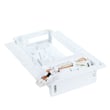
- Lg refrigerator ice maker assembly model AEQ72909603 AEQ72909603 (ice maker assembly)
- Lg refrigerator electronic control board EBR81182755 (controls fan operation and diagnostics)
Why it matters
The ice maker compartment depends on steady cold airflow. When airflow is blocked or the fan/control system fails, temperatures rise, ice production drops, and the refrigerator may display ER IF to prevent ongoing icing and performance problems.
Last updated: January 2026
Is there a way to reset a Kenmore Elite refrigerator?
Yes. For the Kenmore Elite 79579049313 bottom-mount refrigerator, the most reliable reset is a power reset: unplug the refrigerator (or switch off the breaker) for about 5 minutes, then restore power and set the temperature controls back to your normal settings. See the 79579049313 owner's manual for control-panel specifics.
Reset options that work most often
- Power reset (recommended): Unplug for ~5 minutes, then plug back in.
- Breaker reset: Turn the refrigerator circuit breaker off for ~5 minutes, then back on.
- Control reset (settings): After power is restored, reselect your refrigerator and freezer temperature settings.
- Icemaker reset (symptom-based): Turn the icemaker off, wait 30 seconds, then turn it back on.
- After an outage: Give the unit time to stabilize; cooling and ice production can take several hours.
Step-by-step: power reset (safe method)
- Move any items blocking airflow inside the refrigerator and freezer.
- Unplug the power cord (or turn off the circuit breaker).
- Wait 5 minutes.
- Restore power.
- Confirm the controls are set to your desired temperatures (not OFF).
What a reset can and cannot fix
| Symptom | Reset may help | More likely cause |
|---|---|---|
| Control panel acting “stuck” or unresponsive | Yes | Temporary control glitch |
| Cooling seems off right after a power interruption | Sometimes | Normal recovery time, doors left open |
| No ice or slow ice | Sometimes | Water supply issue or icemaker problem |
| Warm refrigerator and warm freezer for hours | Rarely | Sealed system, airflow, or control issue |
Why it matters
A reset clears minor electronic glitches and restores normal control operation after a power interruption, but it will not correct mechanical problems like restricted airflow, a failed fan motor, or a water supply issue.
When to check parts instead of resetting
If symptoms return quickly after a reset, these model-compatible parts are common suspects:
- Lg refrigerator water inlet valve AJU73753101 (no ice, no water, weak fill)
- Lg refrigerator ice maker assembly model AEQ72909603 (no ice, irregular harvest)
- Refrigerator defrost sensor assembly 6615JB2005N (frost buildup, warming)
- Refrigerator temperature sensor 6500JB2002X (temperature swings)
Last updated: January 2026