 Installation guide
 Owner’s manual
 Error Codes








What are common problems with Kenmore dishwashers?
Common problems we see on Kenmore dishwashers like model 66513123K703 include not draining, not filling, poor cleaning from weak spray, and door or rack issues. Many symptoms trace back to a clogged filter, suds from the wrong detergent, or a worn pump, hose, or door hardware.
Most common symptoms and what usually causes them
- Won’t drain: clogged drain path, kinked hose, failed drain pump
- Won’t fill or fills slowly: water supply valve off, overfill float stuck, excess suds
- Poor cleaning: clogged spray arm holes, dirty filter, low water temperature, overloading
- Door won’t close or drops open: worn balance link, hinge issues, latch alignment
- Cycle runs too long: heavy soil sensing, heater or fill issues, selected cycle type
Quick checks you can do first (no parts needed)
- Confirm the water supply is fully on (especially after installation).
- Open the tub and press the overfill protection float down; it should move freely.
- Check for foam or suds; hand soap or too much detergent can prevent proper filling.
- Clean the filter area and remove debris from the sump.
- Run a test wash with the correct dishwasher detergent and no pre-rinse soap.
Parts that commonly fix these problems on 66513123K703
| Symptom | Likely part area | Example part for this model |
|---|---|---|
| Standing water, won’t drain | Drain system | Dishwasher drain pump WPW10348269 |
| Slow or no drain | Drain hose | Dishwasher drain hose 8269144A |
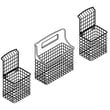
| Dishes not getting clean | Filtration, spray | Dishwasher filter W10872845 or dishwasher spray arm WPW10491331 |
| Door feels heavy or won’t stay up | Door balance | Dishwasher door balance link 8194001 |
Why it matters
Drain, fill, and wash performance are connected. For example, a stuck float or excess suds can stop filling, which then causes weak spray and long cycle times. Keeping the filter and spray system clean prevents repeat clogs and protects the pump and motor.
Where to confirm model-specific steps
Use the 66513123K703 owner's manual for indicator light meanings (such as a flashing Clean light), float checks, and cycle guidance.
Last updated: January 2026
How to hard reset a Kenmore dishwasher?
For a Kenmore Elite dishwasher model 66513123K703, we reset the control by canceling the current cycle and draining, then restarting a new cycle. This clears most “stuck” cycles and control glitches without cutting power; use the steps below from the 66513123K703 owner's manual.
Reset options that work on 66513123K703
Option A: Cancel and reset the control (most common)
- Open the door slightly to stop the cycle; wait for spraying to stop.
- Open the door fully.
- Press CANCEL/DRAIN and let the dishwasher run the drain (about 2 minutes).
- Press CANCEL/DRAIN twice to reset the control.
- Select your new cycle and options.
- Close the door firmly and press START/RESUME.
Option B: Turn Control Lock off (if buttons do not respond)
If the controls seem “dead,” the Control Lock may be on.
- Press and hold HEATED DRY for 3 seconds to toggle Lock off.
- Try Option A again.
Quick decision guide
| What you see | Likely cause | What to do |
|---|---|---|
| Cycle won’t cancel or seems frozen | Control needs reset | Option A |
| Buttons beep or lights flash but nothing starts | Control Lock enabled | Option B, then Option A |
| Dishwasher won’t start after opening door | Start needs to be re-pressed | Press START/RESUME |
Why it matters
A proper reset on the 66513123K703 stops the wash motor safely, drains standing water, and clears the control’s current state. That prevents odor, reduces the chance of a drain error, and gets you back to a normal cycle quickly.
If it still will not reset
- Make sure the door is fully latched before pressing START/RESUME.
- Let the drain finish completely before selecting a new cycle.
- Check for a drain problem (kinked hose or blockage); the dishwasher drain hose 8269144A is a common item to inspect if the hose is damaged.
- If you see an error code, use the Kenmore 665 model dishwasher error codes guide to match the code to the next step.
Last updated: January 2026
Why is the start button not working on my Kenmore 66513123K703?
If the Start/Resume button on your Kenmore Elite dishwasher model 66513123K703 won’t respond, the most common causes are Control Lock being turned on, the door not fully latched, or the control needing a power reset. Fixing those usually restores normal starting.
Quick checks that solve most “won’t start” issues
- Control Lock is on: Press and hold HEATED DRY for 3 seconds to toggle Lock off (LOCK ON light goes out).
- Door not latched: Close the door firmly; on top-control models, press START/RESUME again if the door wasn’t closed within a few seconds.
- Cycle paused by opening the door: If the door was opened mid-cycle or during Delay Hours, press START/RESUME again to resume.
- Power glitch: Unplug the dishwasher (or switch the breaker off) for 5 minutes, then restore power and try again.
- House power issue: Check the breaker or fuse; the dishwasher will not start without steady power.
What the lights are telling you
The manual notes that a flashing Start/Resume light typically means the door was opened during a cycle or power was interrupted; pressing Start/Resume with the door fully closed and latched should resume operation. See the 66513123K703 owner's manual for the exact control and indicator behavior for your console.
| Symptom | Most likely cause | What to do next |
|---|---|---|
| Buttons light up but Start won’t run | Control Lock enabled | Hold HEATED DRY 3 seconds to unlock |
| Start/Resume light flashing | Door opened or power interruption | Close/latch door, press START/RESUME |
| It drains but won’t wash | Cycle canceled or not resumed | Select cycle, press START/RESUME |
| No response at all | Power supply problem | Check breaker/fuse, then reset power |
When it’s likely a part problem
If Control Lock is off, the door is latching, and a reset doesn’t help, the issue is usually in the door-latch circuit, user interface, wiring, or the electronic control.
- Inspect the door latch area for looseness or misalignment.
- Check for pinched or damaged wiring at the door.
- If the dishwasher is completely dead or intermittently loses power, a failed internal fuse is possible; this model uses a fuse W10258275.
- If the unit powers up but won’t accept commands, the electronic control can be involved.
Why it matters
Dishwashers are designed to prevent starting when the controls are locked or the door isn’t safely latched. That safety logic can look like a “bad start button,” even though the button is fine.
Last updated: January 2026
What is the service code f4e1 on a Kenmore Elite dishwasher?
On Kenmore Elite dishwasher model 66513123K703, the F4E1 service code points to a wash motor or pump and motor assembly problem (the dishwasher is not circulating water correctly). Clearing the code after the repair is part of restoring normal operation; use the keypad sequence shown in the 66513123K703 owner's manual.
What you should check first
- Confirm the door is fully closed and latched.
- Verify the house breaker is on and the dishwasher has power.
- Make sure the water supply valve is turned on.
- Cancel the cycle and restart a normal wash to see if the code returns.
- Listen for wash action: you should hear water spraying, not just filling and draining.
How we typically fix F4E1 on this model
In most cases, F4E1 is resolved by addressing the circulation side of the system.
| Symptom you notice | Most likely cause | What to do next |
|---|---|---|
| Tub fills but dishes stay dirty and water is quiet | Wash motor not running | Inspect wiring and replace the pump/motor if needed |
| Humming but weak or no spray | Pump/motor struggling or jammed | Check for debris in sump and impeller area |
| Water drains fine but never seems to wash | Circulation failure (not a drain issue) | Focus on wash motor, not the drain pump |
If you determine the circulation assembly has failed, the correct replacement for this model is the dishwasher pump and motor assembly WPW10056309.
Clearing the code after the repair
After replacing the failed component, clear the stored code so the control can run a fresh cycle. A common reset method on many Kenmore 665-series electronic controls is pressing any three keys in a 1-2-3 sequence three times (1-2-3, 1-2-3, 1-2-3). For the exact key options and timing for 66513123K703, follow the steps in the 66513123K703 owner's manual.
Why it matters
F4E1 usually means the dishwasher is not circulating wash water; continuing to run cycles can lead to poor cleaning, detergent not dissolving, and repeated shutdowns until the underlying motor or control issue is corrected.
Last updated: January 2026








