 Installation guide
 Owner’s manual







How to do a hard reset on a Frigidaire dishwasher?
For the Frigidaire LFID2459VF1A dishwasher, our most reliable “hard reset” is to shut off power at the breaker (or unplug the unit) for about 5 minutes, then restore power. You can also cancel a running cycle by pressing and holding START/CANCEL until you hear a tone.
Hard reset steps (LFID2459VF1A)
- Turn the dishwasher OFF.
- Cut power:
- Flip the dishwasher circuit breaker OFF for 5 minutes, or
- Unplug the dishwasher (if accessible) for 5 minutes.
- Restore power.
- Open the door and select a cycle; press START/CANCEL and close the door to restart.
For model-specific button behavior and status messages, use the LFID2459VF1A use & care manual.
Quick “control reset” vs. hard reset
- Cancel/reset the current cycle: Press START/CANCEL until you hear a tone (the cycle cancels).
- Hard reset (power reset): Breaker OFF (or unplug) for about 5 minutes.
- After a door-open interruption: Press START/CANCEL and close the door immediately to resume.
When a reset helps (and when it usually will not)
A reset often helps when you have:
- Unresponsive keypad or frozen display
- A cycle that will not start after selecting options
- A cycle that needs to be cancelled and restarted
- Certain error conditions that clear after power is removed
A reset usually will not fix:
- No fill or low fill issues caused by a shutoff valve or supply problem
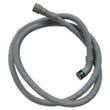
- Drain problems caused by clogged filters or a kinked drain hose
- Leaks from loose connections or a worn seal
Common error-code situations (what to try first)
| What you see | What to do first | Next step if it returns |
|---|---|---|
| i10 (low fill) | Check water supply is on and line is not pinched | Hard reset (5 minutes power off) |
| i20/i40/iF0 (drain restriction) | Clean filters and check drain hose routing | Inspect drain components |
| i50 (motor issue) | Cancel cycle, then hard reset | Service/diagnosis may be needed |
| iC0 (control issue) | Hard reset (5 minutes power off) | Check control wiring/components |
Why it matters
Resetting clears temporary control glitches and gets the dishwasher back to a known “standby” state. That saves time when you are troubleshooting symptoms like “won’t start,” “stops mid-cycle,” or an error code that appeared after a power interruption.
Last updated: January 2026
How to fix a Frigidaire dishwasher power failure?
A “power failure” (often shown as PF) on the Frigidaire LFID2459VF1A dishwasher is usually cleared by resetting the cycle: make sure the door is fully closed and latched, then press and hold START/CANCEL for about 3 to 5 seconds until the lights go out; wait 10 to 15 seconds and restart a cycle. For control and display behavior, follow the steps in the LFID2459VF1A use & care manual.
Quick reset steps (PF or after an outage)
- Close the door firmly until it latches.
- Press and hold START/CANCEL for 3 to 5 seconds.
- Wait 10 to 15 seconds with the dishwasher in standby.
- Select a cycle and options.
- Press START/CANCEL and close the door immediately to begin.
If it still will not start after the reset
These checks apply to the LFID2459VF1A and most Frigidaire dishwashers after a power interruption:
- Confirm the dishwasher is not in Delay Start.
- If the display shows “loc”, unlock controls by holding DELAY START until “loc” clears.
- If the display shows “Close”, the door is not fully latched.
- Check the home breaker; reset it fully OFF then ON.
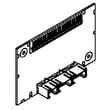
- If the unit has power but the keypad is unresponsive, the issue can be in the console controls such as the dishwasher user interface A06115601 or the main control.
What the display is telling you
| Display / symptom | What it usually means | What to do |
|---|---|---|
| PF / power failure | Power was interrupted during a cycle | Do the reset steps above |
| “Close” | Door not latched | Re-close door firmly |
| “loc” | Control lock is on | Hold DELAY START to unlock |
| Lights on, no response | Console not accepting input | Reset at breaker; inspect UI/control |
Why it matters
Clearing PF correctly gets the LFID2459VF1A out of standby and prevents repeated cancellations that can look like a bigger failure. If PF keeps returning without a known outage, it can point to an intermittent power supply issue or a control problem.
Last updated: January 2026
What is the most common problem with the Frigidaire dishwasher?
For the Frigidaire LFID2459VF1A dishwasher, the most common service issue we see is drain-related trouble (water left in the bottom of the tub) caused by a clogged filter/sump area or a restricted drain hose. Poor cleaning and leaks are also frequent, but clogs are the usual first thing to check using the LFID2459VF1A use & care manual.
Quick checks we recommend first (no parts needed)
- Cancel the cycle and restart; a paused cycle can look like a drain failure.
- Remove and clean the filters and the sump area (food, labels, glass).
- Check the drain hose for kinks, pinches, or a low loop issue.
- If connected to a disposer, confirm the disposer is clear and the knockout plug was removed.
- Run hot water at the sink until it is hot before starting a cycle (helps cleaning and dissolving detergent).
- Verify incoming water temperature is at least 120°F.
If the symptom matches, these parts are common fixes
If cleaning and hose checks do not solve it, the LFID2459VF1A often points to one of these components:
| Symptom you notice | Most likely area | Example compatible part for this model |
|---|---|---|
| Water remains in tub | Drain system | Dishwasher drain pump A00044305 |
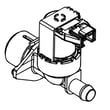
| Won’t fill or fills slowly | Water supply | Dishwasher water inlet valve 807445905 |
| Leaks at the door | Door sealing | Crosley dishwasher door seal 117158011 |
| Dishes still dirty | Wash circulation | Crosley dishwasher circulation pump A10281701 |
Why it matters
Drain and filter restrictions can trigger longer cycles, odors, and poor wash results because the unit cannot move water correctly through the spray arms and sump. Fixing the restriction early can prevent repeat clogs and reduce strain on the pump.
Helpful DIY guidance
- Use our dishwasher won't drain troubleshooting path when you have standing water after a completed cycle.
- For wash performance complaints, our dishwasher not cleaning dishes video is a good checklist for loading, water temperature, and spray-arm blockage.
Last updated: January 2026





