Owner’s manual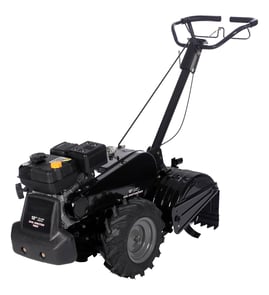


Where is the model number on a tiller?
On the Craftsman rear-tine tiller model 917295652, the model number is on the model plate attached to the top of the transmission. Use the model plate information when ordering parts or looking up maintenance and specifications in the 917295652 owner's manual.
Where to look on the tiller
Check these common spots first (clean dirt and oil off the area so the label is readable):
- Top of the transmission (primary location for the tiller model plate)
- Near the tine shield/tine guard area (some units place labels nearby)
- On or near the frame close to the engine mount
- If you are checking the engine model: the blower housing on the engine (engine model is separate from tiller model)
Tiller model number vs. engine model number
Your tiller and engine use different identification numbers. This matters because parts like belts, cables, and transmission components match the tiller model, while tune-up and carburetion parts often match the engine model.
| What you are identifying | Where to find it | What it’s used for |
|---|---|---|
| Tiller model number (917295652) | Plate on top of the transmission | Tiller parts lookup, decals, transmission parts, controls |
| Engine model number | On the engine blower housing | Engine parts, ignition parts, carburetor and fuel system parts |
Why it matters
Using the correct model number helps us match the right Craftsman tiller parts the first time, especially for fit-critical items like a drive belt, clutch cable, or transmission components.
Last updated: January 2026
How often should I change the oil in my tiller?
For the Craftsman rear-tine tiller model 917295652, change the engine oil after the first 2 hours of operation, then every 25 hours of use, or at least once a year (even if you do not reach 25 hours). Follow the steps and oil type guidance in the 917295652 owner's manual.
Oil change schedule (what to do and when)
Use this as a quick maintenance rhythm for your gas rear-tine tiller:
- Before each use: check the engine oil level
- After the first 2 hours: do the first oil change (break-in oil change)
- Every 25 hours after that: change the oil again
- At least once per year: change oil even with low annual hours
- Heavy load or high heat: change oil more often
- Dirty or dusty conditions: service more often overall (including more frequent checks)
Oil type and viscosity basics
The manual calls for a high-quality detergent oil with API service classification SF or SG, and selecting the SAE viscosity based on expected temperatures.
| Condition | What we recommend you do |
|---|---|
| Typical warm-weather tilling | Use SAE 30 (common for many small engines) |
| Cold starts needed | Multi-viscosity oils can help starting; check oil level more often |
| Above 32°F (0°C) with multi-viscosity oil | Monitor oil level closely because consumption can increase |
Quick oil change checklist
These steps match the process described for this model:
- Park the tiller on a level surface
- Warm the engine briefly so oil drains more freely
- Use a funnel and a suitable drain pan to prevent spills
- Remove the drain plug and tip the tiller forward to drain completely
- Reinstall and tighten the drain plug securely
- Refill carefully and keep dirt out of the filler opening
Why it matters
Fresh oil protects internal engine parts from heat and wear. On a rear-tine tiller, the engine often runs under steady load, so staying on the 2-hour break-in change and 25-hour interval helps extend engine life and keeps performance consistent.
Last updated: January 2026
What is the back of a tiller called?
On the Craftsman 917295652 rear-tine tiller, the “back” is typically referred to as the rear tine area (the tine end of the machine). This model is a rear-tine tiller with counter-rotating tines, meaning the tines are positioned behind the wheels and dig as the tiller moves forward.
Common names you will see (and what they mean)
Different manuals and parts diagrams use slightly different terms. These are the most common “back of the tiller” names:
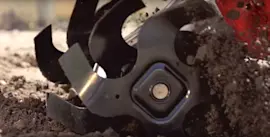
- Tines: the rotating blades at the rear that break up soil
- Outer side shields: adjustable shields near the tine area that help keep soil from burying plants
- Leveling shield (drag bar): the rear shield that helps level tilled soil as you move
- Depth stake (drag stake): the rear stake that controls how deep the tines dig
- Gearcase / transmission area: the housing that drives the tines (located toward the rear on many rear-tine designs)
For the exact control and component names used for your unit, we recommend checking the 917295652 owner's manual.
Quick reference: “back of tiller” terms
| What you mean | Common name | What it does |
|---|---|---|
| The digging blades at the back | Tines | Cuts and churns soil |
| The rear bar/shield that smooths soil | Leveling shield | Levels tilled soil |
| The rear stake that sets digging depth | Depth stake | Limits depth and helps control forward bite |
Why it matters
Using the right term helps you match the correct part and adjustment procedure. For example, if you are trying to control digging depth or reduce “bucking,” you will usually adjust the depth stake, not the tines or the leveling shield.
Last updated: January 2026
What are the common problems with lawn tillers?
Common problems on the Craftsman 917295652 gas rear-tine tiller include hard starting (fuel, choke, spark plug), loss of power or overheating (dirty air filter, low oil, stale fuel), and drive or tine issues (belt, clutch cable, or shift linkage). Our 917295652 owner's manual troubleshooting chart helps match symptoms to likely causes.
Most common symptoms and what they usually mean
- Will not start or hard to start: out of fuel, incorrect choke use, flooded engine, dirty air cleaner, water or stale fuel, loose spark plug wire, worn spark plug, carburetor needs adjustment
- Loss of power or overheating: engine overloaded (tilling too deep/too fast), dirty air cleaner, low oil or dirty oil, stale fuel
- Excessive bounce or difficult handling: soil too dry and hard; tines cannot penetrate well
- Soil balls up or clumps: soil too wet
- Engine runs but tiller will not move: drive system not engaging (often belt or clutch control related)
Quick checks we recommend before replacing parts
- Fuel and oil: drain old gas, refill with fresh unleaded; verify oil level and correct viscosity for temperature.
- Air and spark: clean or replace the air filter; inspect spark plug condition and gap.
- Controls: confirm the stop switch is in the ON position for starting; shift lever in the correct gear; release the drive control bar before shifting.
- Soil conditions: target a typical tilling depth of 4 to 6 inches; moisten hard soil before tilling and avoid tilling when soil is extremely wet.
Parts that commonly cause “won’t move” or “tines won’t rotate” complaints
| Symptom | Common wear item | What to look for |
|---|---|---|
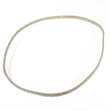
| Engine runs, no forward drive | Husqvarna rear-tine tiller drive belt 591372401 | belt glazed, stretched, cracked, or slipping |
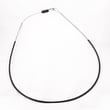
| Drive engages poorly | Tiller clutch cable 532110675 | cable stretched, frayed, or out of adjustment |
| Grinding, binding, or intermittent drive | chain/gearcase components | abnormal noise, jerky motion, oil leaks |
Why it matters
Most tiller problems trace back to basic maintenance (fresh fuel, clean air filter, correct oil) or operating conditions (tilling too deep, soil too dry or too wet). Catching these early helps prevent premature belt, clutch, and gearcase wear.
Last updated: January 2026