Installation guide
 Owner’s manual
 Error Codes

Where can I find my Frigidaire dryer model number?
On your Frigidaire dryer model FER231AS2, the model number is printed on the serial plate located on the left side of the door opening. Open the dryer door and look along the inside edge of the front panel for the label.
Quick steps to locate the label
- Open the dryer door fully.
- Look at the left inside edge of the door opening.
- Find the serial plate (a sticker or metal tag).
- Record both the model number and serial number for parts lookup.
- Keep the numbers with your paperwork for future service.
What the label typically includes
| Item on the serial plate | What it’s used for |
|---|---|
| Model number (FER231AS2) | Matching the correct parts and diagrams |
| Serial number | Identifying the production run for service |
| Date of purchase (your records) | Warranty and service history |
Why it matters
We use the model number to match the exact Frigidaire dryer parts that fit your machine, such as a drum belt, heating element assembly, or timer. Using the correct model number helps prevent ordering a similar-looking part that does not fit.
For the exact label location and how Frigidaire describes the serial plate, use the FER231AS2 owner's manual.
Last updated: February 2026
How to reset a Frigidaire front load dryer?
To reset your Frigidaire dryer model FER231AS2, stop the cycle and return the controls to OFF, then restore power and restart the cycle. This clears most control glitches and gets the dryer back to an idle, ready-to-run state; see the FER231AS2 owner's manual for the exact start/stop method used on your control style.
Quick reset steps (safe, no tools)
- Turn the cycle selector to OFF.
- If the dryer is running, open the door and wait for the drum to stop completely.
- Unplug the dryer (or switch the breaker OFF) for 1 minute.
- Restore power.
- Close the door.
- Restart the cycle by pressing and holding Start for 1 to 2 seconds (or turning the START knob to ON, holding 1 to 2 seconds, then releasing).
What “reset” fixes (and what it does not)
| Symptom | Reset usually helps | Likely needs troubleshooting/parts |
|---|---|---|
| Controls seem unresponsive | Yes | If it repeats often |
| Cycle will not start after a pause | Yes | Door switch, timer, or wiring |
| No heat or long dry times | No | Airflow restriction, heater, thermostat |
| Burning smell or overheating | No | Stop using and inspect venting/limiters |
If it still will not run after resetting
- Confirm the cycle selector is not set to OFF.
- Make sure the door is fully closed and latched.
- Try a different timed cycle setting.
- Check household power: a dryer can run poorly if a breaker is tripped.
- Review the startup and cycle instructions in the FER231AS2 installation guide to confirm power and setup basics.
Why it matters
A proper reset returns the dryer to a known “idle” state, which prevents repeated start failures and helps you separate a simple control hiccup from issues like airflow problems, a failing timer, or a heating circuit fault.
Last updated: February 2026
How to take off the front of a Frigidaire dryer?
To remove the front on a Frigidaire FER231AS2 dryer, we unplug power first, then remove the screws that secure the front panel and lift the panel up and off the lower mounting tabs. Use the FER231AS2 installation guide for the exact screw locations and safe handling steps.
Before you start (safety and access)
- Unplug the dryer (or switch off the breaker) before removing any panels.
- Let the dryer cool completely if it was running.
- Pull the dryer forward enough to work comfortably.
- Protect the floor and the front edge of the cabinet from scratches.
- Keep screws grouped by location so reassembly is straightforward.
Front panel removal steps (typical for this Frigidaire-style cabinet)
- Remove the lint screen.
- Remove the screws near the lint screen opening (these often secure the top to the front).
- Release the top panel (clips or screws depending on configuration) and lift it.
- Disconnect the door switch wiring harness connector (do not pull on the wires).
- Remove the front panel mounting screws.
- Lift the front panel up to unhook it from the lower tabs, then pull it forward and off.
What you may need to disconnect
| Item | Why it matters | What to do |
|---|---|---|
| Door switch harness | Prevents wire damage when the panel comes off | Unplug the connector before lifting the panel away |
| Drum support contact points | Front panel often supports the drum | Support the drum with one hand as the panel comes free |
| Lint duct/front chute (some builds) | Can be attached to the front | Remove its screws if it blocks panel removal |
If the dryer is noisy once you open it up
Front access is also how we inspect common wear items:
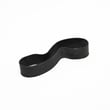
- A slipping or broken belt can stop the drum; check the belt 134503600.
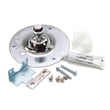
- Squealing or grinding often points to drum support wear; inspect the dryer drum bearing kit 5303281153.
- Rubbing at the front rim can involve felt seals; check the lower felt 5303937183.
Why it matters
Removing the front panel correctly prevents cabinet damage, avoids breaking the door switch wiring, and keeps the drum supported so you can safely service parts like the belt, drum bearing, and felt seal.
Last updated: February 2026
Why is my Frigidaire dryer not drying?
When a Frigidaire FER231AS2 dryer runs but clothes stay damp, the most common causes are restricted airflow (lint screen or vent), an incorrect load or cycle setup, or a heating problem such as a failed thermal limiter or heating element. Start with airflow checks first.
Quick checks we recommend first
- Clean the lint screen completely before starting the cycle (a clogged screen causes long dry times).
- Confirm the load size is reasonable; most loads should fill the drum about 1/3 to 1/2 full.
- Make sure items have room to tumble; overloading leads to uneven drying.
- Check the outside vent hood for a stuck flap, lint buildup, or a crushed/kinked duct.
- If your home has a 208V supply (some apartments/condos), expect longer dry times than on 240V.
Airflow and venting requirements (most common)
Poor airflow is the top reason an electric dryer will not dry well. Your exhaust duct should meet these basics:
| Vent item | What works best | What causes slow drying |
|---|---|---|
| Duct diameter | 4-inch metal duct | Smaller ducting or plastic/foil-style duct |
| Elbows | No more than two 90° bends | Multiple bends and long runs |
| Outside hood | Opens freely, no blockage | Lint clog, stuck flap, bird screen blockage |
For the exact vent length limits and routing rules for FER231AS2, follow the installation guide.
If airflow is good, check heat-related parts
If the drum tumbles and airflow is strong but there is little or no heat, these parts are common suspects on FER231AS2:
- Dryer thermal limiter 134120900 (opens if the dryer overheats)
- Frigidaire dryer heating element assembly 131553900 (open element causes no heat)
- High-limit thermostat (can open and stop heat if overheating occurs)
A heat failure is often triggered by a vent restriction, so correct venting before replacing parts.
Why it matters
Restricted venting and lint buildup can cause inefficient drying and overheating. Keeping the lint screen clear and the exhaust path open improves dry times, reduces wear on the heater circuit, and helps prevent repeat failures.
For model-specific operating tips and loading guidance, use the owner's manual.
Last updated: February 2026