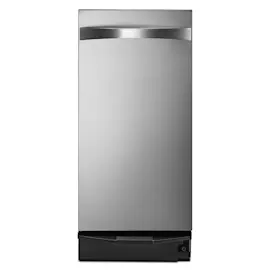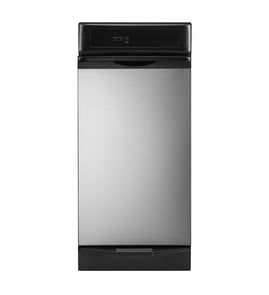



Where is the model number on a Kenmore trash compactor?
On a Kenmore trash compactor like model 19005, the model number is typically printed on a rating label located on the cabinet frame just inside the door or drawer opening. It is also commonly found on a side panel near the lower front of the unit.
- Open the compactor door or pull the drawer out and look along the cabinet frame (left and right sides)
- Check behind the door/drawer area where the frame is exposed
- Look on the side of the cabinet near the bottom front corner
- If the unit is built-in, check the front-facing frame area before removing it from the opening
The label usually includes several identifiers. For parts lookup, we recommend copying:
- Model number (for example, 19005)
- Serial number (helps confirm production run)
- Electrical rating (volts/amps), if you are troubleshooting power or switch issues
| Item on label | Why it matters for parts and repair |
|---|---|
| Model number | Matches the correct parts list for your exact compactor |
| Serial number | Helps narrow down variations within the same model |
| Electrical rating | Useful when diagnosing switches, wiring, or motor circuits |
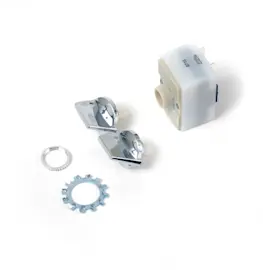
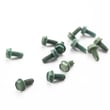
Kenmore compactors can look similar across years, but internal parts can differ. Using the exact model number helps ensure you order the right components for your compactor drive and door system, such as a switch panel kit WC20X5025 or hardware like a ram screw WC28X5038.
Last updated: February 2026
What is the life expectancy of a trash compactor?
A Kenmore trash compactor like model 19005 typically lasts 10 to 15 years with normal household use. Lifespan is shortest when the unit is overloaded, run with jammed mechanisms, or operated with worn drive and ram hardware that is not corrected.
Most home compactors fall into these ranges:
- Light use (1 to 2 cycles/week): 12 to 15 years
- Average use (3 to 5 cycles/week): 10 to 12 years
- Heavy use (daily cycles): 7 to 10 years
| Use pattern | What wears faster | What you notice first |
|---|---|---|
| Light | Switches, door hardware | Intermittent starting, door not latching smoothly |
| Average | Ram drive hardware, bushings | Slower compaction, louder operation |
| Heavy | Ram screw, supports, retainers | Jams, uneven ram travel, repeated shutdowns |
These habits cause most early failures in a trash compactor:
- Overfilling the drawer: run smaller loads so the ram does not stall.
- Compacting hard items (glass, dense metal): remove them to prevent jams and bent mechanisms.
- Ignoring new noises (grinding, popping): stop using it and inspect for looseness.
- Running with a sticking ram: check for binding and worn hardware.
- Skipping basic cleaning: wipe spills and residue so the drawer and ram track smoothly.
If you suspect the ram drive is binding or slipping on your Kenmore 19005, common wear items to check include the ram screw WC28X5038, along with related supports and retainers.
A compactor that is near end-of-life often draws more strain through the drive system; that increases the chance of jams, broken hardware, and inconsistent compaction. Catching wear early usually keeps the drawer, ram, and switch system working smoothly longer.
Last updated: February 2026
How much does a 30 yard compactor weigh?
A “30 yard compactor” is a commercial waste container size, not a spec for the Kenmore 19005 (1988) trash compactor. Most 30-yard stationary compactors (empty) weigh roughly 4,000 to 8,000 lb, depending on the steel gauge, compaction system, and whether it is a self-contained unit.
A 30-yard compactor refers to the container volume (about 30 cubic yards) used for commercial trash and recycling. Weight varies mainly by build and configuration.
Common factors that change the empty weight:
- Stationary vs. self-contained compactor design
- Steel thickness and reinforcement
- Hydraulic packer/ram size and motor type
- Options like doghouse, cart tippers, or heavy-duty hoppers
| Compactor type | Typical empty weight range | Notes |
|---|---|---|
| 30-yard stationary compactor | 4,000 to 8,000 lb | Most common “30 yard compactor” reference |
| 30-yard self-contained compactor | 6,000 to 10,000+ lb | Heavier due to sealed body and liquid containment |
Knowing the empty weight helps you plan delivery access, pad requirements, forklift/crane capacity, and hauling limits. For accurate planning, use the exact make/model data plate for the commercial compactor you are sourcing.
Kenmore 19005 is a built-in kitchen trash compactor; it is not measured in “yards.” If you are troubleshooting operation (ram movement, door/latch issues, or controls), the parts on this model page that commonly relate to compaction and controls include:
- Switch panel kit WC20X5025 (controls interface)
- Ram screw WC28X5038 (drive/ram mechanism component)
- Grease WC32X5007 (lubrication for moving components)
Last updated: February 2026
What is a common problem with trash compactors?
A common problem with the Kenmore 19005 trash compactor is that it will not start or complete a cycle due to a door or drawer not fully latched, a power interruption, or a worn drive or ram component that binds under load.
- Won’t start: drawer not fully closed, door safety switch not engaging, or a power issue
- Stops mid-cycle: jammed trash, binding ram, or a failing switch/control
- Loud grinding or knocking: worn bushings, loose hardware, or a ram/drive component out of alignment
- Drawer hard to open/close: debris in tracks, bent channel, or worn rollers
- Poor compaction: overfilled bag, slippery load, or ram not traveling smoothly
- Unplug the compactor (or switch off the breaker) for safety.
- Remove the drawer and clear any jammed items around the ram and guides.
- Inspect for rubbing, metal shavings, or obvious looseness in the ram path.
- Check for worn pivot points and dry contact surfaces; apply the correct lubricant if needed.
- If the unit binds or squeals, inspect wear parts that guide the ram.
If your symptoms match, these model-compatible parts are common suspects:
| Symptom | What to inspect | Example part on this model |
|---|---|---|
| Grinding, binding, uneven ram travel | Wear points and guides | Bushing WC28X5009 |
| Ram stalls or won’t travel smoothly | Ram drive hardware | Ram screw WC28X5038 |
| Squeaks, chatter, accelerated wear | Correct lubrication points | Grease WC32X5007 |
Trash compactors generate high force. A small alignment issue (like a worn bushing or dry guide) quickly turns into loud operation, stalled cycles, and damage to the ram mechanism. Catching binding early helps protect the motor and drive system.
Last updated: February 2026
Why can't I press the trash compactor button?
On your Kenmore 19005 trash compactor, the button usually will not press (or will not start a cycle) when the drawer is not fully closed and the door safety switch is not being activated. Clear any trash buildup, remove anything stuck behind the drawer, then close the drawer firmly until it latches.
- Pull the drawer out and look for debris, a fallen can, or a bag edge caught behind the drawer.
- Re-seat the trash bag so it is not bunched up at the top where it can interfere with closing.
- Push the drawer in firmly; the latch must fully engage for the safety switch to allow operation.
- Check the control area for physical damage or a loose-feeling button.
- If the unit has power but controls act dead, inspect for loose or damaged wiring at the control area.
If the drawer closes correctly but the button still will not work, a control or switch-related issue is likely. These parts are commonly involved on compactors:
| Symptom | Most likely area | What to do next |
|---|---|---|
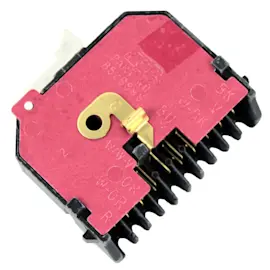
| Button will not press or feels stuck | Switch/control panel area | Inspect the panel for binding; consider replacing the switch panel kit WC20X5025 |
| Button presses but nothing happens | Safety switch or wiring | Check for pinched/broken wires; test continuity with a meter |
| Intermittent operation | Loose connection or worn control | Re-seat connectors; replace the control panel if needed |
- Unplug the compactor (or switch off the breaker) before removing any panels.
- Remove the drawer and clear obstructions; confirm the drawer slides in smoothly.
- Inspect wiring for damage, especially near moving parts and the control area.
- If you have a multimeter, test suspect switches and connections.
For guidance on electrical testing, we recommend how to use a multimeter to test electrical parts video.
Trash compactors are designed to prevent operation unless the drawer is fully closed. That safety interlock protects the ram mechanism and helps prevent damage to the drawer, latch, and control components.
Last updated: February 2026