Owner’s manual
 Error Codes


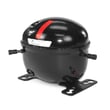
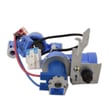
How to reset freezer compressor?
To reset the compressor on your Kenmore Elite 79573139411 bottom-mount refrigerator, we recommend a simple power reset: turn the refrigerator off by unplugging it or switching off the breaker for 5 to 10 minutes, then restore power and reset the temperature controls to your normal settings.
- Unplug the refrigerator or turn off power at the circuit breaker.
- Wait 5 to 10 minutes so the control system can fully reset.
- Restore power.
- Set the refrigerator and freezer controls back to the desired settings.
- Allow up to 24 hours for temperatures to stabilize after a reset or after the unit has been unplugged.
For the model-specific control and airflow guidance, use the owner's manual.
A power reset clears minor control glitches and restarts normal cooling logic. It does not fix a failed compressor, a tripped overload that keeps returning, or a sealed-system problem.
Modern refrigerators often run longer than older models. At about 70°F room temperature, it is normal for the compressor to run roughly 40% to 80% of the time; in warmer conditions it can run even more.
- Confirm the controls are not set to OFF; on many models, OFF does not remove power to all circuits.
- Make sure doors close fully and gaskets seal.
- Do not block air vents between the freezer and fresh food sections.
- Listen for the condenser fan and evaporator fan; no airflow often points to a fan, frost, or control issue.
- If you hear clicking near the compressor, the start device or overload may be tripping.
| Symptom | Common area to inspect | Example part for this model |
|---|---|---|
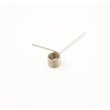
| Repeated clicking, compressor not running | Start/overload device | Compressor overload protector 6750CL0001D |
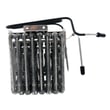
| Compressor runs but cooling is weak | Sealed system or compressor | Refrigerator compressor TCA38091801 |
A proper reset helps you separate a temporary control issue from a true cooling failure. If temperatures do not begin improving within a few hours after the reset (and airflow is good), focusing on the start/overload components and compressor-related diagnostics saves time.
Last updated: February 2026
What does DH mean on Kenmore Elite refrigerator?
On Kenmore Elite model 79573139411, dH (often shown as Er dH) points to a defrost-heating problem: the refrigerator is not sensing the expected temperature change during the defrost cycle, so it flags a defrost error and may limit normal cooling until the issue is corrected. See the troubleshooting section in the owner's manual.
- Power reset: unplug the refrigerator (or switch off the breaker) for 5 minutes, then restore power.
- Confirm doors fully close and gaskets seal; warm air leaks can worsen frost and defrost issues.
- Check for heavy frost on the freezer back wall; that strongly supports a defrost-system problem.
- Make sure air vents are not blocked by food packages.
- If you recently had a power interruption, allow several hours for temperatures to stabilize.
A dH/Er dH condition is typically caused by a failed sensor, wiring issue, or a defrost component problem.
| Likely cause | What you may notice | Related part on this model page |
|---|---|---|
| Defrost sensor not reading correctly | Frost buildup, temps drift, error returns | Refrigerator defrost sensor assembly 6615JB2005N |
| Drain/ice buildup affecting airflow | Water under crisper, ice at freezer floor, frost | Refrigerator drain tube 5251JA3003D |
| Control not managing defrost correctly | Intermittent cooling, repeated error | Refrigerator electronic control board EBR81182751 |
When the defrost system cannot clear frost from the evaporator area, airflow drops. That can cause warmer refrigerator temperatures, soft ice cream, longer run times, and eventually no-cool symptoms.
- Disconnect power before accessing internal panels or testing wiring.
- If you use a meter, follow safe testing practices; our how to use a multimeter to test electrical parts video is a good refresher.
- If frost is heavy, a full manual defrost (unplug and leave doors open) can restore cooling temporarily, but the error will return until the root cause is fixed.
Last updated: February 2026
What is the average lifespan of a Kenmore Elite refrigerator?
Most Kenmore Elite refrigerators, including model 79573139411, last 12 to 15 years with normal household use. Keeping the condenser area clean, maintaining good airflow around the cabinet, and fixing cooling or water-leak issues quickly helps you reach (and often exceed) that typical range.
- Ventilation and airflow: blocked airflow makes the compressor run hotter and longer.
- Condenser and fan cleanliness: dust buildup increases run time and wear.
- Door seal condition and door habits: warm air leaks force longer cooling cycles.
- Water system maintenance: clogged filters and valves can cause slow dispensing, leaks, or ice-maker issues.
- Defrost performance: heavy frost can reduce airflow and cooling efficiency.
Use your owner's manual for model-specific care steps and intervals.
- Vacuum dust from the grille and condenser area (unplug first).
- Keep a little space behind and above the refrigerator for airflow.
- Replace the water filter on schedule; a common match for this model is the genuine Kenmore refrigerator water filter 9690 AGF80300801.
- Confirm temperatures stay steady (typical targets: 37°F fresh food, 0°F freezer).
- Address water under the unit or in the freezer quickly; a blocked drain system can lead to icing and leaks.
| Symptom | What it often points to | Example parts on this model page |
|---|---|---|
| Warm fridge/freezer, loud running | Sealed system or compressor strain | Refrigerator compressor TCA38091801, overload protector 6750CL0001D |
| Frost buildup, temperature swings | Defrost sensing/control issues | Defrost sensor assembly 6615JB2005N |
| No ice or slow water dispense | Filter restriction or water supply component | Water inlet valve AJU72992601, water filter AGF80300801 |
A refrigerator near the 12 to 15 year mark can still be a great candidate for repair when the issue is a serviceable component (like a sensor, valve, or drain part). Consistent maintenance reduces compressor run time, helps food stay at safe temperatures, and lowers the chance of nuisance leaks.
Last updated: February 2026
Why is my Kenmore Elite refrigerator not cooling enough?
If your Kenmore Elite 79573139411 bottom-mount refrigerator is not cooling enough, the most common causes are airflow problems (dirty condenser coils, blocked vents, doors not sealing), warm-room conditions, or a component issue such as the compressor or a temperature/defrost sensor. Use the checks below to pinpoint the cause quickly; see the owner's manual for control settings and troubleshooting steps.
- Confirm the unit has had enough time to stabilize; after plugging in or changing settings, cooling can take up to 24 hours.
- Make sure both doors close fully and stay closed; frequent opening warms the cabinet and forces longer run times.
- Keep food packages from blocking air vents; blocked airflow causes warm spots.
- Set temperatures appropriately; for normal ice production, the freezer is typically set to 0°F.
- Verify the room is not too hot; this style of refrigerator should not be operated above 110°F.
If the basics look good and temperatures still drift warm, these parts are common suspects:
| Symptom you notice | Likely area | Part to consider for this model |
|---|---|---|
| Runs a lot, still warm | Sealed system or compressor start protection | Refrigerator compressor TCA38091801, refrigerator compressor overload protector 6750CL0001D |
| Frost buildup, temps swing | Defrost sensing/control | Refrigerator defrost sensor assembly 6615JB2005N |
| Display shows normal but temps are off | Temperature sensing | Refrigerator temperature sensor 6500JB2002X |
- Check settings and time: Confirm controls are set correctly and allow 24 hours after changes.
- Check door sealing: Look for gaps, torn gaskets, or bins preventing closure.
- Check airflow: Rearrange items so vents are clear in both compartments.
- Listen for key sounds: Compressor hum and fan airflow indicate the cooling system is trying to run.
- Move to electrical testing (if you are comfortable): Use a meter to test suspect sensors or compressor protection components.
Low cooling can lead to unsafe food temperatures and heavy compressor run time. Fixing airflow and door sealing first often restores normal temperatures without replacing major parts.
Last updated: February 2026