 Installation guide
 Owner’s manual





What are the most common problems with GE dishwashers?
The most common problems we see on GE dishwashers like model GDT695SGJ5WW are not draining, not starting, poor cleaning, poor drying, leaks, and suds or odors. Many are caused by loading issues, wrong detergent, clogged spray arms/filters, a stuck float, or a door not fully latched.
Quick checks that fix a lot of complaints
- Confirm the door is firmly closed and latched (a loose latch can prevent the cycle from starting).
- Verify the water valve under the sink is fully open.
- Use only automatic dishwasher detergent (hand soap causes heavy suds and poor wash results).
- Make sure large items in the lower rack are not blocking wash jets or the detergent dispenser.
- If the control panel is locked, unlock it per the GDT695SGJ5WW owner’s manual.
- If you suspect a stuck flood float, remove the ultra-fine filter and lightly tap the float area, then reinstall the filter.
Common symptoms and the most likely causes
| Symptom | Most common causes | What to do first |
|---|---|---|
| Won’t start | Door not closed, control lock, power issue | Check latch, lock setting, breaker/wall switch |
| Not draining | Drain path restriction, drain pump issue | Check drain hose routing and sink/disposer connection |
| Not cleaning well | Blocked spray arms, blocked detergent cup, loading | Clear spray arm holes, reload to avoid blocking jets |
| Suds in tub | Wrong detergent, rinse aid spill | Stop cycle, let suds dissipate, wipe spills |
| White film/odor | Hard water film, buildup | Run cleaner (citric acid or dishwasher cleaner) |
Parts that commonly relate to these problems
If basic checks do not resolve the issue, these model-matched parts are often involved:
- Poor cleaning or weak spray: dishwasher spray arm, lower WD22X33499
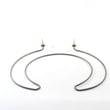
- Not drying or water not heating: dishwasher heating element WD05X30818
- Won’t start or won’t latch: GE dishwasher door latch lock WD21X10490
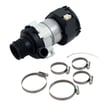
- No wash action or loud humming: dishwasher circulation pump assembly WD26X23258
Why it matters
Catching the root cause early (loading, detergent type, water supply, latch) prevents repeat cycles, reduces hard-water film, and helps protect key components like the circulation pump and heating element.
Related help for troubleshooting: GE dishwasher error codes.
Last updated: January 2026
Which dishwasher to stay away from?
We recommend staying away from any dishwasher with a consistent pattern of control-board failures, chronic leaking, or hard-to-get parts; for your GE GDT695SGJ5WW, the best approach is to compare reliability signals (service history, error-code frequency, and parts availability) before choosing a different model.
What to avoid (practical red flags)
- Frequent “won’t start” or “dead control panel” complaints (often tied to the user interface or control board)
- Repeated leak reports (door seal, tub gasket, or hose connections)
- Poor wash performance even with correct loading and detergent (spray arm or circulation issues)
- Long backorders or discontinued parts for common repairs
- High repair cost for electronics compared to the dishwasher’s age
Quick reliability checklist (what we look for)
Use this simple comparison when shopping or deciding whether to keep repairing.
| What you see | What it usually points to | What it means for ownership |
|---|---|---|
| Random beeping, unresponsive buttons | User interface or control board | Higher repair cost, more downtime |
| Standing water after cycles | Drain pump or drain hose restriction | Often fixable, but can repeat if plumbing is marginal |
| Dishes still dirty | Spray arms, diverter, circulation pump | Can become an expensive “chasing symptoms” repair |
| Wet floor near door | Door gasket/tub gasket, venting, loading | Can damage cabinets if ignored |
Model-specific parts that commonly drive repair cost
On GE electronic dishwashers like GDT695SGJ5WW, electronics and water-movement parts are typically the most expensive repairs. If you are seeing repeated failures in these areas, that is a strong “stay away” signal when evaluating other models.
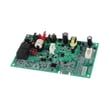
- Configured machine control board WD21X32163
- Dishwasher user interface WD21X31902C
- Dishwasher circulation pump assembly WD26X23258
Why it matters
A dishwasher can look great on features but still be a poor choice if it has recurring electronic faults or leak-prone design. Those issues lead to higher total cost of ownership than normal wear items like racks or spray arms.
Use your manual and error codes to judge a model fast
If a dishwasher is throwing repeated fault codes or behaving inconsistently, we use the troubleshooting and safety guidance in the GDT695SGJ5WW owner’s manual and then cross-check the code meaning in a GE code list.
Last updated: January 2026
How to do a hard reset on a GE dishwasher?
For our GE GDT695SGJ5WW dishwasher, the most reliable hard reset is a power reset: turn the dishwasher’s power off at the breaker (or unplug it) for 1 to 5 minutes, then restore power. After power is back, you can cancel a stuck cycle by holding Start for 3 seconds.
Hard reset steps (power reset)
- Turn OFF the dishwasher circuit breaker (or unplug the dishwasher if accessible).
- Wait 1 to 5 minutes.
- Turn power ON again.
- Press Start and close the door within 4 seconds to begin a cycle.
- If the unit was mid-cycle and acting stuck, press and hold Start for 3 seconds, then close the door so it drains.
What a reset fixes (and what it does not)
A reset clears many temporary control glitches, but it will not correct a real failure such as a door not latching, a leak detection event, or a tripped breaker.
- Helps with: unresponsive keypad, cycle that will not start, cycle that will not cancel
- Does not fix: no power to the dishwasher, door not closing, active leak detection, water supply turned off
Quick checks if it still will not run
Use these checks right after the reset to pinpoint the most common “won’t start” causes:
- Confirm the door is firmly closed and latched.
- Make sure the breaker is not tripped (and replace a blown fuse if applicable).
- Check for a wall switch that controls dishwasher power (common near the disposer switch).
- Verify the water shutoff valve under the sink is ON.
- Follow the correct start sequence: press Start, then close the door within 4 seconds.
Cancel, pause, and restart behavior (normal operation)
| Action | What we do | What the dishwasher does |
|---|---|---|
| Pause mid-cycle | Slowly open the door | Cycle pauses; beeps as a reminder |
| Resume | Press Start, close door within 4 seconds | Cycle resumes |
| Cancel/drain | Hold Start for 3 seconds, close door | Drains and ends the cycle |
Why it matters
A proper hard reset is the fastest way to clear a control-board lockup without replacing parts. If the dishwasher repeatedly needs resets, checking the start sequence, door latch, and error codes usually leads to the real root cause.
For model-specific button behavior and control settings, use the GDT695SGJ5WW owner’s manual. For power and mounting details (especially after an install), use the GDT695SGJ5WW installation guide.
Last updated: January 2026
What is the H20 error on a dishwasher?
On our GE GDT695SGJ5WW dishwasher, an H20 error points to a water fill problem; the dishwasher is not getting enough water, most often because the water supply valve is not fully open or inlet water flow is restricted.
What to check first (fast fixes)
- Confirm the shutoff valve under the sink is fully open.
- Make sure the supply line is not kinked or crushed.
- Turn on the hot water faucet nearest the dishwasher until the temperature stops rising, then start a cycle (this helps with low inlet water temperature).
- Check that other fixtures are not using water heavily (low pressure can prevent proper filling).
- If you have an air gap, make sure it is not clogged.
Water pressure and temperature targets
Your dishwasher needs adequate water pressure and hot water entering the tub to wash correctly.
| Item | What to aim for | Why it matters |
|---|---|---|
| Water pressure to dishwasher | 20 to 120 psi | Low pressure can trigger fill-related errors and poor cleaning |
| Incoming water temperature | Hot water at start of cycle | Helps detergent dissolve and improves wash performance |
When it is likely a part issue
If the valve is open and water pressure is normal but the H20 error keeps returning, we focus on restrictions or components that control filling and washing performance.
Common next steps:
- Clean the filters (a clogged filter can contribute to poor performance symptoms that look like fill issues).
- Check for signs of leaking or the unit stopping and draining; some models display “LEAK DETECTED” and stop the cycle.
- If the dishwasher fills but does not wash well, inspect wash arms for blockage and damage.
Helpful model-specific parts to consider when symptoms match:
- Dishwasher spray arm, lower WD22X33499 (if spray holes are clogged or the arm is damaged)
Why it matters
When the dishwasher cannot fill correctly, cycles can stop early, cleaning suffers, and detergent may not dissolve properly. Restoring proper water supply, pressure, and temperature usually clears the H20 condition and improves overall wash results.
For cycle behavior, fill guidance, and troubleshooting steps specific to GE GDT695SGJ5WW, use the GDT695SGJ5WW owner’s manual.
Last updated: January 2026





