Owner’s manual
 Error Codes


Does KitchenAid make a 33 inch wide refrigerator?
Yes. KitchenAid makes 33-inch-wide refrigerators, but your KSBS25INSS01 is a counter-depth side-by-side model and its exact cabinet width depends on the specific design and door/handle configuration. For the most accurate dimensions for your unit, use the measurements section in the owner's manual.
What “33-inch wide” means when shopping
Manufacturers list width in a few different ways, so it helps to compare like-for-like:
- Cabinet width: the refrigerator box without doors/handles
- Overall width: doors installed (often slightly wider than the cabinet)
- Width with handles: the widest point; can add noticeable extra space
- Clearance needed: space for door swing, airflow, and leveling
Quick sizing guidance (typical ranges)
Most 33-inch class refrigerators are designed to fit a 33-inch opening, but the actual overall width can vary.
| Measurement you’re checking | What to use | Why it matters |
|---|---|---|
| Fit in the cutout | Overall width (doors on) | Prevents rubbing on cabinets |
| Walkway clearance | Door swing clearance | Avoids blocked traffic paths |
| Flush look | Cabinet depth and handle depth | Helps with counter-depth installs |
| Delivery path | Width and height | Prevents getting stuck at doorways |
Why it matters for KSBS25INSS01
Counter-depth side-by-side refrigerators like KSBS25INSS01 are often chosen for a built-in look; small differences in handle depth and door swing can matter as much as the listed width.
Before you buy or replace a refrigerator
- Measure the opening width in at least 3 spots (top, middle, bottom)
- Check for trim, baseboards, and adjacent wall interference
- Confirm hinge side and door swing direction
- Plan for ventilation clearance behind and above
- Measure the delivery path (doorways, turns, stairs)
Last updated: February 2026
How to adjust temperature on KitchenAid side by side refrigerator?
On the KitchenAid KSBS25INSS01 side-by-side refrigerator, adjust temperature using the refrigerator and freezer up or down buttons on the control panel. The factory recommended set points are 37°F for fresh food and 0°F for the freezer; wait 24 hours between changes for temperatures to stabilize (see the owner's manual).
How to view and change the set points
- Press the up or down button for either Refrigerator or Freezer.
- The display brightens to show the set point (not the current temperature).
- Press up to make it colder or down to make it warmer.
- After about 5 seconds, the display dims and returns to showing the actual compartment temperature.
Recommended ranges (KSBS25INSS01)
| Compartment | Recommended set point | Adjustable range |
|---|---|---|
| Refrigerator | 37°F (3°C) | 32°F to 46°F (0°C to 8°C) |
| Freezer | 0°F (-18°C) | -6°F to 6°F (-21°C to -14°C) |
Quick troubleshooting if temps still feel “off”
Before changing settings again, we recommend these checks:
- Make sure air vents are not blocked by food packages.
- Wait a full 24 hours after any adjustment.
- Remember: setting colder does not cool faster; it only changes the target temperature.
- During automatic defrost, the displayed actual temperature can read higher than the set point; it returns to normal within a few hours.
- If cooling is off, press COOLING ON/OFF to turn cooling back on (this does not disconnect power).
Fine-tuning guide (one step at a time)
Use small changes, then wait 24 hours:
- Refrigerator too warm: set Refrigerator 1° colder
- Freezer too warm or not enough ice: set Freezer 1° colder
- Refrigerator too cold: set Refrigerator 1° warmer
- Freezer too cold: set Freezer 1° warmer
Why it matters
Correct set points help keep milk and juice as cold as you like, keep ice cream firm, and reduce frost and temperature swings that can affect food quality.
Last updated: February 2026
What causes a KitchenAid refrigerator to stop cooling?
For KitchenAid model KSBS25INSS01, loss of cooling is usually caused by airflow or control issues: the cooling may be turned off at the control, the temperature set points may be incorrect, or the sealed system cannot move heat because airflow is restricted (dirty coils, failed fan, or a defrost problem). Check settings first, then airflow and frost.
Quick checks first (no tools)
- Press COOLING ON/OFF to confirm cooling is On (the lights can still work even when cooling is Off).
- Verify set points: 37°F for the refrigerator and 0°F for the freezer (factory recommended).
- Give the unit time: after changes, cooling performance stabilizes over several hours, and a full cool-down can take 24 hours.
- Make sure doors fully close and vents inside both compartments are not blocked by food packages.
- Confirm power is steady (cord plugged in, breaker not tripped).
Most common “stopped cooling” causes
Airflow and fan problems
If the compressor runs but temperatures rise, airflow is the first suspect.
- Evaporator fan not moving air across the evaporator (ice buildup or damaged blade)
- Condenser fan not moving heat away from the condenser
- Condenser coils packed with dust and pet hair
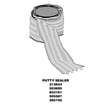
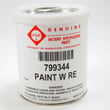
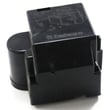
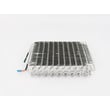
Model-relevant parts that often apply:
Defrost system problems (freezer frosts up)
A heavy frost blanket on the evaporator blocks airflow and makes the refrigerator section warm.
- Defrost thermostat (bi-metal) not opening/closing correctly
- Defrost heater or control issue (symptoms often show as recurring frost)
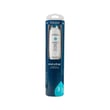
Model-relevant part:
Symptom-to-cause guide
| What you notice | Most likely cause | What to do next |
|---|---|---|
| Lights on, but both sections warm | Cooling turned Off or control setting issue | Confirm COOLING is On; verify set points in the owner's manual |
| Freezer cold, fresh food warm | Air damper/airflow restriction or evaporator fan issue | Clear vents; listen for fan; check for frost |
| Freezer frosted over, weak airflow | Defrost problem | Defrost and inspect; test/replace defrost components |
| Unit runs a lot, still warm | Dirty coils or fan problem | Clean coils; check condenser fan operation |
Why it matters
A refrigerator cools by moving heat. When airflow is blocked (dust, failed fan, frost) or cooling is turned off at the control, the sealed system cannot remove heat efficiently, so temperatures climb even if the lights and display still work.
Last updated: February 2026