 Installation guide
 Owner’s manual
 Error Codes








How do I reset my Kenmore 79049073402 electric oven?
To reset your Kenmore Elite 79049073402 electric wall oven, turn the oven off, then restore power and set the clock. If the control is beeping or showing an error code, press STOP/CLEAR to clear the display, then reprogram your cooking settings using the steps in the owner's manual.
Quick reset options (use the one that matches your symptom)
- After a power outage: power resumes, then reset the clock and oven function.
- Control beeping with an F-code: press STOP/CLEAR to stop the beeping and clear the code; then reprogram.
- Oven won’t start and the display is flashing: set the clock first; the oven cannot be programmed until the clock is set.
- Door locked and “LOC” shows: press and hold the Oven Lockout pad for 3 seconds to unlock.
Step-by-step: basic power reset
- Press STOP/CLEAR to cancel any active function.
- Turn the oven’s circuit breaker OFF for about 1 minute, then turn it ON.
- Set the clock.
- Test BAKE at 350°F for 10 minutes.
If the oven is stuck in lockout
The Oven Lockout feature prevents the oven from turning on and can make it seem like the oven needs a reset.
| What you see | What it means | What to do |
|---|---|---|
| “LOC” and “DOOR LOCKED” | Lockout is active | Press and hold the Oven Lockout pad for 3 seconds |
| Door won’t unlock right away | Latch is still moving | Wait until “LOC” clears and the door fully unlocks |
Why it matters
A “reset” usually restores normal operation after a power interruption, clears a temporary control fault, or exits lockout. If an F-code returns after you clear it, record the code and have the oven serviced.
Last updated: February 2026
Why is my Kenmore 79049073402 oven not heating up?
If your Kenmore Elite 79049073402 wall oven is not heating, the most common causes are a power supply issue, control settings that are not programmed correctly after a power interruption, or a failed heating circuit component such as the temperature sensor, bake element, or a safety thermostat. Use the troubleshooting steps in the owner's manual to narrow it down safely.
Quick checks we recommend first
- Confirm the display is on; after a power interruption the display can flash and the oven may not run until the clock is set.
- Verify the house breaker is fully engaged (a partially tripped breaker can leave the oven with lights but no heat).
- Make sure you are in Bake (not Timer or Delay) and the temperature is actually set.
- Cancel any fault beeping by pressing STOP/CLEAR, then try a normal Bake cycle again.
- If the oven recently ran self-clean, let it cool completely and retry; overheating protection can stop heating.
Parts that commonly stop heating (and how to tell)
| Symptom | Most likely area | What you can check |
|---|---|---|
| No heat in Bake, Broil may still work | Bake heating circuit | Look for visible damage on the bake element; test for continuity with power off |
| Both ovens or all modes do not heat | Power supply or control not set | Set the clock, confirm breaker, confirm controls are programmed |
| Temperature is wildly inaccurate or heats then shuts off | Sensor or safety thermostat | Test sensor resistance per service guidance; check high-limit thermostat continuity |
Model-matched parts we often see involved include the frigidaire range oven temperature sensor 316217002 and the thermostat 318003624.
Safe DIY testing tips
- Shut off power at the breaker before removing panels or testing continuity.
- Use a multimeter to check continuity on elements, thermostats, and wiring connections.
- Inspect wiring for heat damage or loose terminals, especially at the junction/terminal connections.
Why it matters
An oven that will not heat is often a simple setup or power issue, but repeated no-heat problems can also point to a failing sensor, thermostat, or wiring connection. Catching the root cause prevents repeated shutdowns and uneven cooking.
Last updated: February 2026
What are the parts of an electric oven?
An electric oven like the Kenmore Elite 79049073402 is built around heating elements, airflow and venting parts, racks, and electronic controls that regulate temperature and cooking modes. Common core parts include the bake and broil elements, oven vent, adjustable racks, and the electronic oven control.
Main electric oven parts (what they do)
- Electronic oven control: runs bake, broil, timer, and other functions.
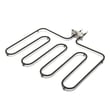
- Bake element: provides the primary heat for baking (typically at the bottom).
- Broil element: provides high heat from the top for broiling.
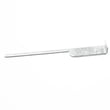
- Oven temperature sensor: tells the control board the actual oven temperature.
- Oven vent and trim: releases warm air for proper air circulation and baking results.
- Adjustable oven racks: support cookware at different heights.
- Cooling fan or blower (some models): helps keep internal electrical components cooler; it can keep running after the oven is turned off.
For the full feature layout and rack handling details for this model, use the owner's manual.
Parts you may replace most often
Some parts are “wear and tear” items or common fixes when temperatures are off, doors leak heat, or self-clean issues occur.
| Symptom | Common part involved | Example part on this model page |
|---|---|---|
| Oven temperature seems inaccurate | Oven temperature sensor | Frigidaire range oven temperature sensor 316217002 |
| Heat leaks, longer preheat, uneven baking | Door gasket | Oven seal 318053120 |
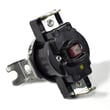
| Oven overheats or shuts down on high heat | High-limit thermostat | Thermostat 318003624 |
Why it matters
Knowing the major components helps you troubleshoot faster. For example, a bad sensor can cause temperature swings, while a worn door seal can waste heat and affect baking performance.
Quick safety and handling notes
- Turn off power at the breaker before removing panels or testing wiring.
- Arrange oven racks only when the oven is cool; use oven mitts when handling hot racks.
- If the cooling fan runs after cooking, that is normal on many wall ovens.
Last updated: February 2026
What does F2 mean on a Kenmore gas stove?
On Kenmore ovens, an F2 code indicates the control detected an unsafe temperature condition or a temperature-sensing problem. For Kenmore Elite wall oven model 79049073402, start by clearing the code, letting the oven cool, then checking the oven temperature sensor circuit and related wiring.
What to do right away
- Press STOP/CLEAR to silence the alarm and clear the code.
- If the oven is hot, keep the door closed and let it cool completely.
- Turn power off at the breaker for 1 minute, then restore power.
- If the code returns quickly, leave power off until you complete the checks below.
For control behavior and basic troubleshooting steps, use the 79049073402 owner's manual.
Most common causes we see
- Failed oven temperature sensor (RTD) (shorted, open, or out of range)
- Loose, damaged, or heat-brittle wiring/connectors between the sensor and control
- Electronic oven control issue (less common than sensor or wiring)
A common replacement part for temperature-sensing faults is the oven temperature sensor 316217002.
How to check the sensor and wiring
- Inspect the sensor connector for burnt terminals, corrosion, or a loose fit.
- Look for pinched or melted wires near the rear panel and along the harness route.
- If you have a multimeter, measure sensor resistance at room temperature; most RTD sensors read about 1,080 ohms at 70°F.
- If resistance is far off, open (infinite), or near 0 ohms, replace the sensor.
Quick reference
| Symptom | Most likely cause | Best next step |
|---|---|---|
| F2 during preheat | Sensor out of range | Test sensor resistance, inspect connector |
| F2 after self-clean | Over-temp condition | Cool down fully, then check sensor and wiring |
| F2 returns immediately after reset | Shorted sensor or wiring | Inspect harness, test sensor |
Why it matters
F2 means the oven may not be regulating heat correctly. Addressing the sensor and wiring first helps restore accurate baking temperatures and prevents repeated shutdowns.
Last updated: February 2026





