Installation guide
 Owner’s manual


What is the capacity of the Whirlpool model WED7590FW0?
The drum capacity for the Whirlpool WED7590FW0 electric dryer is not listed in the installation instructions; for this style of full-size 27-inch Whirlpool dryer, capacity is typically in the 7.0 to 8.0 cu. ft. range. For the exact rated capacity, check the owner's manual.
We recommend verifying capacity using one of these model-specific sources:
- Look for “Capacity” or “Drum volume” in the specifications section of the owner's manual
- Check the model and serial tag (often inside the door opening) and match it to the manual specs
- If your dryer is a steam variant, confirm the exact model suffix; features can change the published spec sheet
- Use the model number WED7590FW0 when searching within the manual to avoid mixing similar Whirlpool platforms
The installation instructions show this is a standard 27-inch wide full-size dryer platform, which aligns with the typical capacity range above.
| Spec type | What to expect for this model family | Where to verify |
|---|---|---|
| Width | 27 inches | Installation guide |
| Capacity | Typically 7.0 to 8.0 cu. ft. | Owner's manual |
| Depth/height | Varies by configuration | Installation guide |
Capacity affects drying time, energy use, and load sizing. If the drum is overloaded, airflow drops and the heater and thermostats cycle harder, which can contribute to long dry times and overheating symptoms.
Last updated: February 2026
How do you know if a thermal fuse is blown on a whirlpool dryer?
On a Whirlpool electric dryer like model WED7590FW0, a blown thermal fuse commonly causes the dryer to not start (or to run with no heat, depending on the circuit design). The sure way to know is to unplug the dryer and test the fuse for continuity with a multimeter; no continuity means the fuse is blown.
These symptoms often point to a failed thermal fuse or an overheating issue:
- Dryer will not start even though the door is closed and controls are set
- Motor hums briefly but drum does not turn
- Dryer runs but clothes stay damp (no heat)
- Cycle stops early or seems inconsistent
- You recently had poor airflow (crushed vent, heavy lint buildup)
Use the safety and electrical guidance in the installation guide before accessing wiring.
- Unplug the dryer (electric shock hazard).
- Access the thermal fuse (location varies by design; commonly on the blower housing or exhaust duct).
- Pull at least one wire off the fuse terminal.
- Set a multimeter to continuity (or lowest ohms).
- Touch probes to the fuse terminals.
| Test result | What it means | What to do next |
|---|---|---|
| Beep or near 0 ohms | Fuse is good | Check airflow, thermostats, heater circuit |
| No beep or OL/infinite ohms | Fuse is blown | Replace the fuse and fix the overheating cause |
If you confirm the fuse is open, replacement is typically paired with correcting the overheating cause (usually restricted venting).
- Thermal fuse W10909685: common no-start safety device
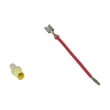
- Whirlpool dryer thermal cut-off fuse kit (352-degree f) 280148: often used when overheating has occurred
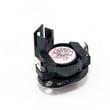
- Dryer high-limit thermostat WP8557403: can contribute to overheating if it fails
A thermal fuse is a one-time safety device. If you replace it without fixing airflow (lint screen, lint duct, vent pipe, outside hood), the new fuse can blow again quickly.
For additional fault-code checks that can help narrow symptoms, use Whirlpool duet dryer error codes.
Last updated: February 2026
How to hard reset a whirlpool dryer?
To hard reset your Whirlpool electric dryer model WED7590FW0, we recommend a full power reset: turn the dryer off, unplug it (or switch the breaker off) for 2 minutes, then restore power and start a cycle. This clears most control glitches and false error conditions.
- Press Power/Cancel to end the current cycle.
- Unplug the dryer, or turn both dryer breakers off (most electric dryers use a 2-pole breaker).
- Wait 2 minutes.
- Restore power.
- Open and close the door once.
- Run a quick Timed Dry test to confirm the dryer starts and heats.
A reset fixes software-like hiccups, but it will not correct a heating, airflow, or safety cutout problem. Check these common causes next:
- House power issue: the dryer may run but not heat if one leg of 240V is missing.
- Restricted venting: crushed/kinked vent or a clogged vent run can cause overheating and shutdowns.
- Blown thermal safety: a thermal fuse or thermal cut-off can stop heat (and sometimes stop the motor).
- Overheating control inputs: a failing temperature sensor can cause erratic operation.
| Symptom after reset | Most common direction | What to check first |
|---|---|---|
| Runs but no heat | Heating circuit or airflow | Venting and house 240V |
| Won’t start | Door switch, control, or safety | Power at outlet, door fully closed |
| Stops mid-cycle | Overheating protection | Vent restriction, lint buildup |
Resetting the control is the fastest way to clear a temporary electronic fault. If the problem returns quickly, we treat it as a repeatable issue (power, airflow, or a failed component) so you can avoid long dry times and overheating.
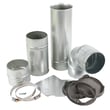
- Use the WED7590FW0 installation guide to confirm proper vent connection and avoid crushing or kinking the 4-inch vent, which can trigger overheating problems.
- If you’re seeing a code on the display, match it using Whirlpool electronic control model dryer error codes so you can troubleshoot the right circuit.
Last updated: February 2026
How many years should a whirlpool dryer last?
Most Whirlpool dryers, including the Whirlpool WED7590FW0 electric dryer, typically last 10 to 13 years with normal household use. With consistent vent cleaning, correct installation, and prompt replacement of worn parts, it’s common to reach 15 years.
A dryer’s life is usually determined by heat stress, airflow restriction, and mechanical wear. Focus on these items first:
- Clean the lint screen before every load
- Keep the vent run as straight and short as practical (fewer elbows and turns)
- Avoid crushed or kinked venting behind the dryer
- Do not use screws or duct tape inside the vent joints (they can catch lint)
- Do not overload; heavy loads strain the drum support rollers and motor
- Fix squealing, thumping, or long dry times early to prevent bigger failures
Use this quick schedule to keep performance up and reduce overheating.
| Task | How often | Why it matters |
|---|---|---|
| Clean lint screen | Every load | Maintains airflow and drying speed |
| Inspect and clean venting to outdoors | Every 6 to 12 months | Reduces heat buildup and wear |
| Check for long dry times or hot cabinet | Monthly | Early warning of vent restriction or heating issues |
| Listen for roller or blower noise | Monthly | Catches wear before it damages the drum or motor |
If your WED7590FW0 is noisy, takes longer to dry, or overheats, these parts are often involved:
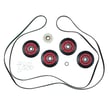
- Dryer repair kit 4392067 (common wear items that address many noise and drum support issues)
- Dryer drum support roller WPW10314173 (worn rollers can cause thumping or squealing)
- Thermal fuse W10909685 (a safety device that can open if overheating occurs)
- Element WP8544771 (if the dryer runs but does not heat properly)
A restricted vent system can shorten dryer life by increasing heat and run time. The installation instructions for this model emphasize venting limits and note that overly long exhaust systems reduce performance and can shorten the life of the dryer; review the venting section in the installation guide to match your setup to the recommended vent path.
Last updated: February 2026