Installation guide
 Owner’s manual



How do I tell what model my Kenmore dryer is?
Your Kenmore dryer’s model number is printed on the appliance ID label, usually inside the door opening on the front frame. Once you have that full number (for example, 41791122311), we can match the correct parts, wiring, and installation requirements for your exact dryer.
Check these common locations on Kenmore dryers:
- Inside the dryer door opening on the front frame (most common)
- On the back panel of the dryer cabinet
- Along the door opening edge near the door switch area
- On the cabinet side frame behind the door
- Near the lint screen housing area (some designs)
Use the location diagrams and label examples in the 41791122311 owner's manual.
Record the information exactly as shown on the label:
- Model number (example: 41791122311)
- Serial number (helps with production variations)
- Fuel type: gas or electric (important for heating parts)
- Any suffixes or extra digits/letters printed with the model
| What you see | What it means | What to do |
|---|---|---|
| 41791122311 | Exact model number | Use this for parts lookup and manuals |
| “Kenmore 417” | Model family prefix | Helpful clue, but not enough for ordering parts |
| Serial number only | Production identifier | Still find and use the model number |
Kenmore model families can share a similar look, but use different components (like a door switch, drum belt, thermistor, or gas valve parts). Using the exact model number prevents ordering the wrong part and helps you follow the correct venting and setup steps in the 41791122311 installation guide.
Last updated: February 2026
How to open Kenmore dryer front panel?
On Kenmore dryer model 41791122311, opening the front panel typically means disconnecting power, removing the top (or front) fasteners, then lifting the front panel up and off while supporting the door and any wiring. Use the steps in the 41791122311 installation guide to match screw locations and safe handling.
- Unplug the dryer from the wall outlet (or switch off the breaker).
- If it is a gas dryer, shut off the gas supply valve.
- Pull the dryer forward so you can work from the front and sides.
- Protect the floor with cardboard or a towel to prevent scratches.
- Have a container ready for screws so nothing gets lost.
Most Kenmore 417-series style dryers open up in this general order:
- Remove the lint screen (if it blocks top screws on your version).
- Release the top panel: remove rear screws or release spring clips near the front edge (a putty knife often helps).
- Remove front panel fasteners: look for screws along the top inside edge and/or inside the door opening.
- Support the door/front panel and lift the panel upward to unhook it from the lower retaining tabs.
- Disconnect wiring only if needed (for example, the door switch harness) and note the connector orientation.
| What you notice after opening | What it usually points to | Next step |
|---|---|---|
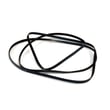
| Belt loose, broken, or off the pulley | Drum belt issue | Inspect/replace white-westinghouse dryer drum belt 134719300 |
| Loud thumping or squeal when turning drum by hand | Roller or idler wear | Check drum rollers and idler system |
| Door won’t start cycle even when closed | Door switch or latch alignment | Test dryer door switch 134813601 and door strike/catch |
Removing the front panel is the access step for the most common dryer repairs, including replacing the drum belt, checking drum support rollers, cleaning lint buildup near the blower housing, and testing the door switch. Doing it in the right order prevents bent panels, stripped screw holes, and damaged wiring.
Last updated: February 2026
What is the average lifespan of 41791122311?
A Kenmore dryer like model 41791122311 typically lasts 13 years with normal household use. Regular lint and vent cleaning, correct installation, and replacing wear items (like belts and rollers) on time are the biggest factors in reaching that lifespan.
- Airflow: a restricted vent overheats the dryer and shortens component life
- Load habits: frequent overloading strains the motor, belt, and drum supports
- Heat system health: weak ignition or poor temperature sensing increases run time
- Preventive cleaning: lint buildup accelerates wear and raises operating temperatures
- Timely wear-part replacement: small parts prevent bigger failures
These parts often need replacement during the dryer’s life, especially if you notice squealing, thumping, or long dry times:
- White-westinghouse dryer drum belt 134719300
- Dryer drum support roller 5304523152
- Dryer lint screen 137560710
- Dryer thermistor 134587700
| If your dryer is… | What we recommend | Why it matters |
|---|---|---|
| 0 to 5 years old | Focus on venting and lint control | Prevents heat stress and early wear |
| 6 to 10 years old | Listen for noise, check drying time | Rollers, belt, and airflow issues show up |
| 11+ years old | Plan for wear-part refresh | Extends life and improves performance |
Most “dryer died early” situations are really airflow or maintenance problems. Following the cleaning and operating guidance in the 41791122311 owner’s manual helps the dryer heat correctly, dry faster, and reduce strain on the motor and drum system.
Last updated: March 2026