 Installation guide
 Owner’s manual
 Error Codes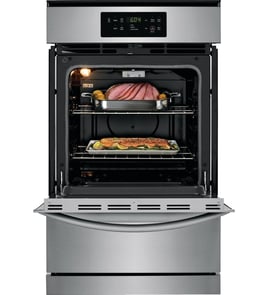



What are the main parts of an oven?
The main parts of a GE wall oven like model JGRP20WEJ1WW include the oven cavity, racks and rack supports, burner and ignition components, controls, vents, and the oven light system. These parts work together to heat safely, control temperature accurately, and vent combustion air properly.
Core oven parts you will see and use
- Oven cavity and door: the insulated cooking space and sealed door that hold heat
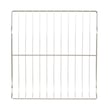
- Oven racks and rack supports: adjustable positions (commonly labeled A through D) for baking and broiling
- Oven bottom panel: a removable panel that lets you access and clean around the burner area
- Oven vent openings: air inlet and outlet openings that must stay unblocked for proper combustion
- Oven light system: bulb, lens/cover, and socket that illuminate the cavity
Key “behind the scenes” components
These parts are common in gas wall ovens and are often involved when the oven will not heat or heats unevenly:
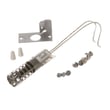
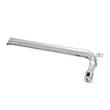
- Igniter: lights the gas at the burner (a frequent no-heat culprit)
- Gas control components: regulate and route gas flow to the burner
- High-limit thermostat: helps protect the oven from overheating
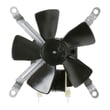
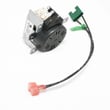
- Cooling fan (on many wall ovens): moves air to protect controls and surrounding cabinetry
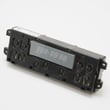
- Control board and control panel: manage bake/broil functions and temperature control
Common parts on JGRP20WEJ1WW you may replace
| Symptom | Part to check first | Example part for this model |
|---|---|---|
| Oven will not heat, weak ignition | Igniter | Igniter WB2X9154 |
| Oven light out | Bulb or lens/cover | Appliance light bulb, 40-watt 40A15 |
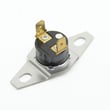
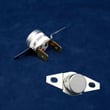
| Oven overheats or shuts down | High-limit thermostat | Hotpoint wall oven high-limit thermostat WB24K5041 |
Why it matters
Knowing the main oven parts helps you troubleshoot faster and replace the right component the first time. For example, blocked vents can affect combustion, and a failing igniter can prevent the burner from lighting even when the control is set correctly.
Helpful references for your model
For rack positions, vent locations, removable oven bottom handling, and light replacement steps, follow the JGRP20WEJ1WW owner’s manual.
Last updated: February 2026
What does F20 mean on GE oven?
On the GE JGRP20WEJ1WW gas wall oven, an F20 error indicates the oven sensed an over-temperature condition (the temperature rose above the control’s allowed limit). Clear the code, let the oven cool, then restore power and retest using the steps in the JGRP20WEJ1WW owner’s manual.
What to do first (safe reset)
- Touch CLEAR/OFF to stop the cycle and clear the display.
- Keep the door closed and let the oven cool for about 1 hour.
- If the code returns, shut off power to the oven at the breaker for 5 minutes, then restore power.
- Run BAKE at a moderate temperature and watch for normal ignition and steady heat.
- If F20 repeats after the reset, schedule service (repeated function codes point to a control or temperature-sensing problem).
Common causes we see with over-temperature errors
Over-temperature codes usually happen when heat is not being regulated correctly. Typical causes include:
- Temperature sensor or wiring issues (sensor reading is inaccurate)
- Control board problems (misreading sensor input or not cycling heat correctly)
- Cooling airflow problems (heat builds up around the control area)
- Stuck gas valve or burner control issue (less common, but possible)
Quick symptom-to-likely-cause table
| What you notice | What it often points to | What to check |
|---|---|---|
| Oven keeps heating past set temp | Control not regulating | Control settings, then control board diagnosis |
| Code appears after long bake | Heat buildup near controls | Cooling fan operation and vents |
| Code appears with other odd display behavior | Control electronics | Power reset, then service if it returns |
Why it matters
An over-temperature condition can affect baking results and can overheat components like the control area and wiring. Addressing F20 quickly helps protect parts such as the wall oven cooling fan assembly WB26K5061 and the oven control system.
Helpful reference
For GE fault code patterns and what they mean across models, use our GE wall oven error codes guide alongside your model’s manual.
Last updated: February 2026
Where to find model number on GE wall oven?
On the GE wall oven model JGRP20WEJ1WW, the model and serial numbers are on a label on the front frame of the oven, behind the oven door. Open the door fully and look along the front edge of the oven opening.
Quick steps to locate the label
- Turn the oven light on so the front frame is easier to see.
- Open the oven door and look at the front frame (the area the door closes against).
- Check the left and right sides of the frame first, then the bottom edge.
- Wipe the area with a damp cloth if grease is hiding the print.
- Write down both the model number and serial number exactly as shown.
What the label looks like (what to copy)
Most GE wall oven ID labels include these fields:
| Label field | What it’s used for | Example format |
|---|---|---|
| Model number | Matching parts and diagrams | JGRP20WEJ1WW |
| Serial number | Dating the unit, service history | Letters and numbers |
Why it matters
We use the model number to match the correct GE wall oven parts for your exact configuration (controls, igniter style, door components). For example, when ordering an igniter WB2X9154, the model number helps ensure the right fit and wiring style.
Helpful tip for service or installation
Keep the model and serial numbers with your paperwork; GE also references them in the JGRP20WEJ1WW owner’s manual and the JGRP20WEJ1WW installation guide.
Last updated: February 2026





