Owner’s manual
 Error Codes


How many cubic feet is a Kenmore Elite refrigerator?
Kenmore Elite refrigerator capacity varies by model; for Kenmore Elite model 10656683501, the exact cubic-foot capacity is listed on the product specifications page in the 10656683501 owner's manual. Most Kenmore Elite side-by-side refrigerators are commonly in the mid-20 cu. ft. range.
How to find the exact capacity for model 10656683501
We recommend using the model-specific documentation because “Kenmore Elite” covers many sizes (side-by-side, French door, and more).
- Check the Specifications section in the manual for “Capacity” or “Total capacity”
- Look for separate values for refrigerator and freezer compartments
- If the manual lists dimensions but not capacity, check the rating label inside the fresh food section (often on a side wall)
- Use the full model number 10656683501 when comparing listings or ordering parts
Typical capacity ranges (for context)
| Refrigerator style | Typical total capacity | Notes |
|---|---|---|
| Side-by-side | 22 to 27 cu. ft. | Narrower compartments, tall storage |
| French door | 25 to 30+ cu. ft. | Wider shelves, larger fresh food section |
| Top freezer | 14 to 21 cu. ft. | Smaller footprint, simpler layout |
Why it matters
Capacity affects how the refrigerator fits your household needs and can also influence airflow and loading. For example, the manual recommends leaving clearance for ventilation (space on the sides and top, plus extra room behind if you have an ice maker water line), which helps the unit cool efficiently.
Last updated: January 2026
Is there a way to reset a Kenmore Elite refrigerator?
Yes. For Kenmore Elite refrigerator model 10656683501, the most reliable reset is to turn the controls OFF, disconnect power, then restore power and set the controls back to your preferred temperature; for models with digital controls, you can also turn the unit OFF then ON to reset (as described in the 10656683501 owner's manual).
Quick reset options (start here)
- Control reset (digital controls): turn the refrigerator OFF, wait about 30 seconds, then turn it ON.
- Hard reset (power cycle): unplug the refrigerator (or switch off the breaker) for 5 to 10 minutes, then restore power.
- After any reset: set the refrigerator and freezer controls back to the desired settings and allow time for temperatures to stabilize.
Step-by-step: hard reset (power cycle)
- Turn the refrigerator control to OFF.
- Unplug the power cord from the outlet (or turn off the circuit breaker).
- Wait 5 to 10 minutes.
- Restore power.
- Reset the temperature controls to normal settings.
Safety notes we follow
- Use a grounded 3-prong outlet.
- Use an outlet that cannot be turned off by a switch.
- Do not use an extension cord.
What to check after resetting (common “still not working” causes)
- Confirm the outlet has power and the breaker is not tripped.
- Make sure the controls are not still set to OFF.
- Check that doors close fully and nothing is holding them open.
- Clear items blocking interior air vents so cold air can circulate.
- If the unit is in a defrost cycle, recheck operation in about 30 minutes.
Reset method comparison
| Reset type | What it does | Best for | What to expect |
|---|---|---|---|
| Control OFF/ON | Reboots the control logic | Not cooling, odd behavior after a glitch | Cooling may take several hours to fully stabilize |
| Hard reset (unplug) | Clears many temporary control issues | After power outage, unresponsive controls | Lights and fans may restart immediately |
Why it matters
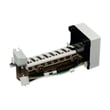
A reset clears temporary control-board glitches, but it will not fix underlying issues like dirty condenser coils, airflow restrictions, or a failed component (for example, a water/ice problem tied to the refrigerator inlet valve W10408179 or the refrigerator ice maker 2198597).
Last updated: January 2026
Where is the temperature sensor on a Kenmore Elite refrigerator?
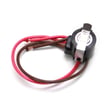
On Kenmore Elite model 10656683501, the temperature sensor (thermistor) is located inside the refrigerator and freezer compartments where it can read air temperature; the exact access point and panel removal steps are shown in the 10656683501 owner's manual. In most side-by-side designs, it is positioned near an air vent or behind an interior cover.
Where to look on a side-by-side like 10656683501
These are the most common thermistor placements used on Kenmore side-by-side refrigerators:
- In the fresh food compartment near the top air return/supply vent area
- In the freezer compartment near the evaporator cover (rear interior panel)
- Clipped into a small plastic holder on the liner wall (sensor tip exposed to airflow)
- Routed through a small opening with the wiring harness leading to the control
- Near the control housing area at the top of the refrigerator compartment (design-dependent)
How to access it safely
Before removing any interior panels or disconnecting wiring:
- Unplug the refrigerator (or switch off the breaker)
- Remove shelves/bins for working room
- Use a plastic tool for trim to avoid cracking liners
- Photograph wire routing and connector positions
- If you find heavy frost behind a cover, correct the defrost/airflow problem first
Use the control guidance to rule out simple causes
The manual for this model focuses on checking vents first and using proper set points (factory recommendations are 0°F freezer and 37°F refrigerator).
| What you notice | Most common cause | First checks |
|---|---|---|
| Refrigerator too warm, freezer OK | Airflow/damper issue | Blocked vents, overpacked shelves, damper movement |
| Freezer too warm, little ice | Cooling/airflow issue | Door sealing, frost buildup, condenser area cleanliness |
| Temps swing warm/cold | Sensor out of position or airflow restriction | Sensor clipped in place, vents clear |
Why it matters
A thermistor must sit in moving air. If it is dislodged, iced over, or blocked by food, the control can misread temperature and overcool or undercool even when the display set points look correct.
Last updated: January 2026