Owner’s manual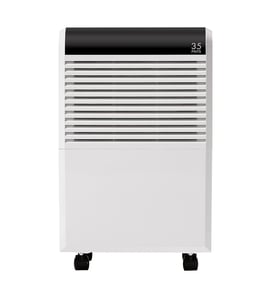



What does EC mean on a Kenmore dehumidifier?
On Kenmore Elite dehumidifier model 40554570410, the EC code means unit malfunction. Our Use and Care Guide directs you to confirm the room temperature is 41°F (5°C) to 95°F (35°C); if EC continues after correcting temperature and resetting power, the unit needs service (see the 40554570410 owner's manual).
- Unplug the dehumidifier for 2 to 5 minutes, then plug it back in to reset the control.
- Confirm the room is within 41°F to 95°F.
- Place the unit on a level floor and keep airflow open around the cabinet.
- If the display also shows other codes (such as bucket-related codes), reseat and empty the bucket.
- If EC returns, stop operating the unit and schedule service.
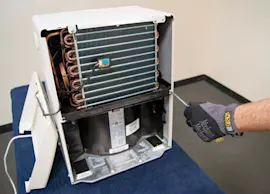
The guide lists EC as a malfunction; common underlying causes include sealed-system or compressor-related problems.
| What can trigger EC | What you can check at home | Typical next step |
|---|---|---|
| Temperature out of range (below 41°F or above 95°F) | Measure room temperature; relocate unit if needed | Restore proper temperature, then reset power |
| Compressor overload or failure | Unit runs but removes little moisture | Service diagnosis and repair |
| Sealed-system restriction or refrigerant leak | Gradual loss of dehumidifying performance | Service diagnosis and repair |
EC is a protection and fault indicator. Correcting operating conditions (especially temperature) can clear the code; if it persists, continued operation can lead to poor moisture removal and ongoing compressor stress.
Last updated: January 2026
Why is my Kenmore dehumidifier not working?
If your Kenmore Elite dehumidifier model 40554570410 won’t run or isn’t removing water, the most common causes are a power issue, the bucket not seated correctly, the humidity setting being satisfied, or the built-in 3-minute compressor delay. Start with the quick checks in the 40554570410 owner's manual.
- Push the plug fully into a grounded outlet; avoid using a shared multi-outlet strip.
- Check your home fuse or circuit breaker.
- Remove and reinstall the water bucket so it seats fully; the unit may not run if the bucket is mispositioned.
- Empty the bucket if it is full.
- Wait at least 3 minutes after the unit stops before expecting the compressor to restart.
- Confirm room temperature is within the operating range (41°F to 95°F).
- Give it time; moisture removal is slower in cooler rooms or low humidity.
- Make sure curtains, blinds, or furniture are not blocking airflow at the front or back.
- Set the humidity control lower so the unit calls for dehumidification.
- Close doors and windows to keep humid air from constantly entering.
- If you see frost on the coils, that is normal; the unit uses an auto-defrost feature.
| Symptom | Most likely cause | What to do |
|---|---|---|
| No power, no lights | Outlet, cord, breaker | Verify outlet power; reset breaker |
| Fan runs, little or no water | Humidity already low, airflow blocked | Lower setpoint; clear airflow |
| Stops and won’t restart right away | Compressor protection delay | Wait 3 minutes |
| Runs but shuts off quickly | Bucket full or not seated | Empty and reseat bucket |
A dehumidifier depends on steady airflow across the evaporator coil and correct bucket positioning. When airflow is restricted or the bucket switch is not satisfied, the unit can stop, frost up, or remove very little moisture.
Last updated: January 2026
What is the average lifespan of 40554570410?
A Kenmore Elite dehumidifier like model 40554570410 typically lasts 5 to 8 years with normal home use and routine cleaning. Lifespan depends most on airflow (clean filter), operating conditions, and keeping the bucket and coils clean; see the maintenance schedule in the 40554570410 owner's manual.
- Air filter care: the manual calls for cleaning about every 2 weeks under normal conditions.
- Coil cleanliness: dust buildup on the evaporator/condenser reduces performance and strains the compressor.
- Operating environment: the unit is designed to run between 41°F and 95°F.
- Drainage habits: keeping the bucket clean helps prevent odors and overflow interruptions.
- Electrical supply: use a properly grounded 3-prong outlet; avoid adapters.
- Unplug before cleaning.
- Wash and fully dry the air filter before reinstalling.
- Clean the bucket every few weeks with mild detergent; rinse well.
- Vacuum intake and outlet grilles to keep airflow strong.
- Store upright in a dry, ventilated place if not used for long periods.
| Symptom | What it often points to | What to check first |
|---|---|---|
| Runs but removes little water | Restricted airflow or dirty coils | Filter, grilles, coil cleanliness |
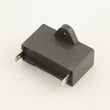
| Hums, struggles to start | Weak capacitor | Consider testing the Kenmore capacitor 202401000752 |
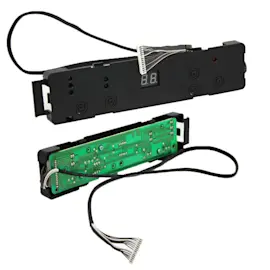
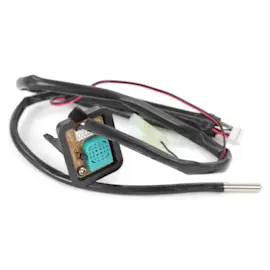
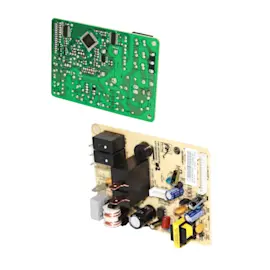
| Short cycling or won’t run consistently | Control or sensor issue | Wiring, switches, control board |
| Loud operation over time | Fan or vibration issues | Level surface, debris, loose panels |
A dehumidifier’s compressor and coils work harder when airflow is restricted. Keeping the filter and bucket clean reduces run time, improves moisture removal, and directly extends the service life of model 40554570410.
Last updated: March 2026